
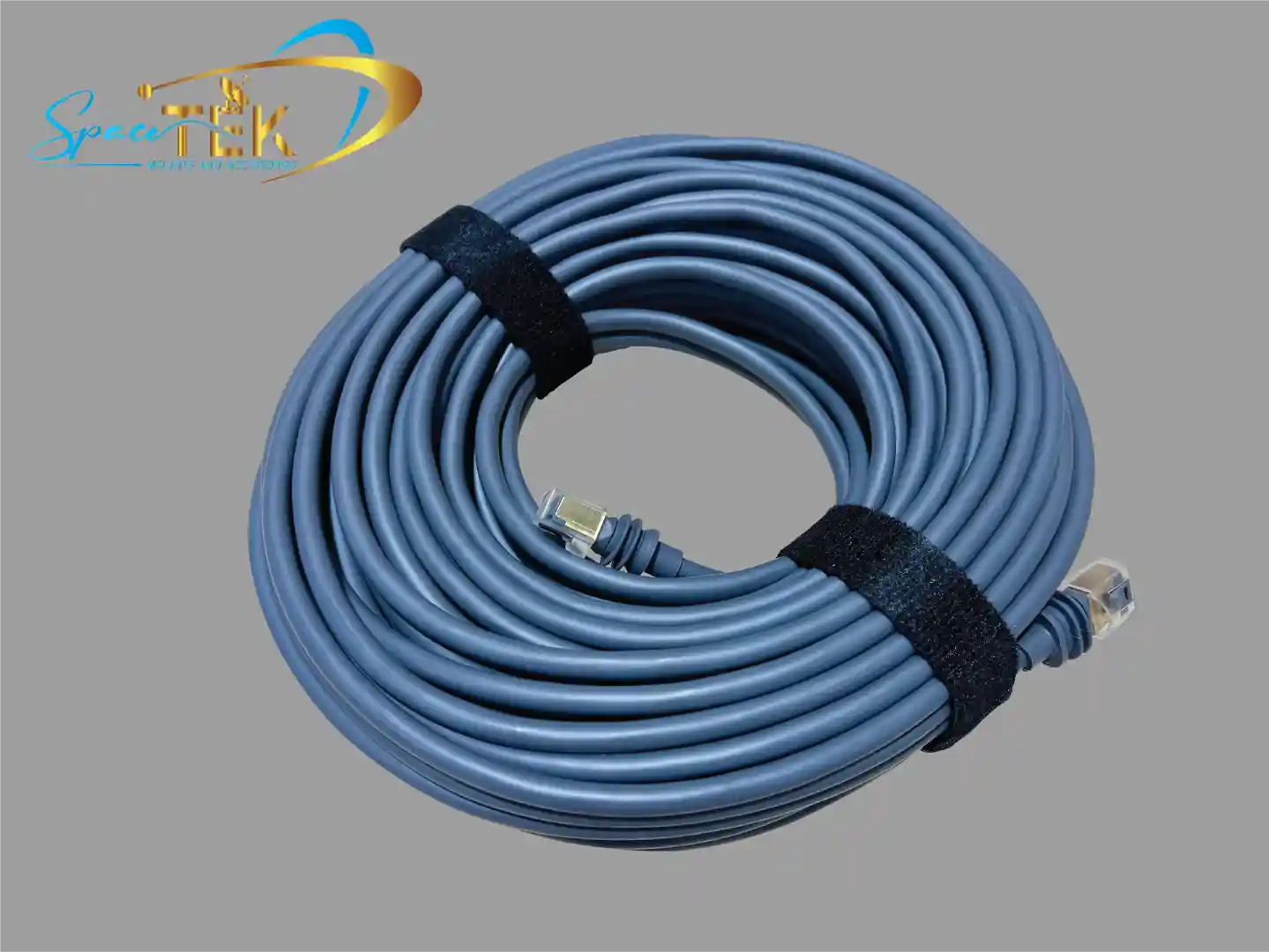
Why Your Gen 3 Starlink Cable Choice Matters More Than You Think

If you're replacing or extending your Gen 3 Starlink cable, here's what you need to know straight away:
- The Gen 3 Starlink cable uses standard RJ45 connectors (Cat6 equivalent), making replacements and extensions far easier than older generations.
- SpaceTek replacement cables come in 25m (82 ft) and 45m (147 ft) lengths.
- The cable supports data speeds up to 2,000 Mbps and carries both power and data via Power over Ethernet (PoE).
- Keep your total cable run under 45m to avoid voltage drop and signal issues.
- For outdoor Australian conditions, always choose a shielded, outdoor-rated cable — unshielded options risk interference and early failure.
Getting your Starlink online is one thing. Keeping it running reliably — through scorching summers, coastal salt air, and the odd curious animal — is another challenge entirely.
The cable connecting your dish to your router is easy to overlook. But it's the backbone of your entire setup.
Whether your original cable was damaged, you need a longer run to reach your router, or you're setting up in a new location, choosing the right replacement matters. The wrong cable can mean slower speeds, dropouts, or a failed connection after the first big storm.
The good news? The Gen 3 Starlink dish made things significantly simpler. Unlike earlier Starlink versions that used proprietary connectors, Gen 3 moved to standard RJ45 ports. That means more options, easier sourcing, and genuine flexibility — especially useful if you're in a remote area where off-the-shelf parts are sometimes your only option.
Gen 3 starlink cable terms to learn:
- Starlink Gen 3 cable adapter
- decoding-starlink-gen-3-the-essential-guide-to-its-cable-and-connector-type
- upgrading to Starlink Gen 3
Technical Specifications of the Gen 3 Starlink Cable
When we look under the hood of the Gen 3 Starlink cable, we find a significant upgrade in both versatility and performance. The move to standard RJ45 connectors is a game-changer for Australian users, especially those in regional areas who need to customise their installations.
The technical backbone of this cable is a Cat6 equivalent construction. It features a 26 AWG copper wire with an 8-core shielded design. This shielding is critical; it protects the high-speed data from electromagnetic interference (EMI), which can be rampant in modern homes filled with wireless devices.
In terms of raw performance, this cable is designed to support data transfer speeds of up to 2000 Mbps. While your Starlink internet speed might peak around 400 Mbps globally, having that extra bandwidth capacity ensures the connection between the dish and router is never the bottleneck. Furthermore, it utilizes Power over Ethernet (PoE) technology, meaning a single cable carries both the electricity required to power the dish and the data for your internet.
Comparing Gen 3 Starlink Cable to Previous Generations
If you've used the Gen 2 "Actuated" dish, you'll remember the proprietary, rectangular connectors that were notoriously difficult to replace or extend without special adapters. The Gen 3 hardware evolution has done away with those headaches.
The Gen 3 router features two latching Ethernet LAN ports protected by removable covers. This design allows for a much more "plug and play" experience. While the Gen 2 required a separate Ethernet adapter to connect third-party hardware, the Gen 3 router has these ports built-in. Understanding these differences is vital when upgrading-to-starlink-gen-3-what-it-means-for-mount-compatibility, as the physical connection points and cable management strategies have changed significantly.
Choosing the Right Length for Your Gen 3 Starlink Cable
Size matters when it comes to cabling. The standard kit usually comes with a 15-metre or 25-metre cable, but many Australian properties require more reach to get the dish clear of gum trees or roof obstructions.
SpaceTek replacement cables are available in lengths up to 45 metres (roughly 150 ft). This is generally considered the maximum recommended length for a single run. Why? Because of two technical hurdles: voltage drop and signal attenuation.
Since the Gen 3 Starlink cable carries power (PoE), longer runs can result in the dish not receiving enough electricity to function correctly, especially during heavy snow-melt cycles or peak processing. If you must go beyond 45 metres, you'll need to look into spacetek-solutions-starlink-gen-3-cable-extensions-and-adapters to ensure your signal remains stable.

Installation and Maintenance for Australian Conditions
Australia's climate is famously tough on electronics. From the 45°C heat of the Red Centre to the corrosive salt spray along the Great Ocean Road, your gen 3 Starlink cable needs protection.
SpaceTek cables are outdoor-rated and waterproof, but "rated" doesn't mean "indestructible." Extreme UV exposure can make the outer PVC jacket brittle over time. We always recommend routing your cable through a protective conduit where possible. Not only does this shield the cable from the sun, but it also stops local wildlife from having a cheeky chew on your internet connection.
Another pro tip for maintenance is the use of dielectric grease. Applying a small amount to the RJ45 pins can prevent moisture ingress and oxidation, which are the leading causes of connection dropouts in humid or coastal areas. Understanding why-cheap-starlink-cables-fail-in-the-heat is essential; low-quality third-party cables often use thinner wire (higher AWG) that can't handle the heat or the power load, leading to melted connectors or permanent dish damage.
Using Standard RJ45 Ethernet Cables with Gen 3
One of the most common questions we get at SpaceTek is: "Can I just use a normal Ethernet cable?" The answer is yes, but with a few very important "buts."
You should only use high-quality, shielded Cat6 or Cat6A cables. They must follow the T568B pinout standard. Using an unshielded (UTP) cable might work temporarily, but you lose the grounding protection provided by a high-quality gen 3 Starlink cable from SpaceTek. Without proper grounding, your dish and router are much more vulnerable to static build-up and surge damage during lightning storms.
Weatherproofing and Protecting Outdoor Connections
If you are using a starlink-cable-joiner to extend your run, the junction point is your weakest link. Even "waterproof" couplers can fail over time if they are sitting in a puddle or exposed to direct rain.
For a truly professional installation, we recommend housing any joins inside a sealed, IP68-rated junction box. This prevents moisture ingress, which can cause "arcing" — where the electricity in the PoE jump across pins, effectively frying your hardware. If you're looking for a seamless way to bridge the gap, check out our starlink-cable-extension-adapters-your-guide-to-seamless-connectivity for the best hardware to keep your connection dry and secure.
Conclusion and Expert Support
The move to a standard RJ45 gen 3 Starlink cable design has made high-speed satellite internet more accessible and customisable than ever before. By understanding the technical specs — from the 26 AWG wire gauge to the necessity of shielding — you can ensure your home or mobile setup remains rock-solid regardless of the weather.
At SpaceTek Australia, we specialise in helping you get the most out of your Starlink kit. Whether you need a rust-resistant mount for a coastal home or advice on custom cable routing for a caravan, our gear is built to withstand the harshest Australian environments. Proper installation is the difference between "it works for now" and "it works for years."
If you have questions about your specific setup or need a hand choosing the right accessories for your Gen 3 dish, don't leave it to chance. Our team has decades of experience in satellite communications and we're here to help.
Contact us today for expert advice on your Starlink installation.

Leave a comment
This site is protected by hCaptcha and the hCaptcha Privacy Policy and Terms of Service apply.