

What You Need to Know About Starlink Gen 3 Cable Adapters
%20Pole%20Adapter%20-%20Heavy%20Duty%20Machined%20Aluminium%201_compressed.webp?alt=media&token=d2351f98-98b3-4988-97d8-25a0450bc289 "Starlink Gen 3 (V4) Pole Adapter - Heavy Duty Machined Aluminium")
Starlink Gen 3 cable adapters are essential accessories that enable you to connect your Starlink dish to third-party networking equipment or extend your cable runs beyond the standard 15-metre length. Here's what you need to understand:
Primary Adapter Types:
- Cable Extension Solutions - RJ45 couplers and weatherproof connectors that let you join standard CAT6 cables for longer runs
- Waterproof Bulkhead Connectors - IP68-rated solutions for permanent outdoor installations where cables pass through walls or vehicle panels
Key Gen 3 Changes:
- Uses standard RJ45 connectors (unlike Gen 1 and Gen 2's proprietary plugs)
- No moving parts in the dish itself
- Higher power consumption at 195 watts vs Gen 2's 65 watts
- Gen 3 router includes two latching Ethernet LAN ports
The shift to RJ45 connectors represents a game-changer for rural and remote users. You can now extend your cable runs using readily available CAT6 Ethernet cable instead of expensive proprietary replacements. This makes installation more flexible and cost-effective, especially for challenging Australian conditions.
I'm Aaron Wroblewski, founder of SpaceTek Australia, and I've spent over 25 years helping Australians stay connected in remote locations using satellite systems and specialised mounting solutions. Throughout my work with Starlink installations across rural properties and mobile setups, I've seen how the right Starlink Gen 3 cable adapter can make the difference between a frustrating installation and a reliable connection.
Understanding the Starlink Gen 3 Cable and Adapter Ecosystem
The arrival of the Starlink Gen 3 system marks a significant evolution in satellite internet technology, particularly concerning its cabling and connectivity. This generation brings design changes that profoundly impact how users can integrate Starlink into their homes, businesses, and mobile setups across Australia.
Key Differences: Gen 3 vs. Previous Generations
The Starlink Gen 3 system, often called the Standard V3 kit, introduces several pivotal changes compared to its predecessors, Gen 1 (Round Dish) and Gen 2 (Rectangular Dish). Understanding these differences is crucial for anyone looking to purchase or upgrade their Starlink accessories, especially when it comes to Starlink Gen 3 cable adapters.
The most notable change is the switch to standard RJ45 connectors. Both Gen 1 and Gen 2 systems used proprietary plugs, which meant you had to buy a separate, official Starlink Ethernet Adapter to create a hardwired connection. With Gen 3, the dish cable uses a standard RJ45 connector that plugs straight into the router. This simplifies direct connections and opens up a world of standard networking accessories.
Another key difference is the dish design. The Gen 3 dish has no motors or other moving parts, unlike the motorised Gen 1 and Gen 2 dishes that automatically adjusted their angle. While this means you'll need to manually aim the dish during initial setup (guided by the Starlink app), it also makes the unit inherently more robust for the rigours of mobile use on an RV or caravan. The Gen 3 dish is also larger than the Gen 2 but features a convenient fold-up kickstand, making it easier to stow.
The Gen 3 router is also a significant upgrade. While previous generations had no built-in Ethernet ports, the Gen 3 router includes two latching Ethernet LAN ports. This removes the need for a separate adapter if you want to hardwire devices like smart TVs or connect to a third-party router.
Finally, regarding power, the Gen 3 system's labelled power consumption is 195 watts. This is higher than both Gen 1 (185W) and significantly more than Gen 2 (around 65W). This increased power draw is an important consideration for mobile users, especially those relying on battery banks for boondocking. You can find more detailed specifications for the Gen 3 router here.
Types of Starlink Gen 3 Cable Adapters and Their Functions
With the Gen 3's adoption of RJ45, the landscape for Starlink Gen 3 cable adapters has evolved. While the need for a proprietary-to-RJ45 adapter is gone for the dish cable itself, other types of adapters become more relevant for custom installations and extending functionality.
Waterproof Bulkhead RJ45 Connectors: For permanent installations, especially in RVs, caravans, or fixed structures where the cable needs to pass through a wall or panel, a robust and weatherproof solution is essential. Our IP68 Waterproof RJ45 Connector allows you to create a secure, weather-sealed pass-through for your Starlink's RJ45 cable. This prevents water ingress and protects the connection from the harsh Australian elements, ensuring long-term reliability.
Cable Extension Couplers: The Gen 3 system comes with a standard 15-metre cable. If your setup requires a longer run, simple RJ45 couplers can be used to join two standard CAT6 Ethernet cables. This offers incredible flexibility, as CAT6 cable is widely available and significantly more affordable than proprietary extensions. However, for outdoor or exposed runs, ensure your extension cables and couplers are outdoor-rated and waterproofed to maintain signal integrity and prevent damage.
These various adapter types empower users to tailor their Starlink setup to their specific needs, whether it's for a more robust mobile installation or integrating with existing home network infrastructure.
Extending Your Reach with a Starlink Gen 3 Cable Adapter
The standard Starlink Gen 3 cable length is typically 15 meters (approximately 49 feet). While this is sufficient for many residential or temporary setups, we often find our customers in Australia require longer cable runs for optimal dish placement, especially when mounting on rooftops or away from living areas.
The beauty of the Gen 3's RJ45 connector is its compatibility with standard CAT6 Ethernet cable. This means extending your cable is straightforward:
- Using Couplers: You can use an RJ45 coupler to connect your existing Starlink cable to a standard CAT6 Ethernet extension cable. This allows for significantly longer runs, with options for various lengths like 5m, 10m, 15m, 25m, 30m, 45m, 46m, or even 75m cables.
- Weatherproof Solutions: For outdoor extensions, it's paramount to use outdoor-rated CAT6 cable and weatherproof connectors or enclosures to protect against moisture, UV radiation, and physical damage. This is particularly important for permanent installations where the cable will be exposed to the elements. Our range of Starlink Cables and Accessories includes options for armoured, heavy-duty, and waterproof cables with stainless steel sleeves, perfect for Australian conditions and preventing issues like rodent damage.
These extension options, facilitated by the Starlink Gen 3 cable adapter ecosystem, provide the flexibility to place your Starlink dish in the best possible location for a clear view of the sky, regardless of the distance to your router.
The Gen 3 Router: More Than Just Wi-Fi
The Starlink Gen 3 router is a significant upgrade, offering improved features that complement the new dish design. It's not just a Wi-Fi broadcaster; it's a powerful networking hub.
This router boasts Wi-Fi 6 (802.11ax) technology, along with Tri-Band and 4x4 MU-MIMO capabilities, ensuring faster speeds and better performance for multiple connected devices. It can handle up to 235 devices, which is impressive for most home or mobile network needs.
Crucially, the Gen 3 router includes two (2) Latching Ethernet LAN ports with removable covers. This eliminates the need for a separate Ethernet adapter (like older generations required) if you want to hardwire devices or connect a third-party router. These ports are invaluable for:
- Hardwired Connections: Providing stable, high-speed internet to devices like smart TVs, gaming consoles, or desktop computers.
- Mesh Networking: The Gen 3 router is compatible with Starlink Gen 2 and Gen 3 Mesh nodes, allowing you to easily extend your Wi-Fi coverage throughout a larger home, office, or caravan. This creates a seamless network experience without dead zones.
- Third-Party Routers: For advanced users who prefer their own router for specific features or greater control, the integrated Ethernet ports make connecting your preferred network hardware a breeze.
For those looking to secure their Gen 3 router in a fixed location, especially in a home or mobile setup, a Gen 3 Router Wall Mount provides a neat and organised solution.
Powering Your Gen 3 System: Considerations for Mobile Users
The Starlink Gen 3 system's power consumption is a key factor, particularly for our mobile users traversing the vast Australian landscape. The official label states 195 watts, which is a considerable increase from the Gen 2's approximate 65 watts. While real-world measurements in an RV setup might show around 84W (when running through an inverter), this is still a significant draw, especially for those who enjoy boondocking or off-grid living.
The Gen 3 system still requires a separate 110V AC power supply (with a 57V DC output). This means that for mobile users with 12V or 24V battery systems, an inverter is typically needed to convert DC battery power to AC for the Starlink power supply. However, inverters themselves consume power, and their efficiency can vary. The idle draw of an inverter can add up, potentially consuming around 12.7 Amp-Hours daily even when not actively powering devices.
To mitigate this, many mobile users are exploring dedicated DC conversion solutions. Instead of converting 12V DC to 240V AC (via an inverter) and then back down to 57V DC (via the Starlink power supply), a direct 12V or 24V DC to 57V DC converter can significantly improve efficiency and reduce power waste. This is where specialised StarPower DC Power Supplies come into play, offering custom solutions to keep your Starlink running optimally without draining your battery bank unnecessarily.
Installation and Mounting for Gen 3
Installing your Starlink Gen 3 system requires careful consideration, especially for mobile or RV use in Australia. The Gen 3 dishy's design, lacking motors, means a slightly different approach to setup.

- Manual Alignment: Unlike previous generations, the Gen 3 dish requires manual pointing and tilt adjustment during initial setup. The Starlink app provides an excellent obstruction tool to help you find the best location with a clear view of the sky (requiring about 110° horizontal and 20° vertical clearance). Once positioned, the app guides you through adjusting the dish's angle for optimal satellite connection.
- Robustness for Mobile Use: The absence of moving parts in the Gen 3 dishy makes it inherently more robust and less susceptible to damage during travel, a huge advantage for RVers and those operating in dynamic environments.
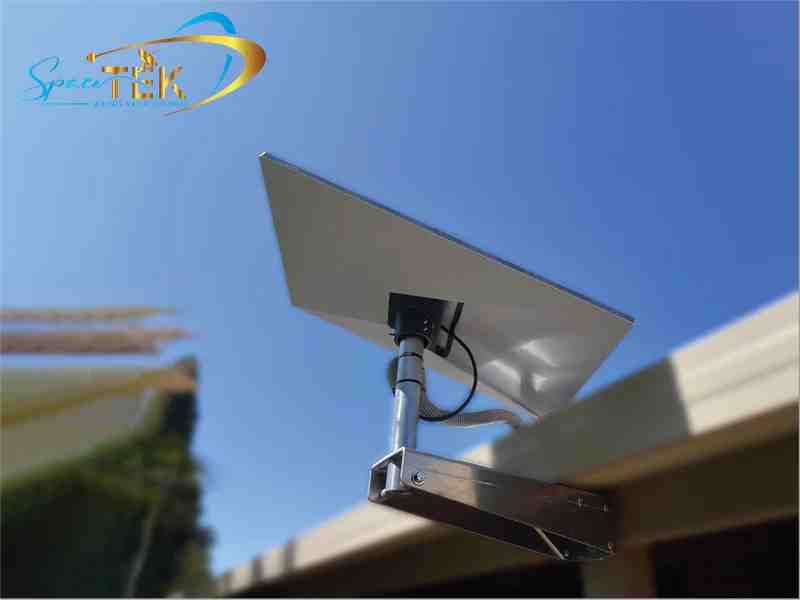
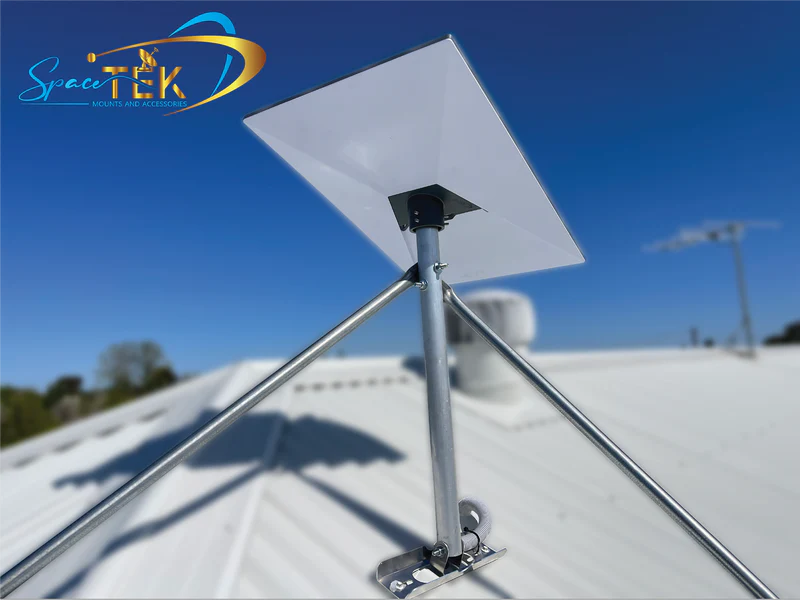
- Mounting Solutions: While the Gen 3 comes with a fold-up kickstand for temporary placement, for permanent or semi-permanent installations on an RV, caravan, or building, dedicated mounting solutions are essential. We offer a range of Gen 3 Mounts and Accessories designed for secure and stable installation in Australian conditions. These include roof mounts, pole adapters (like our aluminium and plastic Gen 3 pole adaptors for various pole diameters), and wall mounts.
- Cable Routing: When using a Starlink Gen 3 cable adapter or extending your cable, careful routing is crucial. Ensure cables are protected from kinks, sharp edges, and environmental exposure. For installations through vehicle panels or walls, our IP68 waterproof bulkhead connectors provide a professional and secure pass-through.
- Professional Installation: While Starlink is designed for self-installation, complex setups, especially on vehicles or roofs, can benefit from expert assistance. If you're unsure about optimal placement, cable management, or securing your mount, we can help you Find an Installer who understands Australian conditions.
Conclusion: Securing Your Gen 3 Connection
The Starlink Gen 3 system, with its robust dishy and standard RJ45 connectors, represents a significant leap forward in making high-speed satellite internet more accessible and adaptable for homes and mobile users across Australia. The shift to RJ45 simplifies cable management and opens up a world of standard networking accessories, making it easier to extend your reach and integrate Starlink into your existing network.
However, using the full potential of your Gen 3 system, especially in challenging Australian environments, hinges on choosing the right accessories. From Starlink Gen 3 cable adapters that ensure weatherproof extensions to efficient DC power solutions for mobile adventures, every component plays a vital role in maintaining a reliable connection.
At SpaceTek Australia, we understand the unique demands of our continent. That's why we specialise in high-quality, rust-resistant, and user-friendly mounts and accessories, built for Australian conditions. Our products are designed to ensure secure and optimal dish performance, allowing you to stay connected wherever your journey takes you.
Don't let inadequate accessories compromise your Starlink experience. Get in touch with our experts for advice, and let us help you build a robust and reliable Starlink setup.

Leave a comment
This site is protected by hCaptcha and the hCaptcha Privacy Policy and Terms of Service apply.