
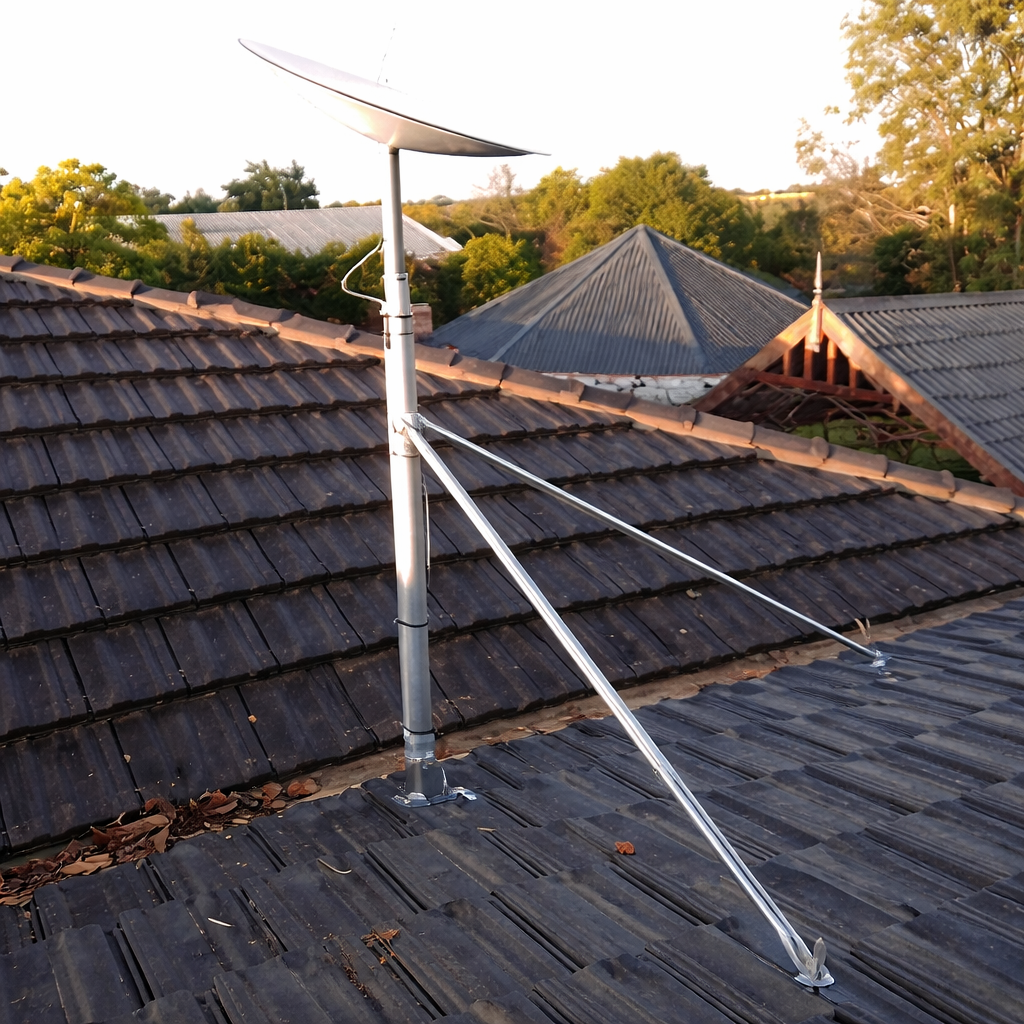
Tile Roof Starlink Mount Kit for Standard (Gen 3 / V4) – Heavy Duty
Specifications
Heavy-duty tile roof mount kit for Starlink Standard (Gen 3 / V4)
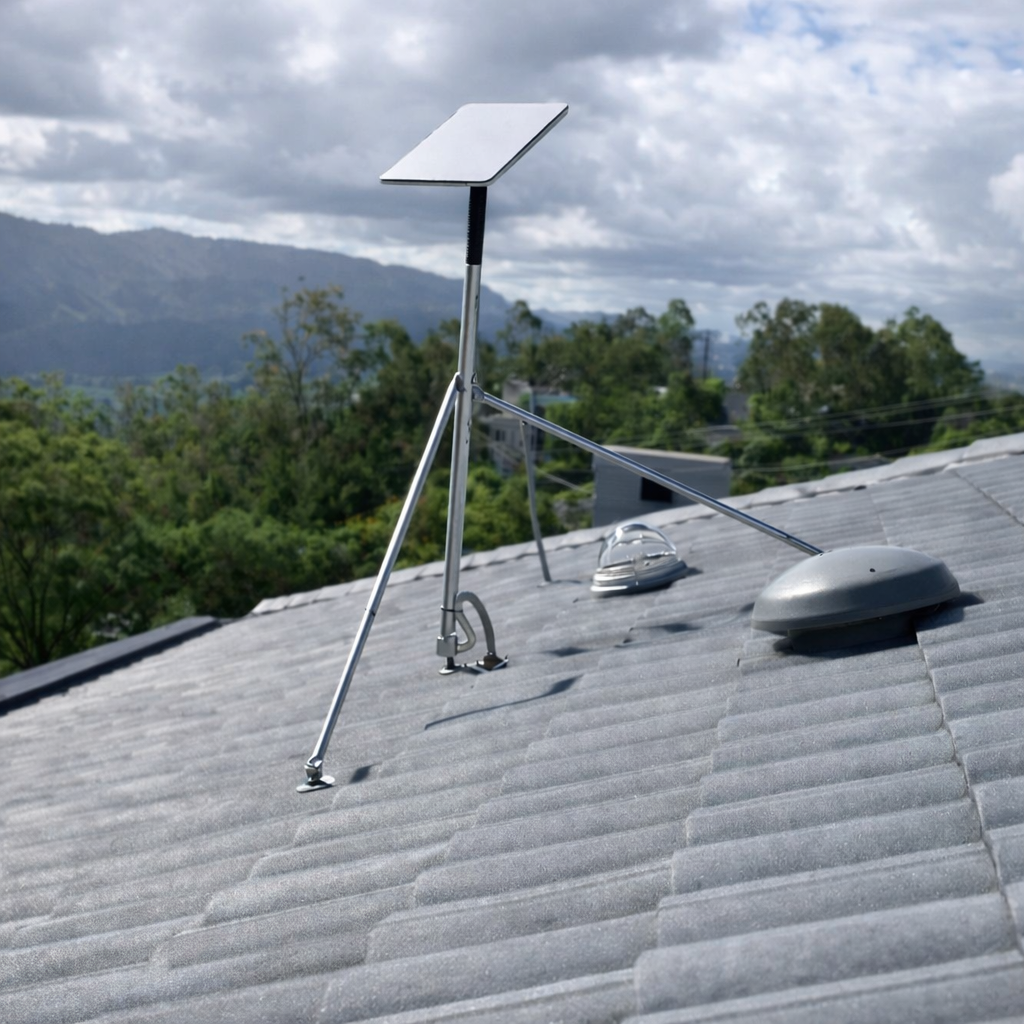
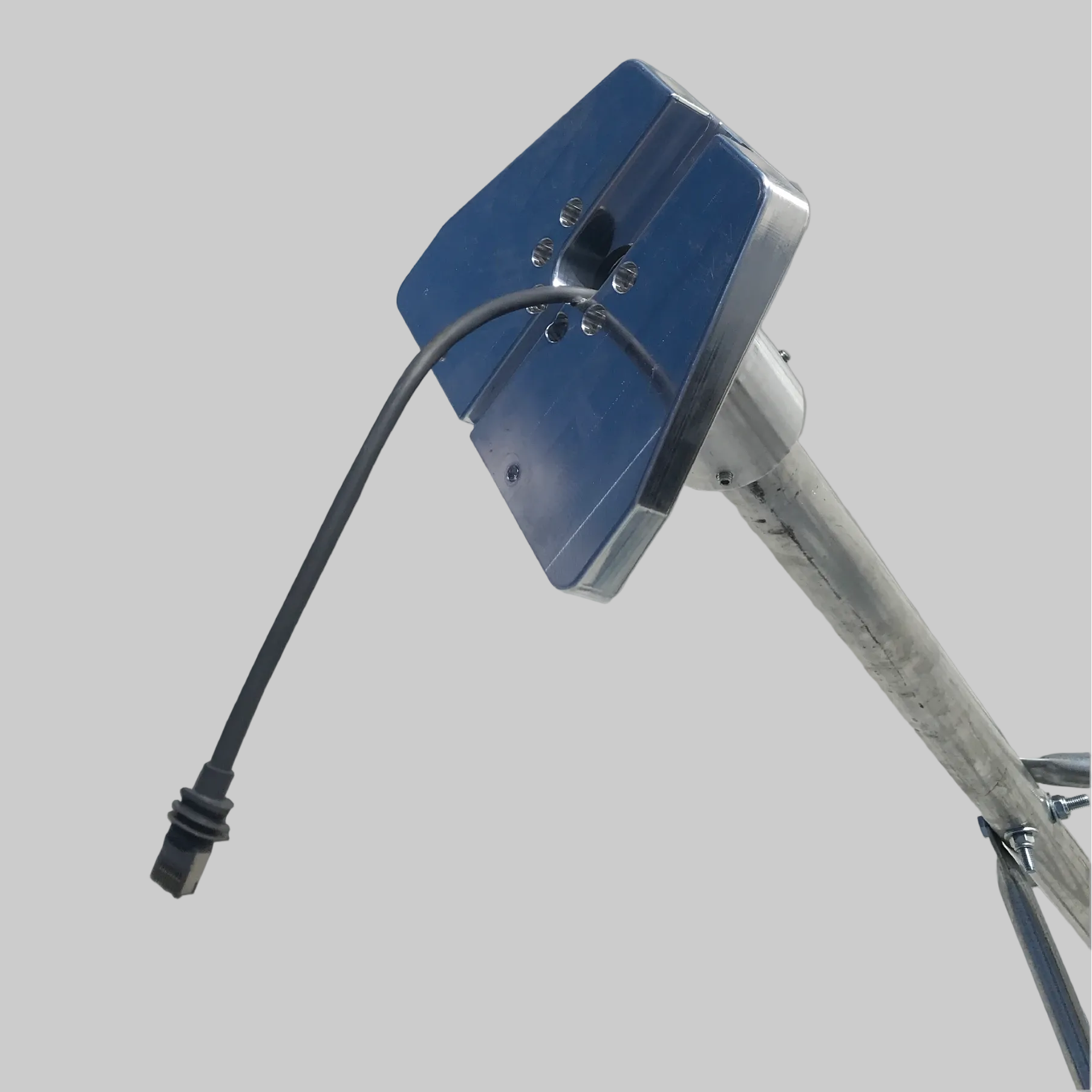
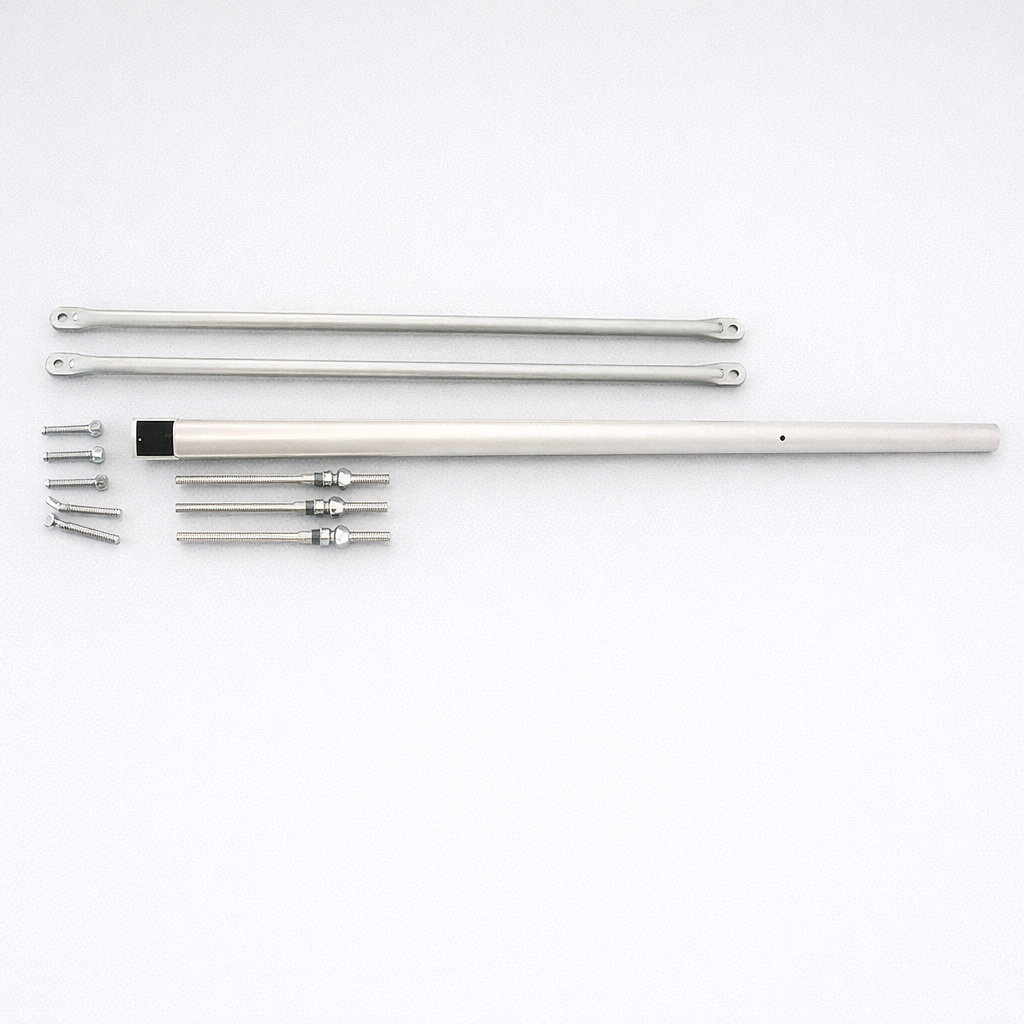
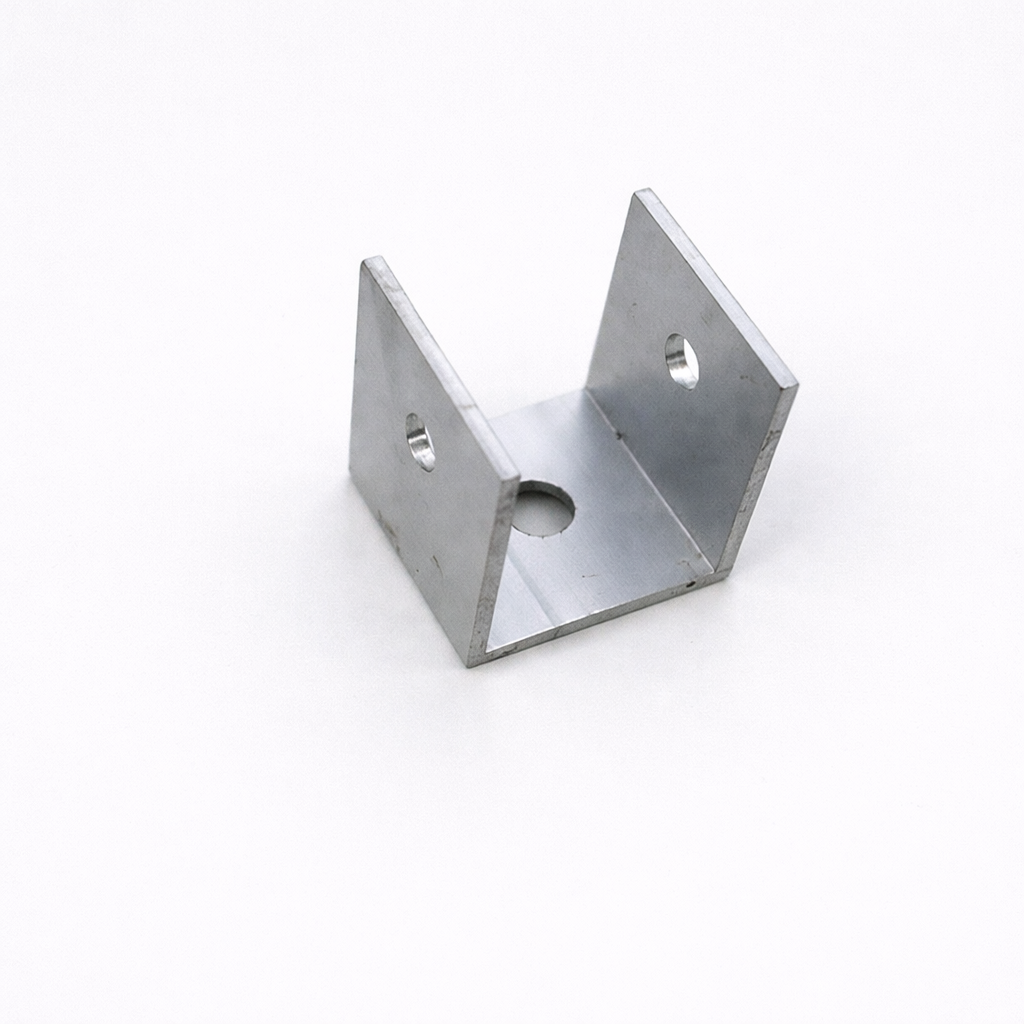
Mount your Starlink Standard (Gen 3 / V4) terminal securely on a tiled roof with a heavy-duty roof kit designed for stable fixed installations. The kit includes a tile mount U-bracket, structural stay bars, a 40mm aluminium pole adaptor and your selected mast height.
This kit is intended for tile-roof installations where drilling through tiles and sealing roof penetrations is acceptable. If you do not want to drill tiles, consider the Wall/Eave mount, a Tin/Metal Roof Kit, or the Tin/Metal Roof Mount Kit for suitable metal-roof installs.
💡 Tip: If you are unsure about installing on a tiled roof, or you do not have spare tiles in case of breakage, choose the Wall/Eave mount kit instead. If another structure on the property provides a better mounting location, a Tin/Metal Roof Kit with a longer Starlink Standard (Gen 3 / V4) replacement cable may be a better option.
📦 What’s included
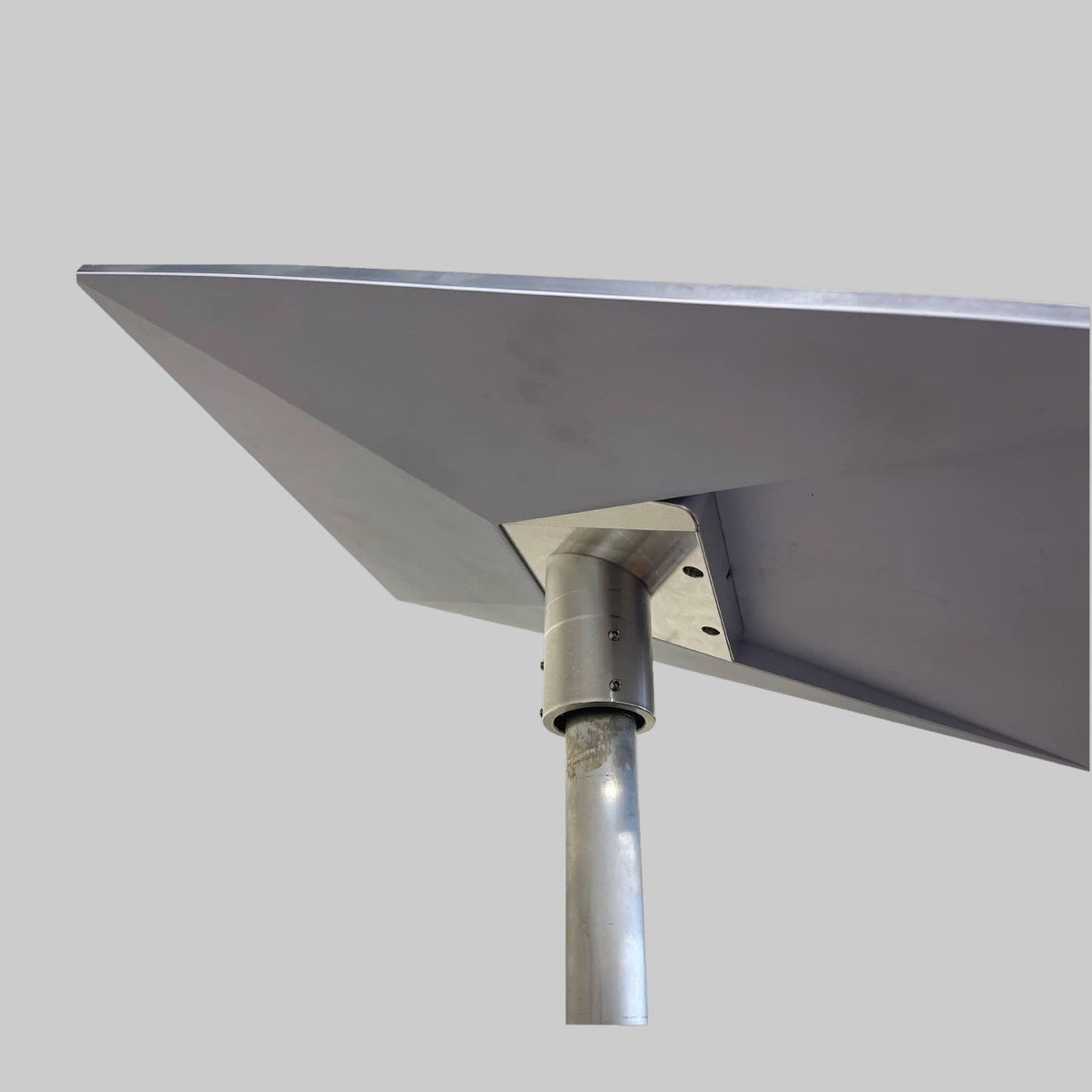
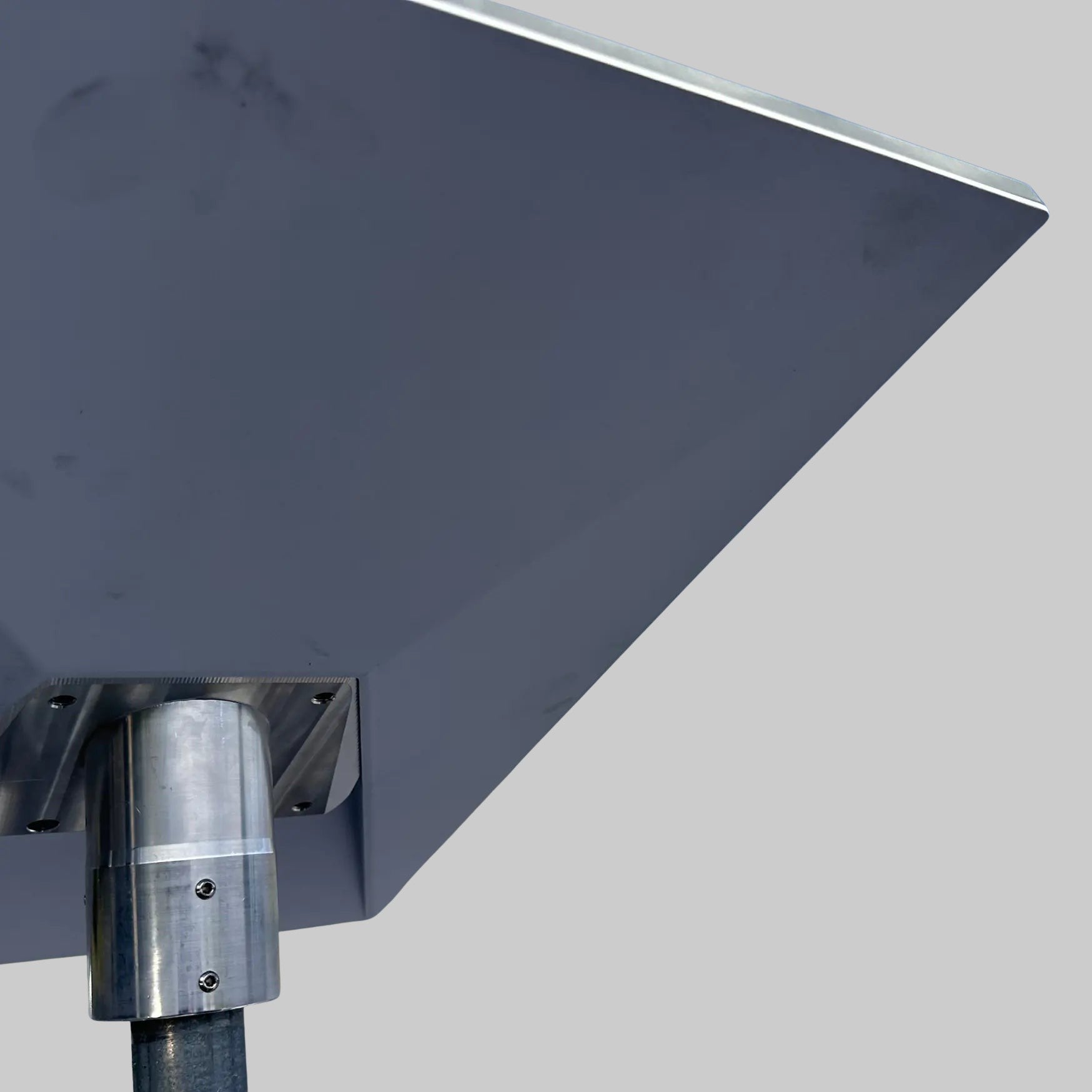
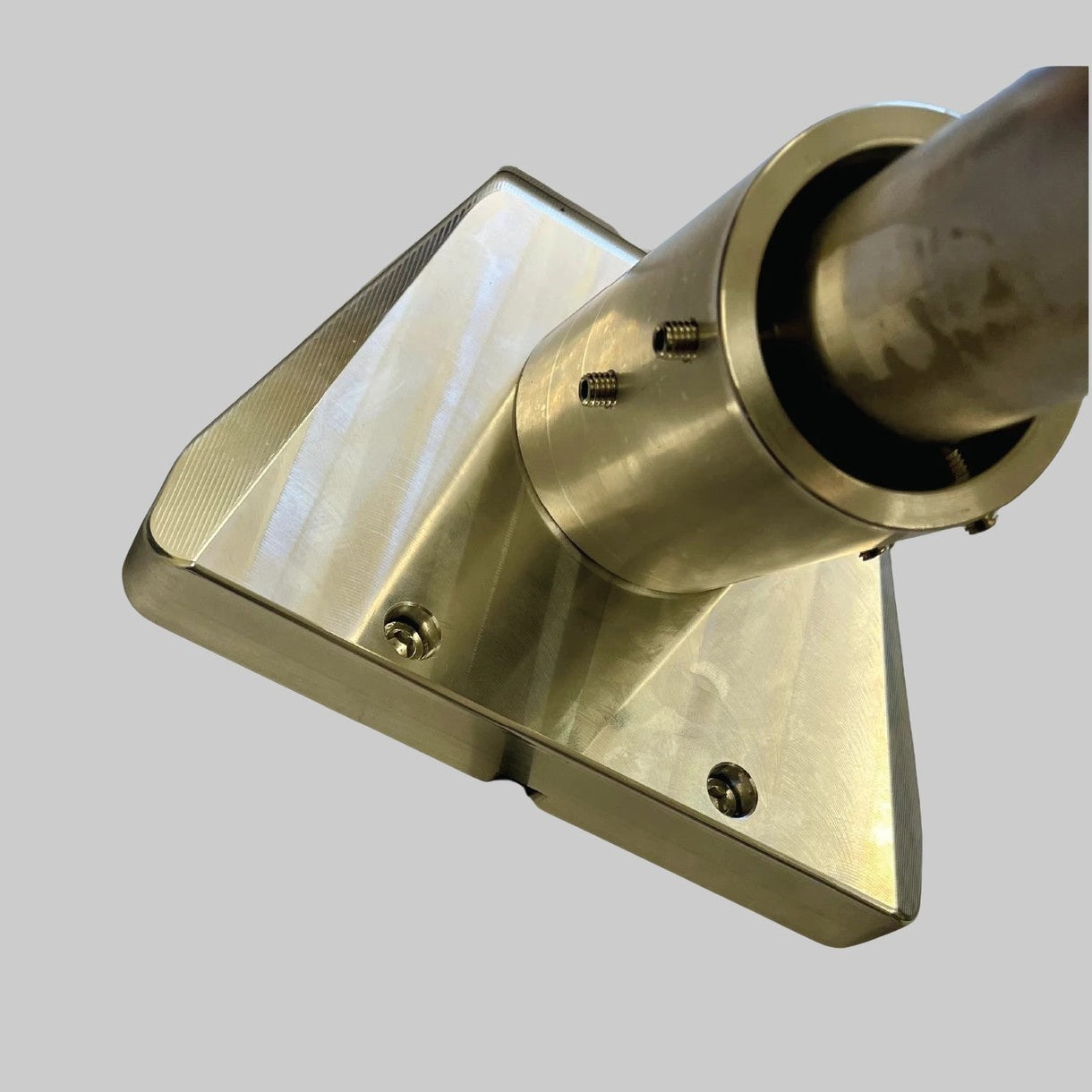
- Heavy-duty 40mm aluminium adaptor for Starlink Standard (Gen 3 / V4)
- 2 x structural stay bars
- Tile roof screws (generic tile fasteners; confirm suitability for your specific installation)
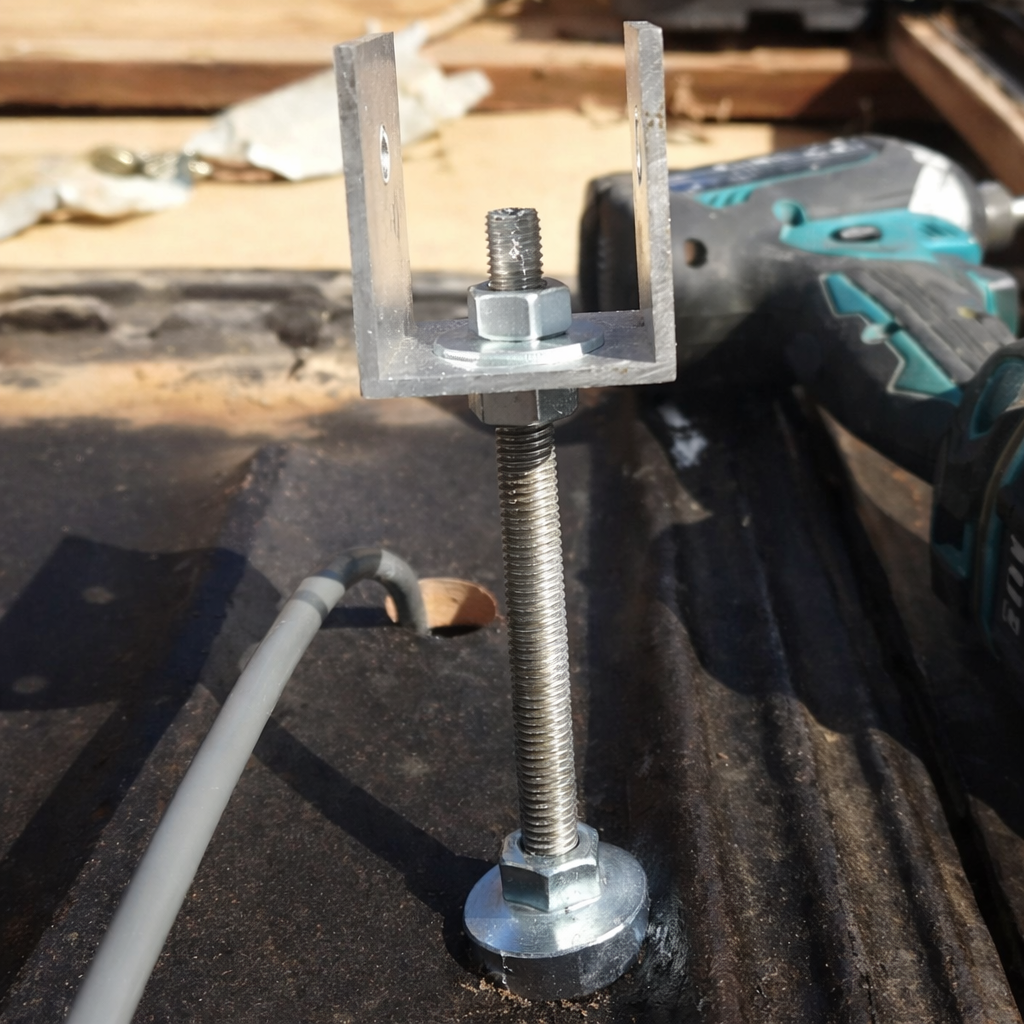
- Tile mount U-bracket
- 1 x aluminium pole mast in your selected height
🛰️ Starlink terminal not included. This product includes Spacetek accessories only; purchase your Starlink kit separately from here.
Robust, weather-resistant mounting system
The tile roof mount kit provides a stable mounting solution for fixed Starlink installations on suitable tiled roofs. Weather-resistant hardware and structural support components help keep the terminal securely positioned in exposed residential, rural and remote environments.
- Weather-resistant construction: Built for exposed roof environments and changing weather conditions.
- Secure and stable: Stay bars and a U-bracket support the mast and terminal once correctly installed.
Designed for tiled roofs
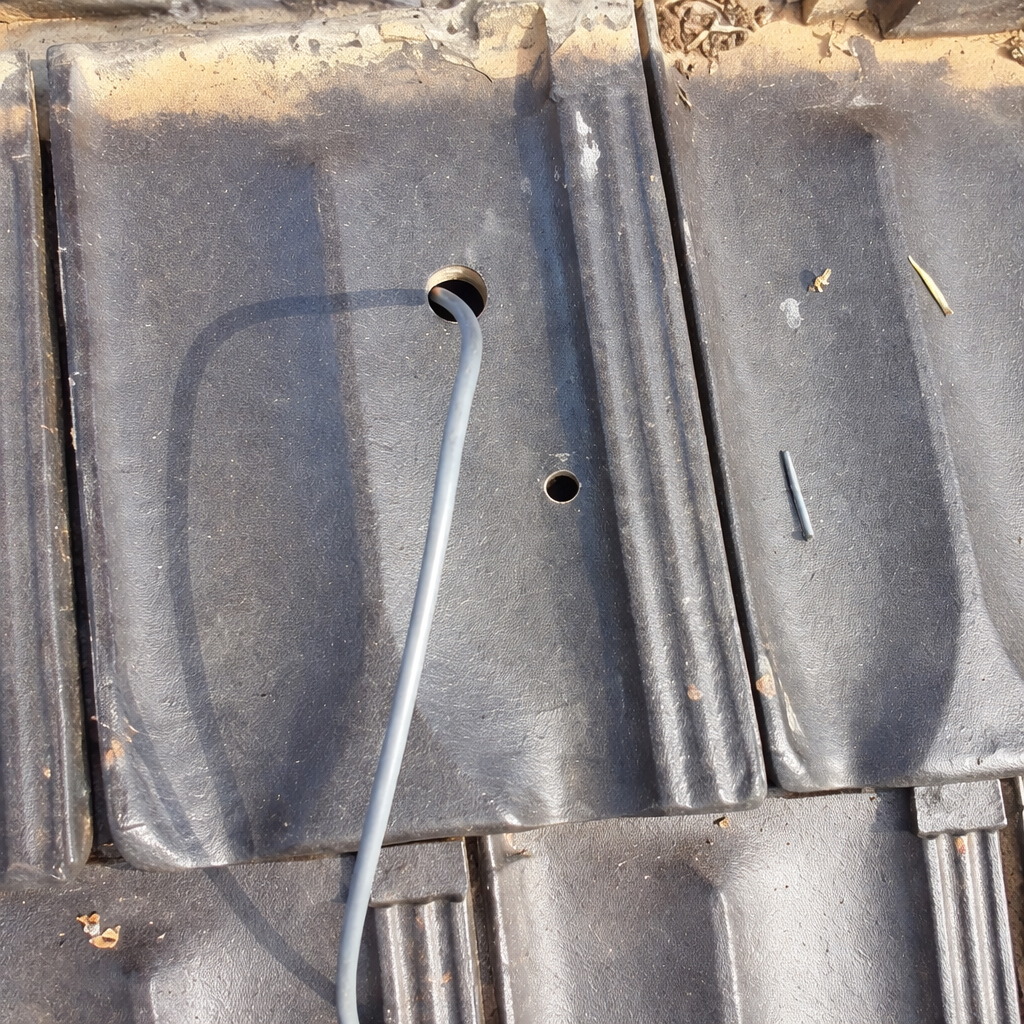
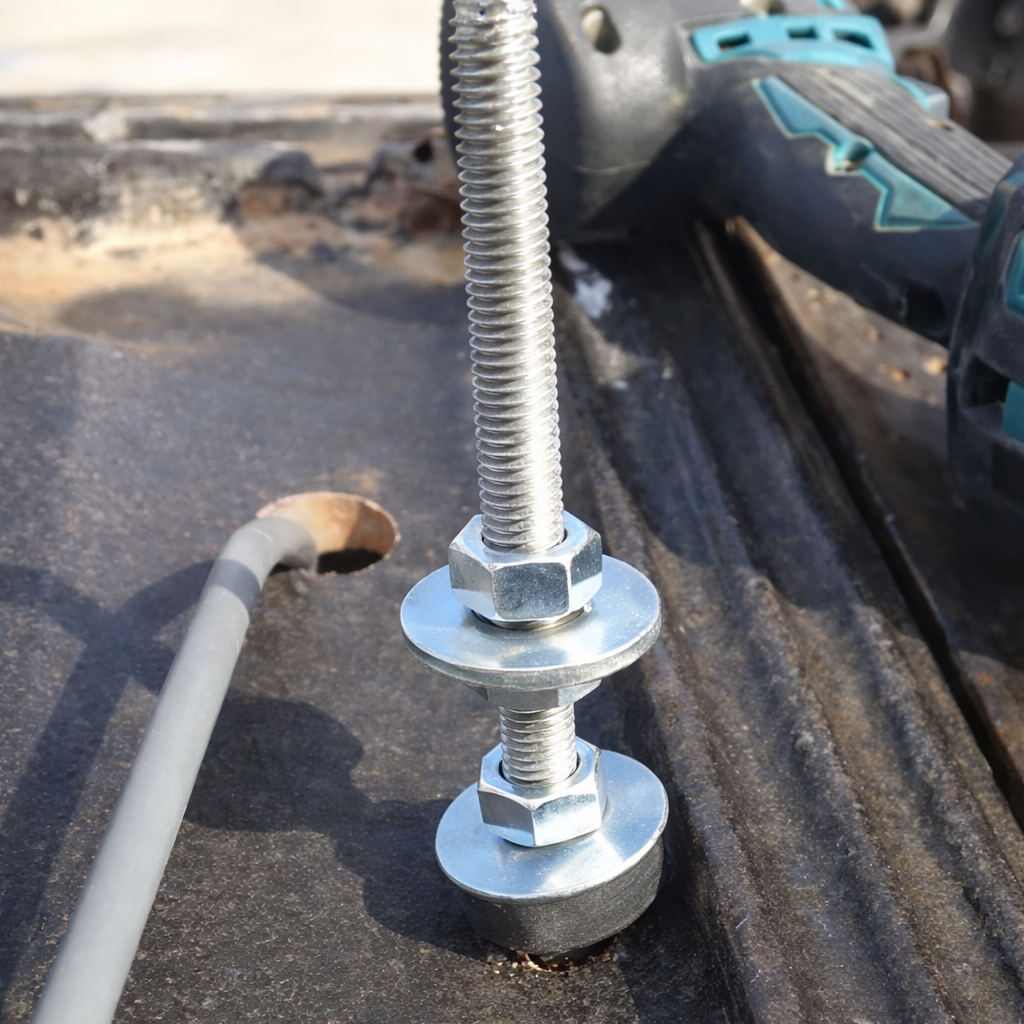
This kit is tailored for tile-roof installations and requires drilling through tiles for the U-bracket and fixing hardware. Installation must use suitable exterior-grade sealant and fasteners appropriate to the roof structure.
Note: Installation requires drilling three 12mm holes into tiles using a ceramic drill. If you are not confident drilling and sealing tile penetrations, choose an alternative mounting system or consult a qualified installer.
Installation overview
- Choose a mounting location with clear sky visibility. In the southern hemisphere, check that the terminal can tilt toward the southern sky without roof-structure obstruction.
- Mark fixing points on the tiles for the included U-bracket, using the product photos as a reference.
- Apply appropriate exterior-grade sealant to all penetration points and secure the bracket to the marked fixing points.
- Pass the Starlink Standard (Gen 3 / V4) cable through the pipe mast, then centre the mast against the U-bracket and loosely fasten it using the supplied hex bolt and nut.
- Loosely attach the male/female stay bar pairs to the centre mast using the pre-drilled holes. Bend and align the stay bar ends to suit the roof angle, then fix the stay bars with the included tek screws.
- Confirm mounting alignment and mechanical rigidity before continuing.
- Prepare the Starlink terminal for final mounting by removing the factory kickstand. Refer to your Starlink manual or the kickstand removal video.
- Plug the Starlink Standard (Gen 3 / V4) cable into the back of the terminal, ensuring the waterproof glands fit snugly into the port.
- Assemble the two-piece heavy-duty Spacetek pole adaptor using the pole adaptor video. Insert the adaptor into the Starlink terminal where the kickstand was removed and confirm it clicks securely into place.
- Slide the pole adaptor over the mounted mast and use the grub screws and Allen key to create tension around the pole. Keep final tightening loose enough to allow alignment.
- Complete the cable run and roof penetration, then connect the cable to your router.
- Power on the system and commence Starlink calibration in the Starlink app following Starlink documentation.
- If required, rotate the pole adaptor and adjust the grub screws for fine alignment.
- Once fully aligned, tighten the grub screws with the included Allen key.
📽️ Installation reference
The tripod erection and mounting process is demonstrated in the official installation video. The reference video shows a Gen 2 terminal on a tin/metal roof; for this tile-roof kit, follow the Gen 3 / V4 adaptor steps above and take extra care when drilling and sealing tiles.
This product has no reviews yet.
Why Choose Spacetek Mounting Kits?
Quality & Compatibility
At SpaceTek's Starlink Shop, we offer a comprehensive range of additional mounts, adapters, and accessories. Whether you're looking to fine-tune your setup or maximize performance, we have you covered. Our products are built to withstand varying temperatures and harsh weather conditions, ensuring your Starlink Dishy remains operational and protected from thermal shutdowns on scorching hot days or during pouring rain or gale-force winds.
Don't leave your Starlink experience to chance. Choose the Starlink experts who understand the importance of quality, compatibility, and performance since 2021.
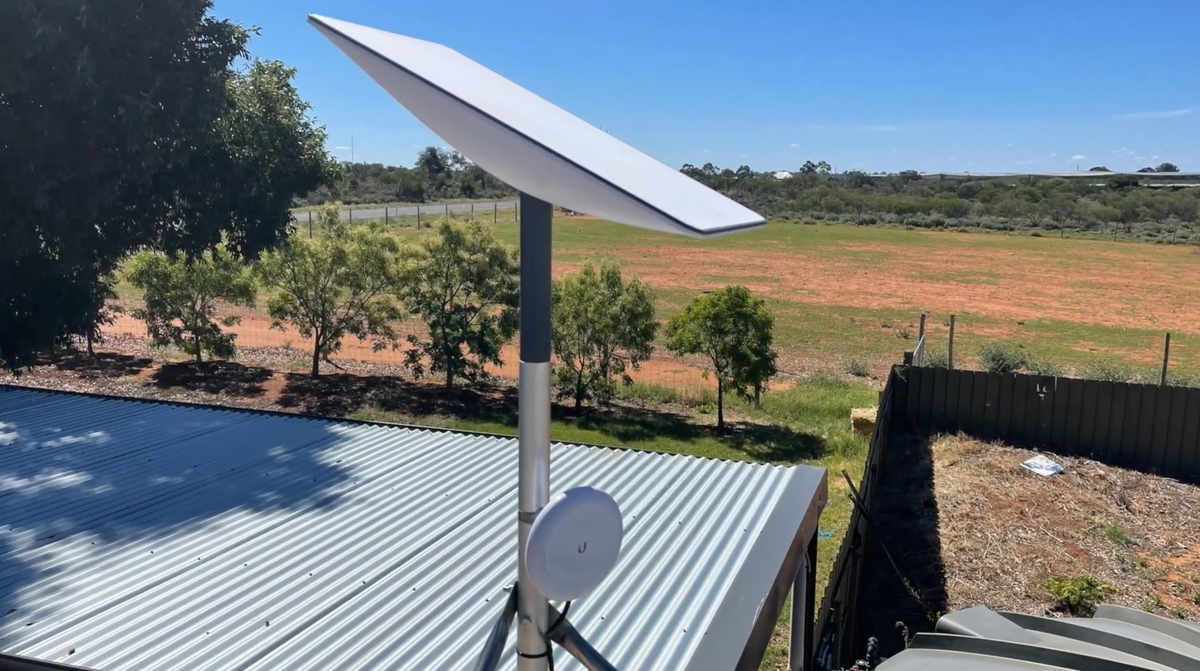
Custom-Machined
Secure and stable installation for your Starlink dish, guaranteeing optimal performance.
Lightweight & Rust-Resistant
Our mounting equipment provides a durable and long-lasting solution for mounting your Starlink equipment.
Built to Last
Our products are built to withstand various weather conditions, including high temperatures, heavy rain, and strong winds.
At SpaceTek's Starlink Shop, we offer a comprehensive range of additional mounts, adapters, and accessories. Whether you're looking to fine-tune your setup or maximize performance, we have you covered. Our products are built to withstand varying temperatures and harsh weather conditions, ensuring your Starlink Dishy remains operational and protected from thermal shutdowns on scorching hot days or during pouring rain or gale-force winds.
Don't leave your Starlink experience to chance. Choose the Starlink experts who understand the importance of quality, compatibility, and performance since 2021.