




Starlink Wall & Eave Mount – Gen 2, Standard (Gen 3 / V4) & Mini
Specifications
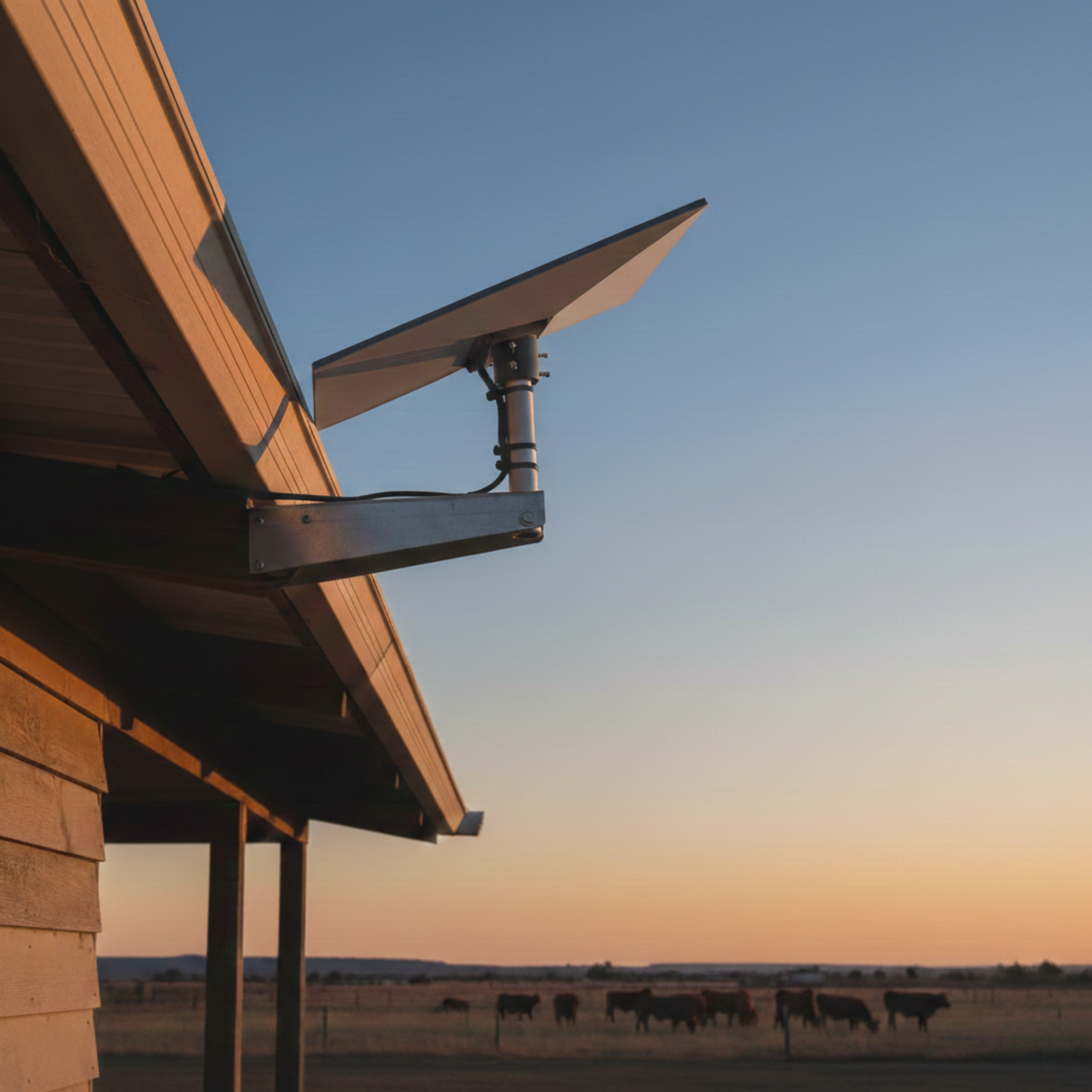
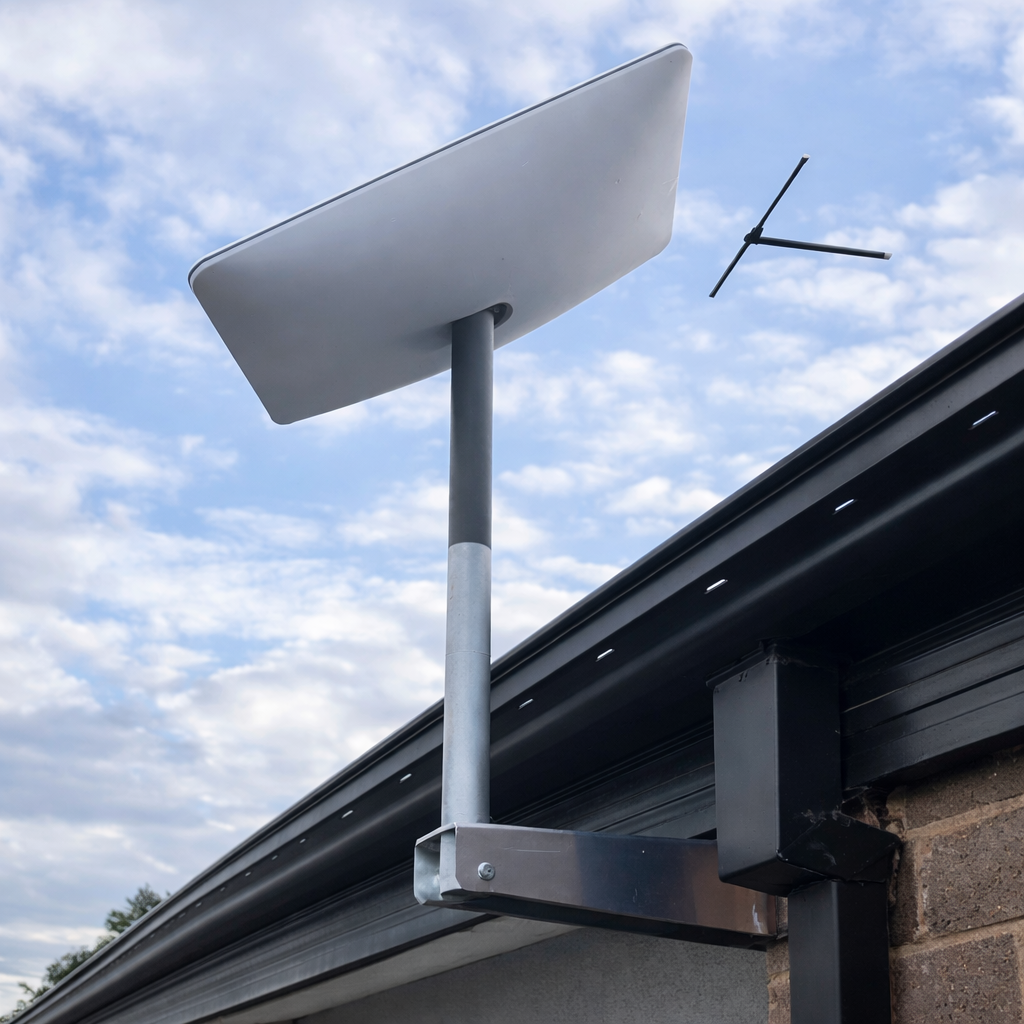
The Spacetek Starlink Wall & Eave Mount is a fixed structural mounting kit for installing Starlink on building walls, eaves, sheds, demountables and site huts where a roof mount is not preferred or practical.
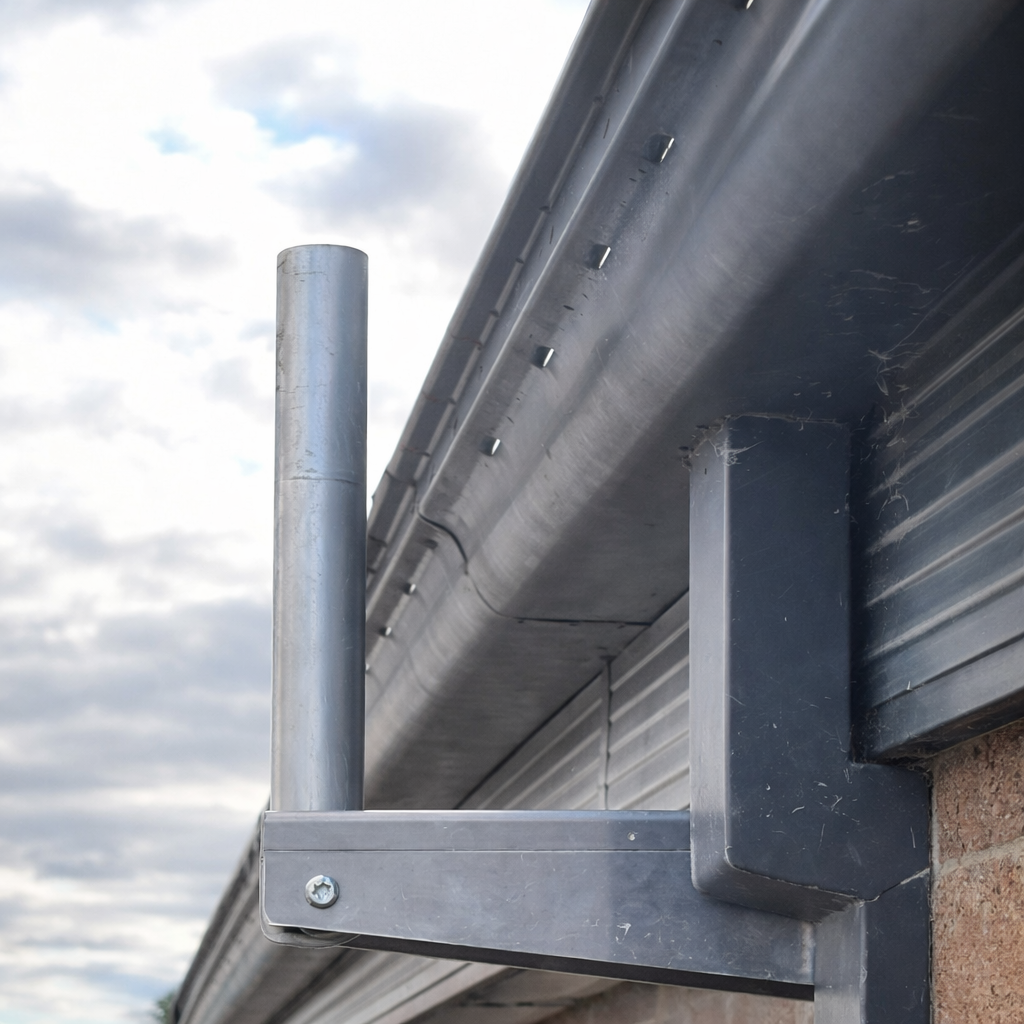
Choose the Starlink model and arm length that suits your installation. The kit includes the matching pole adaptor for the selected Starlink model and a fixed arm designed for stable, permanent mounting.
✅ Compatibility note: available for Starlink Standard (Gen 3 / V4), Starlink Mini and Starlink Gen 2 Standard/Actuated variants. Select the correct variant before ordering.
Choose this if...
- ✅ You want a clean wall or eave-mounted Starlink installation.
- ✅ Roof mounting is difficult, unsuitable or not preferred.
- ✅ You need the Starlink terminal elevated away from gutters, fascia or wall obstructions.
- ✅ You want a made-in-Australia aluminium mounting system for Australian and New Zealand conditions.
Which length should I choose?
| Arm length | Best for | Approx. spigot position |
|---|---|---|
| 350mm short arm | Compact wall/eave installs with good clearance. | Approx. 320mm from the base of the arm. |
| 750mm long arm | Longer eaves, gutters or roof overhangs where extra clearance is needed. | Approx. 720mm from the base of the arm. |
💡 Tip: if mounting on the northern side of a structure in Australia or New Zealand, check clearances carefully. Starlink will generally tilt toward the southern/south-eastern sky and must not be blocked by the wall, fascia, roof line or gutters.
What's included
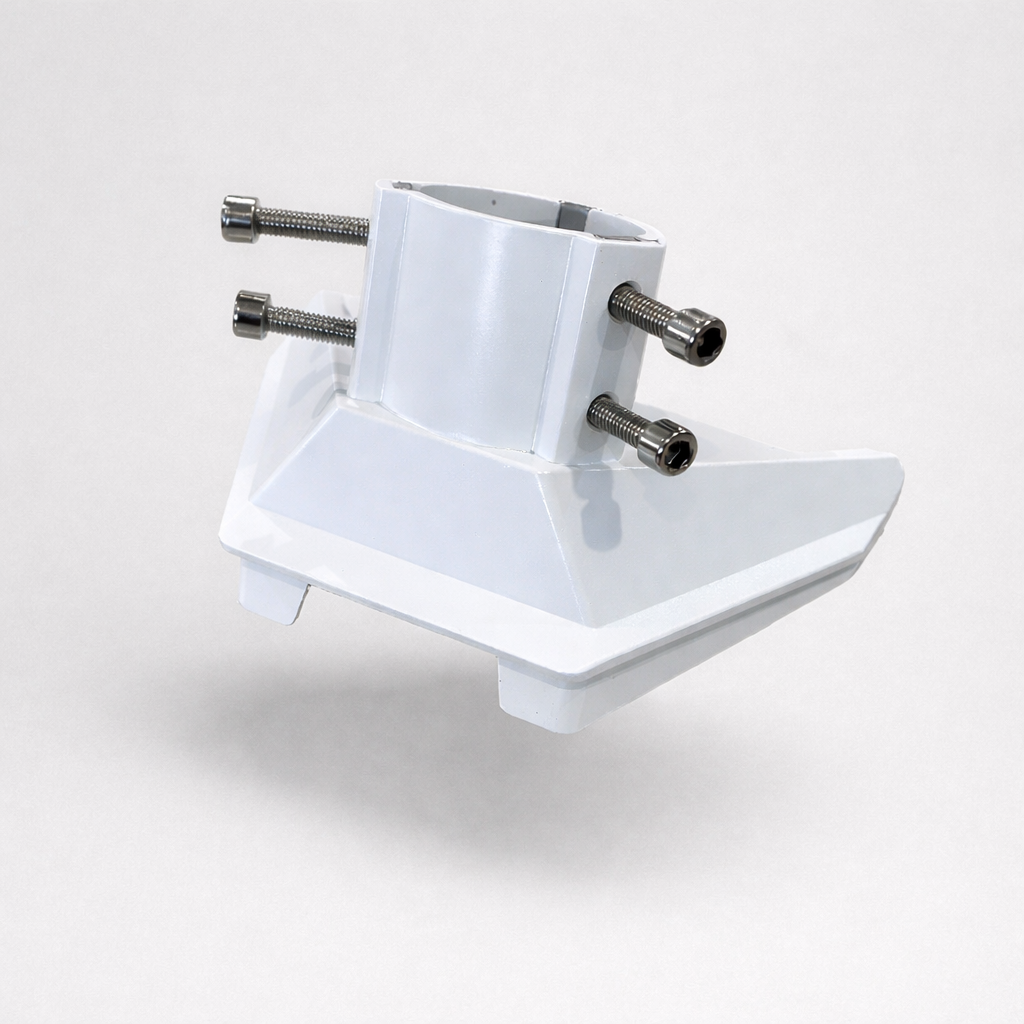
- 1 × Starlink pole adaptor and grub screws, matched to the selected Starlink model
- 1 × aluminium wall/eave bracket arm, 350mm or 750mm depending on selected variant
- 1 × 400mm aluminium spigot
- 2 × spigot spacers (cylinders)
- 1 × generic fastener pack — installer must confirm suitability for the wall/eave substrate
Please note: Starlink terminal kit is not included.
Model-specific notes
- Starlink Standard (Gen 3 / V4): supplied with a powder-coated aluminium adaptor.
- Starlink Mini: supplied with an ABS plastic adaptor with six tension points.
- Starlink Gen 2: select the Gen 2 variant for actuated Standard terminals.
Key features
- ✅ Structural wall/eave mounting for residential, commercial and remote-site buildings.
- ✅ Aluminium construction suitable for coastal, rural and high-exposure environments.
- ✅ Fixed 20-degree mast angle on relevant adaptors to support Starlink installation geometry.
- ✅ Service-accessible mounting height when installed in a suitable location.
- ✅ Made by Australian metalworkers in regional Victoria.
Installation overview
- Choose a structurally sound wall or eave location with clear sky visibility.
- Confirm the arm length gives enough clearance for the Starlink terminal to tilt and operate without obstruction.
- Mark fixing points aligned with timber, steel, concrete or other suitable structure.
- Pre-drill fixing holes as required and apply exterior-grade sealant to penetrations.
- Secure the wall/eave mount using suitable fasteners for the substrate.
- Install the spigot and selected Starlink adaptor, then confirm rigidity before mounting the terminal.
- Route and secure the Starlink cable so it cannot rub, pinch or pull on the terminal connection.
Important notes
- ⚠️ Supplied fasteners are generic. The installer must confirm fixings suit the wall/eave material and wind exposure.
- ⚠️ Check Starlink app guidance and local obstruction conditions before final mounting.
- ⚠️ The 750mm arm requires sufficient wall/eave clearance before installation.
Have You Considered



This product is rated 4.3 of 5.0 stars.
It has received 17 reviews.
Why Choose Spacetek Mounting Kits?
Quality & Compatibility
At SpaceTek's Starlink Shop, we offer a comprehensive range of additional mounts, adapters, and accessories. Whether you're looking to fine-tune your setup or maximize performance, we have you covered. Our products are built to withstand varying temperatures and harsh weather conditions, ensuring your Starlink Dishy remains operational and protected from thermal shutdowns on scorching hot days or during pouring rain or gale-force winds.
Don't leave your Starlink experience to chance. Choose the Starlink experts who understand the importance of quality, compatibility, and performance since 2021.
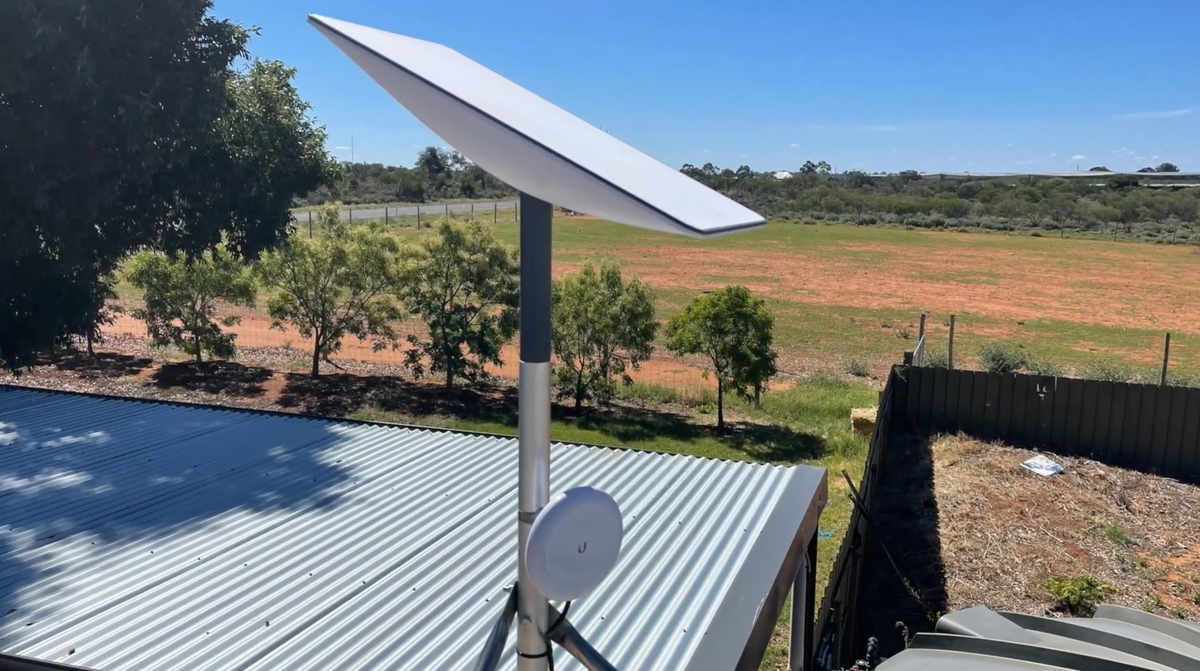
Custom-Machined
Secure and stable installation for your Starlink dish, guaranteeing optimal performance.
Lightweight & Rust-Resistant
Our mounting equipment provides a durable and long-lasting solution for mounting your Starlink equipment.
Built to Last
Our products are built to withstand various weather conditions, including high temperatures, heavy rain, and strong winds.
At SpaceTek's Starlink Shop, we offer a comprehensive range of additional mounts, adapters, and accessories. Whether you're looking to fine-tune your setup or maximize performance, we have you covered. Our products are built to withstand varying temperatures and harsh weather conditions, ensuring your Starlink Dishy remains operational and protected from thermal shutdowns on scorching hot days or during pouring rain or gale-force winds.
Don't leave your Starlink experience to chance. Choose the Starlink experts who understand the importance of quality, compatibility, and performance since 2021.