
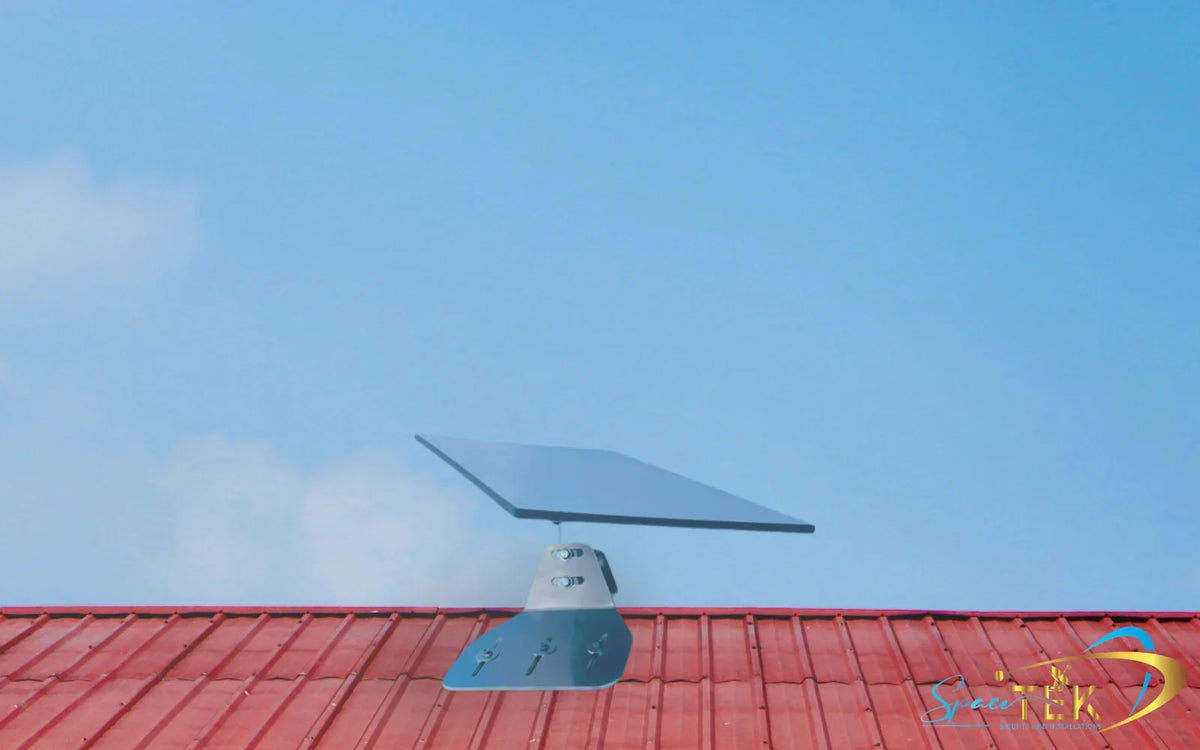
Can a Starlink Dish Handle a Heavy Storm?
Yes, a properly installed Starlink dish can usually keep working through heavy rain, snow, and strong winds. The real risks are short signal dropouts, a mount that moves in gusts, snow or debris blocking the dish, and surge damage during lightning storms.
Key Takeaways
- A heavy storm is more likely to slow or interrupt your Starlink signal than destroy the dish itself.
- Strong wind becomes a bigger problem when the Starlink mount flexes, loosens, or is fixed to a weak surface.
- Snow Melt can help with falling snow, but deep drifts, branches, hail, and storm debris still need a hands-on check.
- Surge protection, weather-sealed cable runs, and backup power make a big difference during severe weather.
- For storm-ready installations, SpaceTek Australia offers specialist Starlink mounts, DC power solutions, and mobile accessories built for Australian conditions.
Starlink’s built-in Snow Melt feature can clear falling snow, but it cannot rescue a dish buried under a deep drift. Likewise, the dish may withstand rough weather while an under-engineered mount, exposed cable run, or unprotected power supply does not.
For remote Australian homes, farms, caravans, and off-grid setups, storm resilience starts with the installation. SpaceTek Australia designs specialist Starlink accessories, DC power solutions, and mobile dish mounts using precision-machined or folded aluminium and reinforced composite components for demanding conditions.
What Happens to Starlink Signal and Hardware in a Heavy Storm?
When severe weather rolls in, satellite internet has two jobs to handle at once: pushing a signal through rough weather in the sky and keeping the hardware steady on the ground. That is why a Starlink dish in a heavy storm can still work well overall, but may feel slower or less stable while the worst of the rain is passing through.
Starlink uses high-frequency satellite signals to communicate with Low Earth Orbit satellites passing overhead. In plain English, heavy rain, dense cloud, hail, and wet atmospheric conditions can absorb or scatter some of that signal before it reaches your dish.
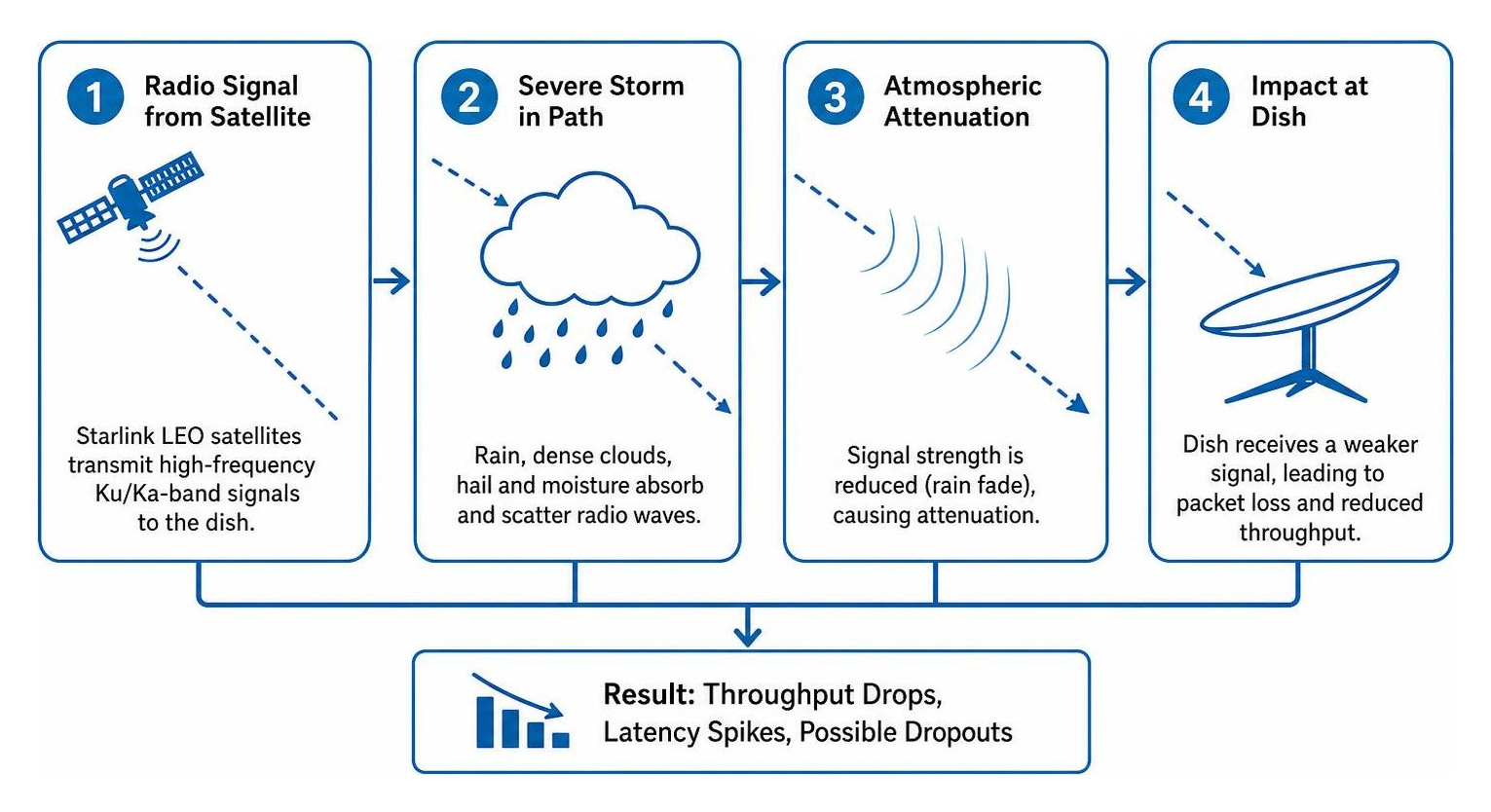
Unlike older satellite internet systems that point at one fixed satellite much farther away, Starlink electronically tracks multiple passing satellites. In a strong storm cell, heavy rain and satellite handovers can sometimes combine to cause brief latency spikes, packet loss, or short dropouts.
Why Does Heavy Rain Cause Starlink Dropouts?
The technical term is rain fade, which simply means the signal is weakened by rain between the satellite and your dish. Light rain usually causes little trouble, but intense downpours and thunderstorm cores can reduce speeds and create short interruptions.
A 2025 field study from Finland’s VTT Technical Research Centre found that rainy conditions reduced median download speeds from 137 Mbps to 90.2 Mbps and upload speeds from 20.9 Mbps to 10.5 Mbps, while service availability stayed above 98.5%.
When rain intensity reached 12.5 mm per hour, the terminal logged six one-second micro-outages over a two-minute observation window. In heavier rain above 25 mm per hour, users may notice slower speeds and occasional disconnects. For a deeper local guide, see our article on heavy rain Starlink reliability.
Can Starlink Clear Snow During Winter Storms?
Snow is different from rain because it can physically sit on the antenna face. Wet, slushy snow can block the signal path and cause the connection to fail if it builds up faster than the dish can clear it.
Starlink dishes include a built-in self-heating feature called Snow Melt. It works by using the system’s own power draw to warm the dish surface, rather than relying on a separate external heater. In the app, you can usually choose between:
- Off, which disables heating to reduce power use.
- Automatic, which lets the dish respond when snow buildup affects the signal.
- Pre-Heat, which warms the dish before expected snow or ice.
The feature can clear up to 40 mm of falling snow per hour, but it also increases power use. In heavy alpine conditions or wind-blown drifts, you may still need to gently clear the dish with a soft broom once it is safe to do so.
Is Starlink Better Than Older Satellite or Wired Internet in Storms?
In many regional and remote Australian locations, Starlink can be more resilient than older satellite systems and storm-exposed wired services.
Traditional geostationary satellite internet uses satellites much farther from Earth, so the signal travels through more atmosphere and can be more vulnerable during bad weather. Wired services avoid rain fade, but they can still go down when storms damage poles, pits, roadside cabinets, or local power infrastructure.
Starlink will not beat every storm, but it gives remote households, farms, worksites, and travellers a direct connection to satellites overhead rather than relying only on local ground infrastructure.
What Physical Storm Risks Can Damage Your Starlink Setup?
Signal issues from rain are usually temporary. Physical storm damage is the bigger long-term concern, especially when wind, hail, falling branches, water ingress, or power surges hit an exposed installation.
How Do Strong Winds Affect Starlink Mounts?
A Starlink dish can act a bit like a sail in strong wind. When gusts hit the flat antenna surface, that force travels through the mast, fixing points, roof structure, and fasteners.
Standard Starlink dish hardware is rated for sustained operating winds up to 96 km/h. Even before damage occurs, a loose or flexible mount can cause problems because the dish needs a clear, stable view of the sky to track satellites.
If wind speeds exceed the setup’s tolerances, weak mounting hardware can bend, loosen, or tear away from the structure. That can damage the dish and the building surface it is attached to. For a deeper look at wind performance, read our guide to Starlink dish wind resistance.
What About Lightning, Surges, and Earthing?
Thunderstorms bring a real risk of electrical damage. A direct lightning strike can destroy electronics instantly, but nearby strikes can also send damaging surges through Ethernet cables and mains power wiring.
Starlink hardware meets baseline electrical standards, but storm-prone rural and regional installations should still be protected properly. Sensible precautions include:
- Using appropriate earthing for the installation.
- Running cables through weather-sealed surge protection where suitable.
- Considering whole-home surge protection at the main switchboard.
For more practical detail, see our guide to protecting Starlink from lightning power surges.
Which Starlink Dish Models Handle Storms Best?
Different Starlink dish models are built for different environments, so it is worth matching the dish and mount to the way you actually use it.
- Standard Gen 3 is rated IP67, with sustained operating winds up to 96 km/h and a broad operating temperature range.
- Starlink Mini is also rated IP67 and is better suited to compact, mobile, and camping setups.
- High Performance models have a larger antenna surface and stronger wind ratings for more demanding installations.
- Flat High Performance and Maritime models are designed for harsher mobile and offshore environments.
How Can You Protect Starlink Hardware Before Extreme Weather?
A bit of preparation before the weather turns nasty can prevent damage and reduce downtime. Think of your Starlink setup as a full system: dish, mount, cable route, power supply, and backup connection plan.
What Should You Check Before a Severe Storm Arrives?
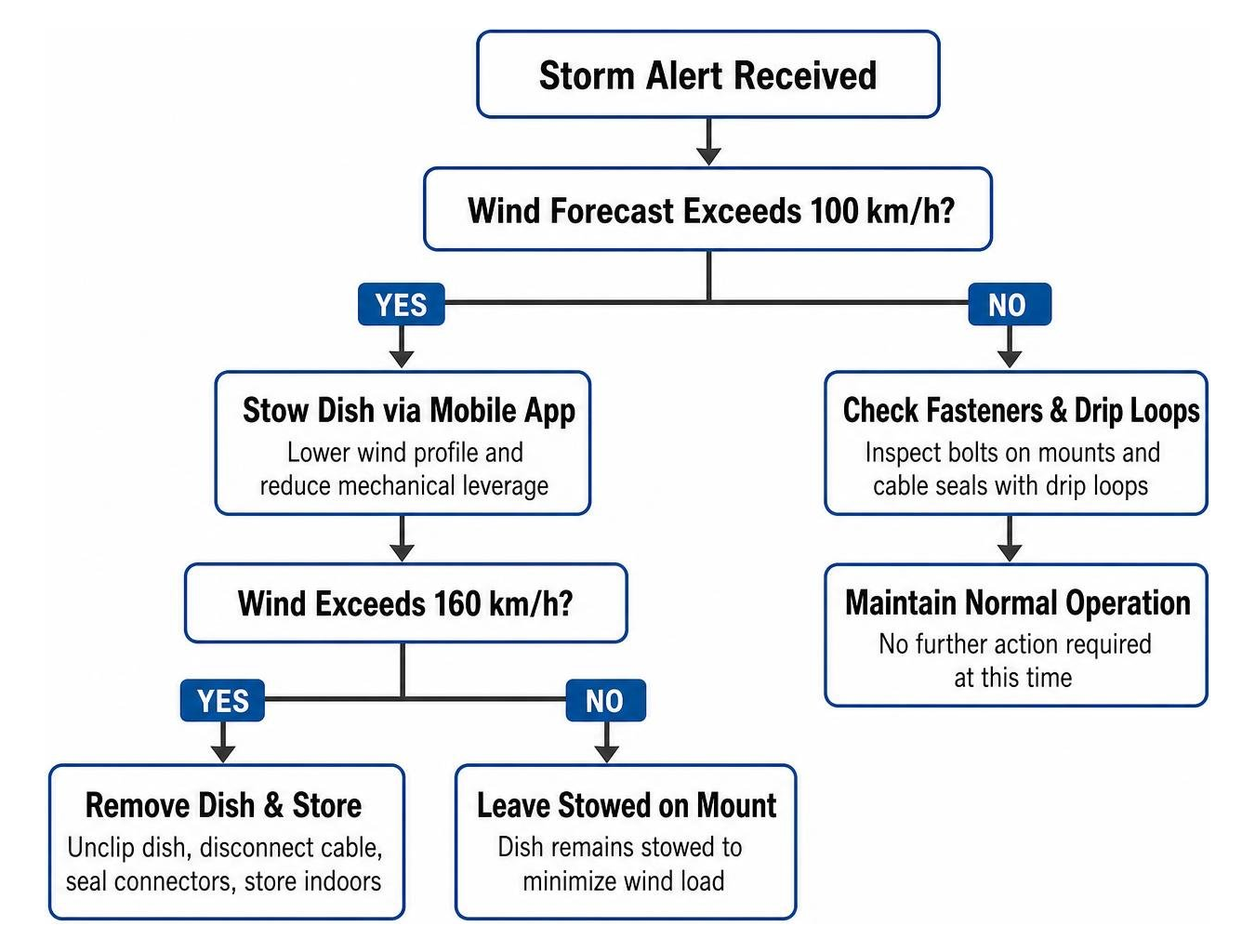
When forecasts warn of severe gales, cyclones, hail, or intense thunderstorms, work through these steps while conditions are still safe:
- Check that all fasteners on your dish mounts are tight and there is no visible movement in the mast.
- Use Stow Mode in the Starlink app if extreme wind is expected and the dish will stay mounted.
- Inspect outdoor cable entries, drip loops, and weather seals so water cannot track into ports or indoor equipment.
- Remove and store the dish indoors if a severe cyclone is likely to exceed the safe limits of your installation.
- After the storm, clear branches or debris from around the dish and check alignment in the Starlink app.
How Does Backup Power Help During Storms?
During major storms, mains power failure is often what knocks internet offline first. If local power lines go down, your Starlink terminal will switch off unless it is connected to a suitable backup power system.
For caravans, 4WD rigs, rural properties, and off-grid homes, running Starlink through a standard AC inverter can be less efficient than a dedicated DC-to-DC setup. That matters when you are trying to stretch battery reserves through a long outage.
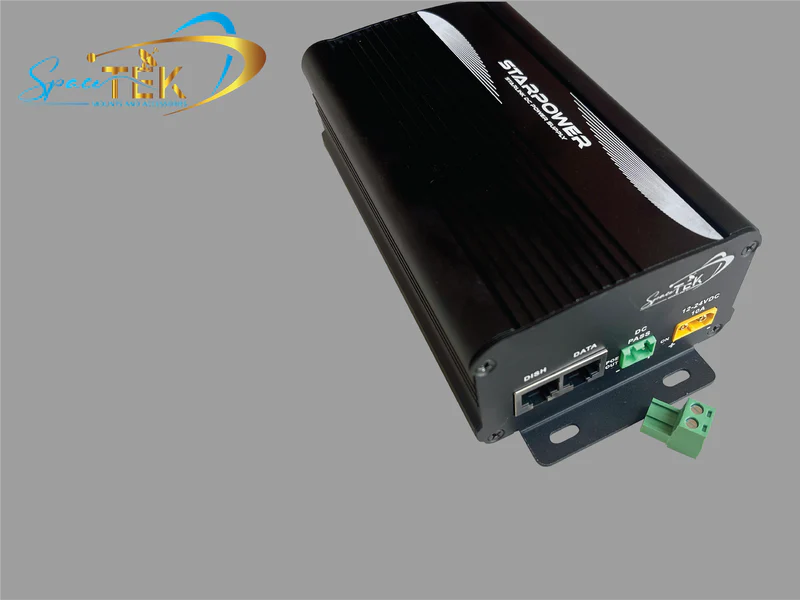
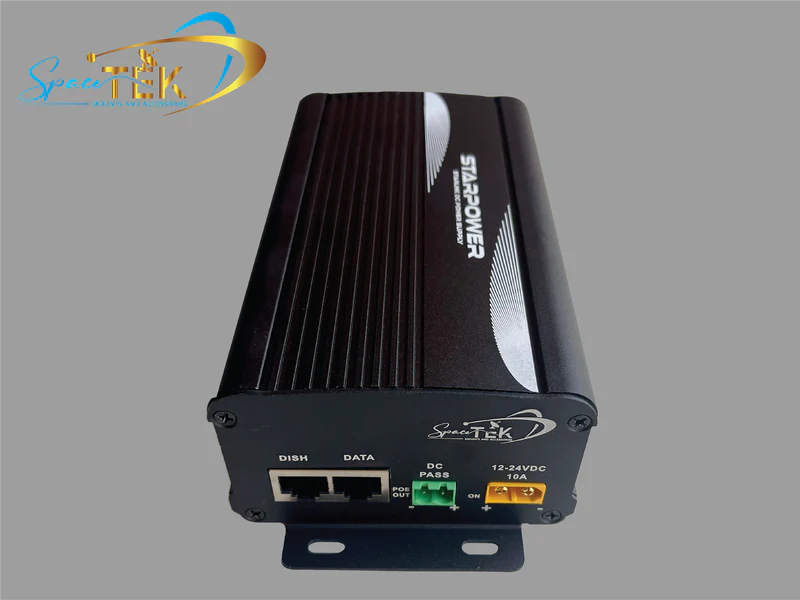
SpaceTek’s StarPower V2, V3, and V4 DC power supplies are built to run Starlink dishes directly from DC battery systems. Compared with relying on AC inverters, a DC-to-DC setup is usually the better storm-ready option because it offers higher efficiency, lower draw, and the ability to bypass the Starlink router for custom setups.
That means you can keep a leaner, more practical Starlink power setup ready for storms, camping trips, farm use, and off-grid travel.
Frequently Asked Questions About Starlink in Storms
Will Starlink Lose Internet Connection in Heavy Rain?
Starlink may experience brief micro-drops or reduced download and upload speeds during intense rain, but total outages are usually temporary and often clear as the storm cell moves past.
Can Hail or Falling Debris Crack the Dish Face?
Small hail is unlikely to damage the dish face, but large hail or heavy falling branches can crack the antenna housing and allow water ingress. Keeping the dish clear of overhanging branches is one of the simplest ways to reduce impact risk.
Should a Starlink Dish Be Stowed or Taken Down During a Cyclone?
If severe wind is forecast, stowing the dish flat through the Starlink app can reduce wind load. If an extreme cyclone is approaching, the safer move is to disconnect the dish, seal the cable ends, and store the unit indoors until conditions improve.
Is Your Starlink Setup Ready for the Next Storm?
A Starlink dish can handle tough weather when the full installation is built properly. Rain fade may briefly slow the connection, but long-term reliability comes down to solid surge protection, efficient DC backup power, and robust Starlink mounts that stay rigid in high wind.
If your current setup relies on flimsy generic dish mounts, exposed cable runs, or inefficient backup power, it is worth sorting before the next storm front rolls through. SpaceTek Australia designs and manufactures precision-machined and folded aluminium dish mounts, reinforced composite accessories, and DC power solutions for demanding Australian conditions.
For a stronger setup, start with SpaceTek’s engineered heavy duty Starlink mount Australia options and build the rest of your storm plan around a secure, efficient installation.

Leave a comment
This site is protected by hCaptcha and the hCaptcha Privacy Policy and Terms of Service apply.