
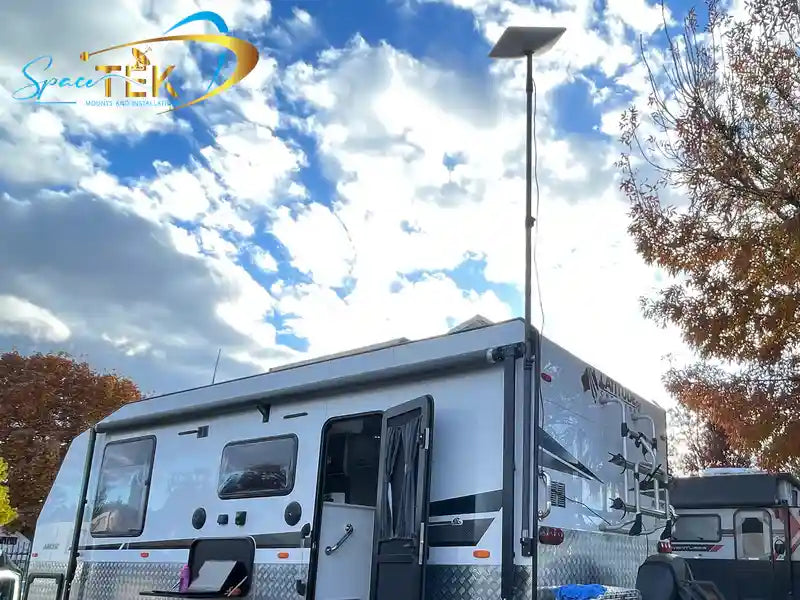
Starlink is usually reliable in heavy rain, but a proper storm can still slow it down or briefly knock it offline. For most Australian homes, farms, caravans, and off-grid setups, the bigger reliability risks are poor dish placement, mount movement, water pooling, and power loss during rough weather.
Key Takeaways
- Light to moderate rain usually has little effect on Starlink, while heavy rain can cause noticeable speed drops and short interruptions.
- Torrential rain and thunderstorms are the main weather conditions most likely to cause brief outages.
- A rigid Starlink mount, clear sky view, and good cable protection often matter just as much as the rain itself.
- DC-to-DC power is a smart option for off-grid and caravan users because it is more efficient than running Starlink through an AC inverter.
- In most cases, Starlink recovers automatically once the heaviest rain passes.
Starlink uses a constellation of Low Earth Orbit (LEO) satellites orbiting much closer to Earth than traditional geostationary satellites. That lower orbit helps it perform better in bad weather, but it does not make the system immune to rain fade, which is when water droplets absorb and scatter the signal between the dish and the satellite.
This guide explains what heavy rain does to Starlink, why some dropouts are actually caused by installation issues, and how to build a more storm-ready setup for Australian conditions.
Why Does Heavy Rain Affect Starlink Reliability?
To understand why your Starlink connection can slow down when a storm rolls through, it helps to look at the basic physics without getting too buried in jargon.
What Is Rain Fade?
The main reason Starlink performance can drop in wet weather is rain fade. Starlink uses high-frequency Ku-band and Ka-band radio signals. These signals are great for moving a lot of data quickly, but they can be weakened by heavy moisture in the air.
In plain English, a downpour puts a wall of water between your dish and the satellites overhead. Some of the signal energy gets absorbed or scattered by raindrops, so the system has to work harder to keep the connection stable.
The heavier the rain, the more water is sitting in that signal path. That is why light rain might barely register, while a severe thunderstorm can cause a noticeable slowdown or a short dropout.
What Happens to Speed, Latency, and Dropouts?
When rain fade kicks in, the effect is usually temporary. Research into Starlink weather performance, including the Impact of Weather on Satellite Communication: Evaluating Starlink Resilience, shows that wet weather can affect different parts of the connection in different ways:
- Download speeds can drop during heavy rain, especially when the rain is dense and sustained.
- Upload speeds are often more sensitive because the dish on the ground has less transmit power than the satellite.
- Latency usually stays usable, but severe storms can cause short spikes.
- Packet loss can increase if the dish struggles to maintain a clean link through heavy rain during satellite handovers.
For most users, that means video calls may stutter, downloads may slow, or online games may feel less stable for a few minutes. Once the worst of the rain moves through, the connection usually settles back down on its own.
For more wet-weather setup advice, see our Starlink Rain Guide 2026.
What Does Recent Research Say About Starlink in Storms?
A lot of Starlink weather advice used to come from user reports, but newer research gives us a clearer picture of what actually happens across a large number of terminals.
What Happens During Severe Weather?
A study called Mapping the Storm: Geospatial Impacts of Severe Weather on LEO Network Performance analysed more than 870,000 terminal-hours of telemetry from 1,292 active Starlink terminals. It found that severe weather can have a real impact, especially during thunderstorms with heavy rain.
The important point is that ordinary cloud cover is not the main problem. The bigger issue is the amount of liquid water sitting in the atmosphere. Thick storm clouds and heavy rain can weaken the signal even before the worst rain reaches your roof.
How Does That Compare With Normal Weather?
In normal, clear, or mild weather, the same research found Starlink to be very stable. Most terminal-hours showed no significant performance issues, which lines up with what many Australian users see day to day.
So if your Starlink is dropping out on a clear day, do not assume the satellite network is the problem. It is worth checking for obstructions, dish movement, cable damage, loose connectors, power issues, or water getting into places it should not.
Which Starlink Hardware Handles Heavy Rain Best?
Not all Starlink dishes behave exactly the same in bad weather. The model you use, how it is mounted, and how much sky it can see can all affect wet-weather reliability.
Does Dish Type Affect Reliability?
SpaceX has improved its hardware over time with better weather sealing, wider fields of view, and stronger tracking performance.
- Gen 2 Actuated dishes are still capable, but their narrower field of view can give them fewer satellite options during difficult conditions.
- Gen 3 Standard dishes have a wider field of view and improved weather resistance, making them a strong everyday option for fixed installs.
- Flat High Performance dishes have a much wider field of view, which helps them maintain connections when part of the sky is affected by a storm cell.
- Starlink Mini is built for portability and can handle tough conditions, though its smaller size means a careful, secure setup matters even more when travelling.
For touring, camping, or temporary setups, pairing the dish with suitable Starlink Mini portable accessories can help keep the hardware secure and practical in wet conditions.
Why Does the Dish Angle Matter?
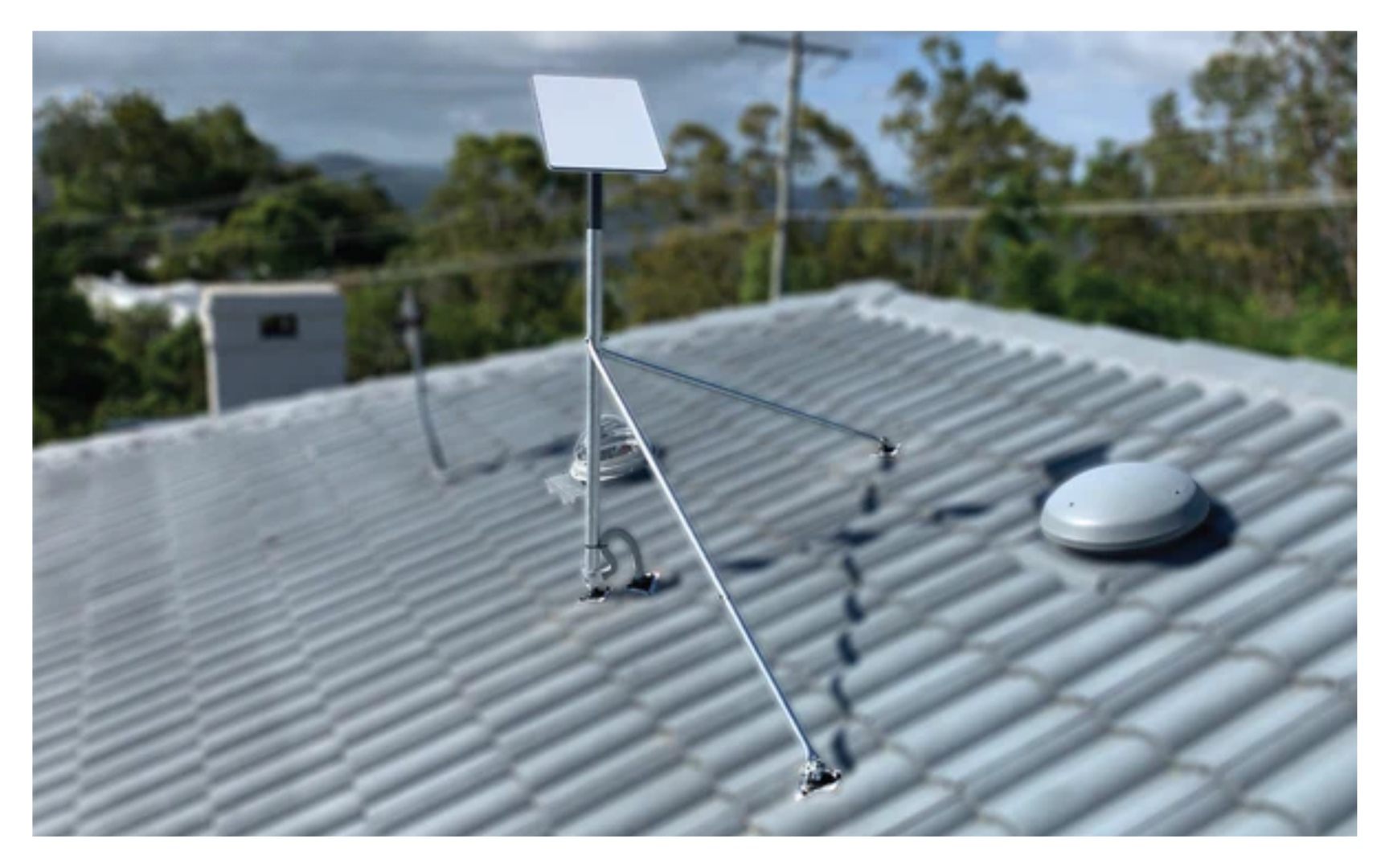
One small detail can make a big difference: water should not be allowed to pool on the dish face. If a flat-panel dish is mounted too flat, standing water can sit on the surface and further weaken the signal.
A slight tilt helps rain run off quickly, which keeps the face clearer during downpours. That is especially useful in Australian storm conditions, where rain can shift from light drizzle to a proper bucket-down moment very quickly.
How Can You Reduce Rain-Related Starlink Dropouts?
You cannot stop the weather, but you can make sure the setup on your roof, shed, caravan, or campsite is built to cope with it.

Why Does Mount Quality Matter So Much?
It is easy to blame rain fade whenever the internet drops during a storm. In reality, wind and movement are often part of the problem.
Starlink needs a stable view of the sky. If the dish is on a flimsy mount and starts wobbling in strong gusts, even small movement can make the connection less stable. Add heavy rain at the same time and the system has a much harder job.
That is why a rigid, weather-ready Starlink mount is so important. SpaceTek Australia designs and manufactures custom dish mounts and Starlink mounts for harsh Australian conditions, using precision-machined or folded aluminium and reinforced composite components rather than flimsy, flex-prone hardware.
A good storm-ready setup should focus on:
- strong wind resistance without flexing
- corrosion-resistant materials suited to rain, humidity, and coastal air
- secure cable routing and protected connectors
- a clear sky view without trees, rooflines, or other obstructions
If your current setup moves around in rough weather, it is worth looking at heavy-duty Starlink mounts that keep the dish steadier when conditions turn ugly.
Why Does Backup Power Matter During Storms?
During severe weather, the most common failure point is often not the satellite signal. It is the local power supply. If mains power drops out, Starlink drops out too unless you have a backup power setup ready.
For off-grid users, caravan travellers, and rural properties, DC-to-DC power can be a better fit than running everything through an AC inverter. SpaceTek's StarPower DC power supplies let you run Starlink more efficiently from a battery system, reduce overall draw, and bypass the Starlink router for custom setups.
The practical benefits are simple:
- better battery runtime during storm-related outages
- fewer unnecessary power conversions
- more flexibility for custom routers, travel networks, and off-grid systems
- fewer weak points when conditions are already rough
What Do Australian Users Usually Ask About Starlink in Bad Weather?
Here are the common questions people ask when they are trying to keep Starlink running through rain, storms, and rough regional conditions.
How Long Do Starlink Rain Outages Usually Last?
During normal heavy rain, complete outages are uncommon. You are more likely to see a temporary slowdown than a total loss of service.
If a severe storm cell brings torrential rain, a short outage can happen. These interruptions usually line up with the heaviest part of the storm, then clear once the worst rain moves through. In many cases, Starlink reconnects automatically without you needing to touch anything.
Does Cloud Cover Alone Slow Starlink Down?
No, ordinary cloud cover on its own usually does not cause a major problem. A grey, overcast day should not ruin your connection.
The issue is heavy moisture, especially thick storm clouds and rain with a lot of liquid water in the signal path. That is when speed drops and short dropouts become more likely.
Should You Leave Starlink Powered During Lightning?
No outdoor electronic system is completely safe from lightning. A direct or nearby strike can send a damaging surge through cables and connected equipment.
For better protection during electrical storms:
- make sure the installation follows Australian electrical and grounding requirements
- use quality surge protection where appropriate
- if a severe lightning storm is directly overhead, consider disconnecting power until it passes
If you are unsure about grounding or surge protection, speak with a licensed electrician before making changes.
So, Is Starlink Reliable in Heavy Rain?
Yes, Starlink is generally reliable in heavy rain, but it is not magic. Heavy downpours can slow the connection, severe storms can cause short outages, and poor installation can make weather-related problems much worse.
The best way to improve heavy rain Starlink reliability is to control what you can on the ground. Use a rigid Starlink mount, keep the dish face clear of pooling water, protect the cable run, avoid obstructions, and plan for backup power if you rely on Starlink during storms.
With the right setup, most Australian users can ride out a wet, windy night with only minor interruptions and a connection that comes back by itself once the worst of the weather moves on.

Leave a comment
This site is protected by hCaptcha and the hCaptcha Privacy Policy and Terms of Service apply.