
The Hidden Factor Behind Starlink Performance

What Starlink mount do I need is a critical question for any satellite internet setup, and the solution is determined by your specific hardware generation and the installation environment.
SpaceTek provides precision-machined solutions for every scenario:
- Residential roof or wall — SpaceTek Pivot Mount, Wall Mount, or Ridgeline Mount (compatible with Gen 2, Gen 3, and Mini via adapters)
- Slanted shingled roof — SpaceTek Pivot Mount featuring integrated sealant hardware
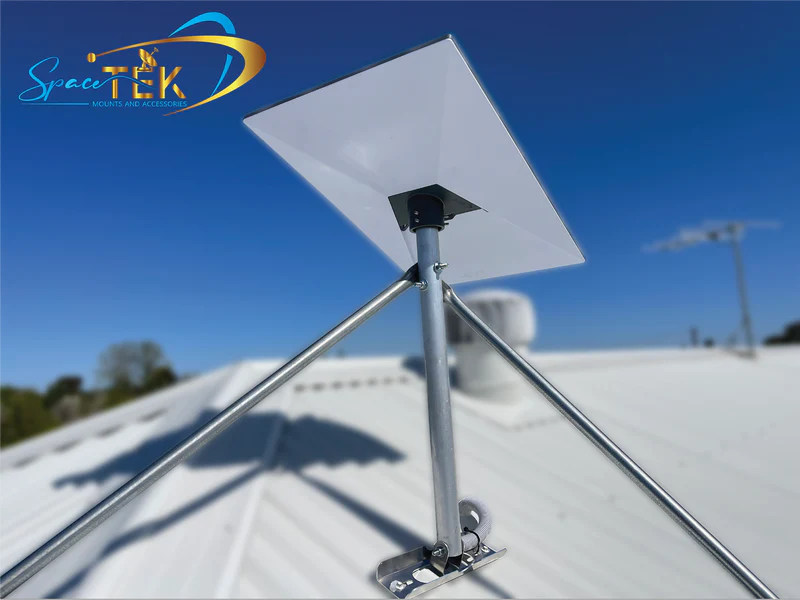
- No-drill roof ridge — SpaceTek Ridgeline Mount with ballast weights for slopes under 45°
- Existing pole or mast — SpaceTek Pipe Adapter Mount for metal poles between 31mm and 63.5mm in diameter
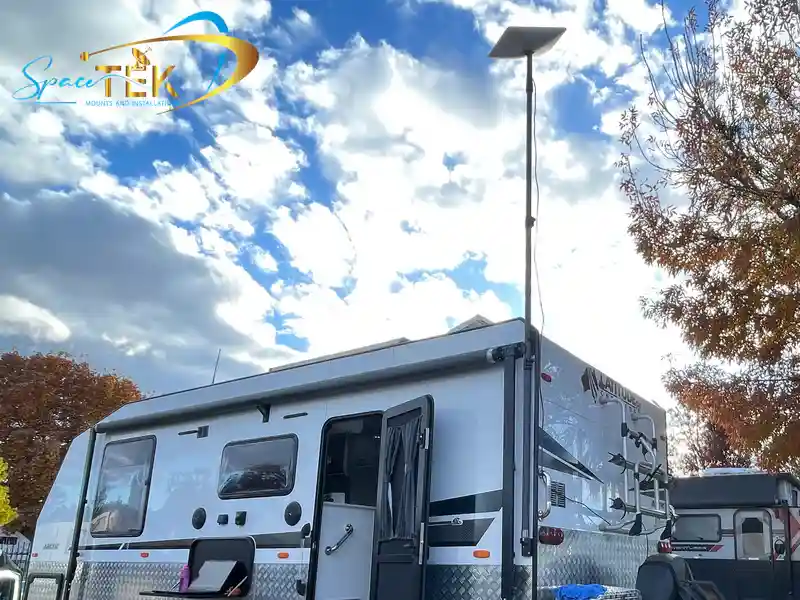
- RV, caravan, or vehicle — SpaceTek Roof Rack Mount, Mobility Mount, or vibration-resistant systems
- Portable or temporary setup — SpaceTek X-Frame Base, tripod, or magnetic mount
- Commercial or fleet — SpaceTek heavy-duty elevated mounts designed for maximum uptime
While the basic kickstand included with your dish is suitable for initial testing, it is not designed for long-term use. For consistent performance in Australian conditions, your hardware must be elevated and stable.
SpaceTek engineers mounting solutions specifically for Gen 2, Gen 3, Mini, and RV applications. These components are precision-machined from high-grade aluminium and carbon fibre, ensuring they withstand UV exposure and wind loads. Unlike 3D-printed alternatives, these mounts are built for structural longevity.
Why Mounting Quality Directly Impacts Signal Strength
When you ask what Starlink mount do I need, you are really asking how to protect your signal. Starlink satellites move across the sky at incredible speeds. To maintain a "handshake" with these satellites, your dish needs a rock-solid foundation.
- Alignment Accuracy: Modern Starlink dishes, particularly the Gen 3 and Mini, do not have motors to reposition themselves. If your mount allows the dish to sag or tilt over time, you will lose the optimal "look angle" required for high-speed data.
- Wind Movement: Australia is known for high-wind events. A mount that flexes or vibrates in the wind causes the dish to constantly lose its precise lock on the satellite constellation. This leads to "micro-dropouts" that are frustrating during video calls or gaming.
- Vibration Dampening: For mobile users, vibration is the enemy. Standard mounts aren't designed for the corrugated roads of the Outback. Without a vibration-resistant mount, the internal components of the dish can be subjected to mechanical stress.
- Obstruction Avoidance: Height is your best friend. A quality mount provides the elevation needed to clear roof lines, gutters, or nearby trees. Even a small branch in the field of view can significantly degrade performance.
Matching Mounts to Use Case
Determining what Starlink mount do I need requires an assessment of your specific environment. SpaceTek designs solutions tailored to various Australian landscapes.
Residential and Commercial Roof Solutions
Permanent installations require a high vantage point and a secure seal.
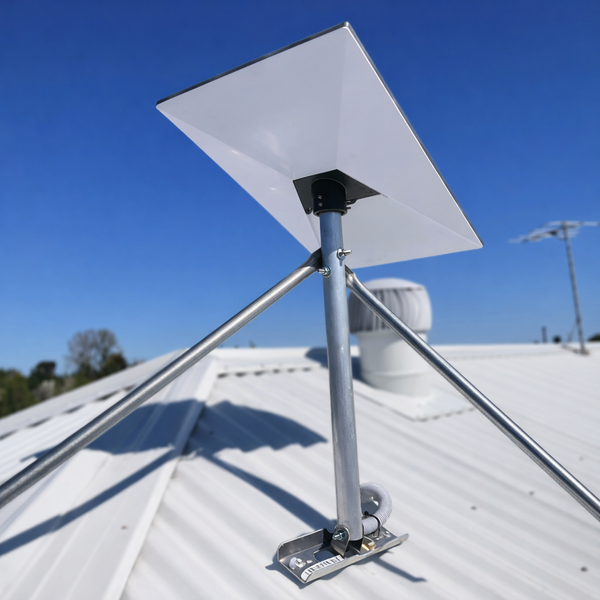
- Tin and Metal Roofs: SpaceTek systems for metal roofing attach directly to structural battens or ribs. Detailed information can be found in the Starlink Mount Metal Roof Complete Guide.
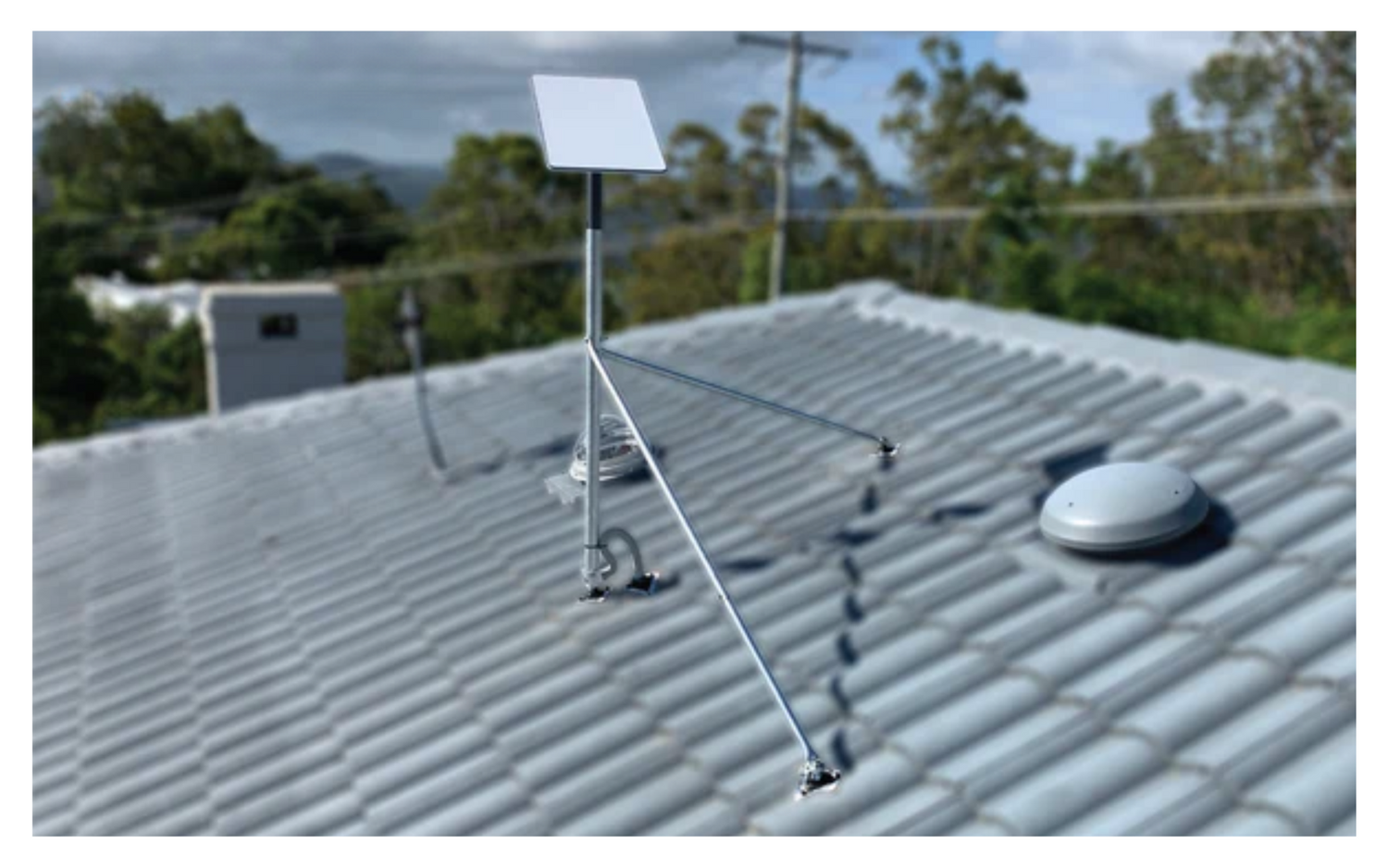
- Tiled Roofs: These setups utilise specialised flashing or mounts that connect to rafters to maintain stability without compromising the tiles.
- Pitched Surfaces: The SpaceTek Pivot Mount allows the mast to remain vertical on sloped surfaces.
- Non-Penetrating Options: The SpaceTek Ridgeline Mount uses ballast weights to secure the dish without drilling. Further details are available in the Starlink Roof Peak Mount Guide.
RV, Caravan, and Mobile Mounting
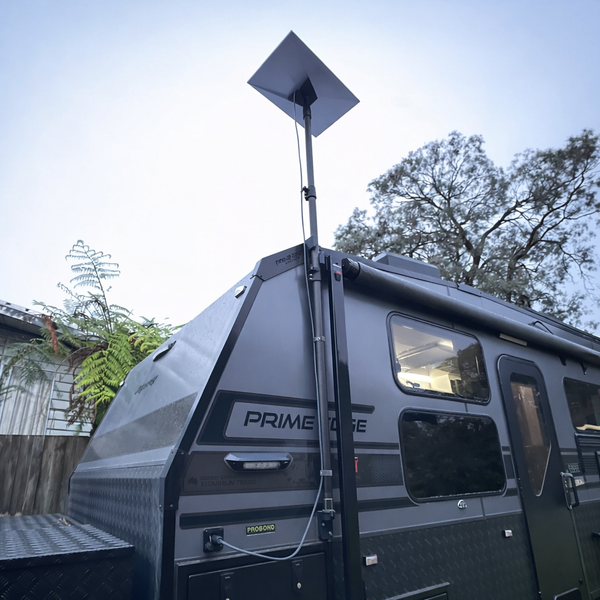
Mobile environments require mounts that can withstand constant vibration and high wind resistance.
- Roof Rack Mounts: SpaceTek designs these for 4WDs and vans, accommodating bars from 15mm to 44.5mm. These are precision-machined to be low-profile.
- Magnetic Mounts: These utilise high-strength neodymium magnets for temporary placement on stationary vehicles.
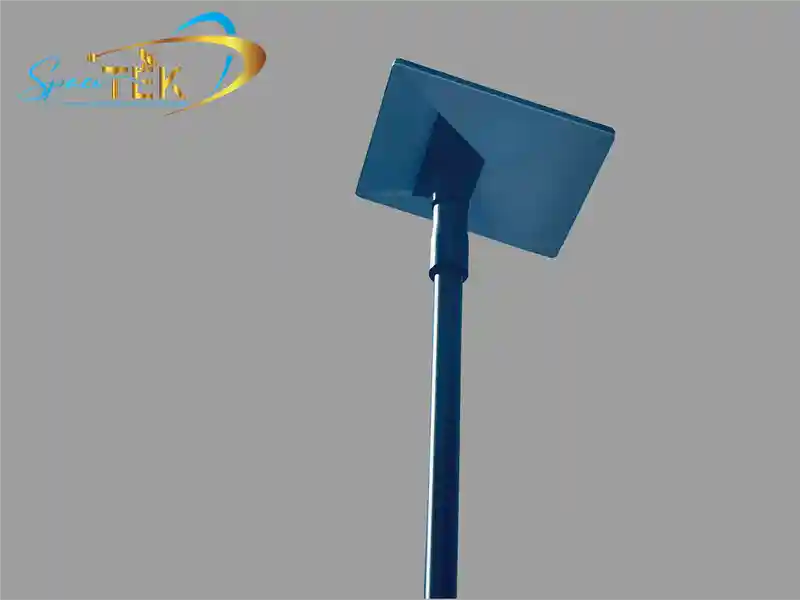
- Telescopic Pole Systems: SpaceTek carbon fibre telescopic poles allow for elevation above obstructions. See the Starlink Rv Mount Complete Guide for more information.
Commercial and Fleet Deployments
SpaceTek commercial mounts are engineered for extreme conditions, featuring heavy-duty masts for mining sites and high-wind ratings for gusts exceeding 280 km/h. These precision-machined components offer superior corrosion resistance for maritime or coastal use.
Device Compatibility Matters
Mounting hardware must match the specific physical connection of your dish generation. SpaceTek provides precision-machined adapters to ensure a secure fit for all models.
Gen 2 Mounting Requirements
The Gen 2 dish uses a motorised neck and must be mounted within 5 degrees of vertical. SpaceTek provides precision-machined pipe adapters that accommodate the specific diameter of the Gen 2 mast, preventing motor errors caused by unstable mounting.
Gen 3 Mounting Requirements
The Gen 3 dish is non-motorised and requires manual orientation. SpaceTek Starlink Gen 3 Roof Mount Kits are designed to allow for precise tilt and rotation. Users can find more information in the Ultimate Guide To Starlink Gen 3 Mounting Kits.
Starlink Mini Mounting Options
For the Starlink Mini, SpaceTek offers lightweight, precision-machined options including suction mounts for vehicles, tripod adapters, and portable pole systems. The Starlink Mini Mount Complete Guide details these travel-ready solutions.
High Performance Range Requirements
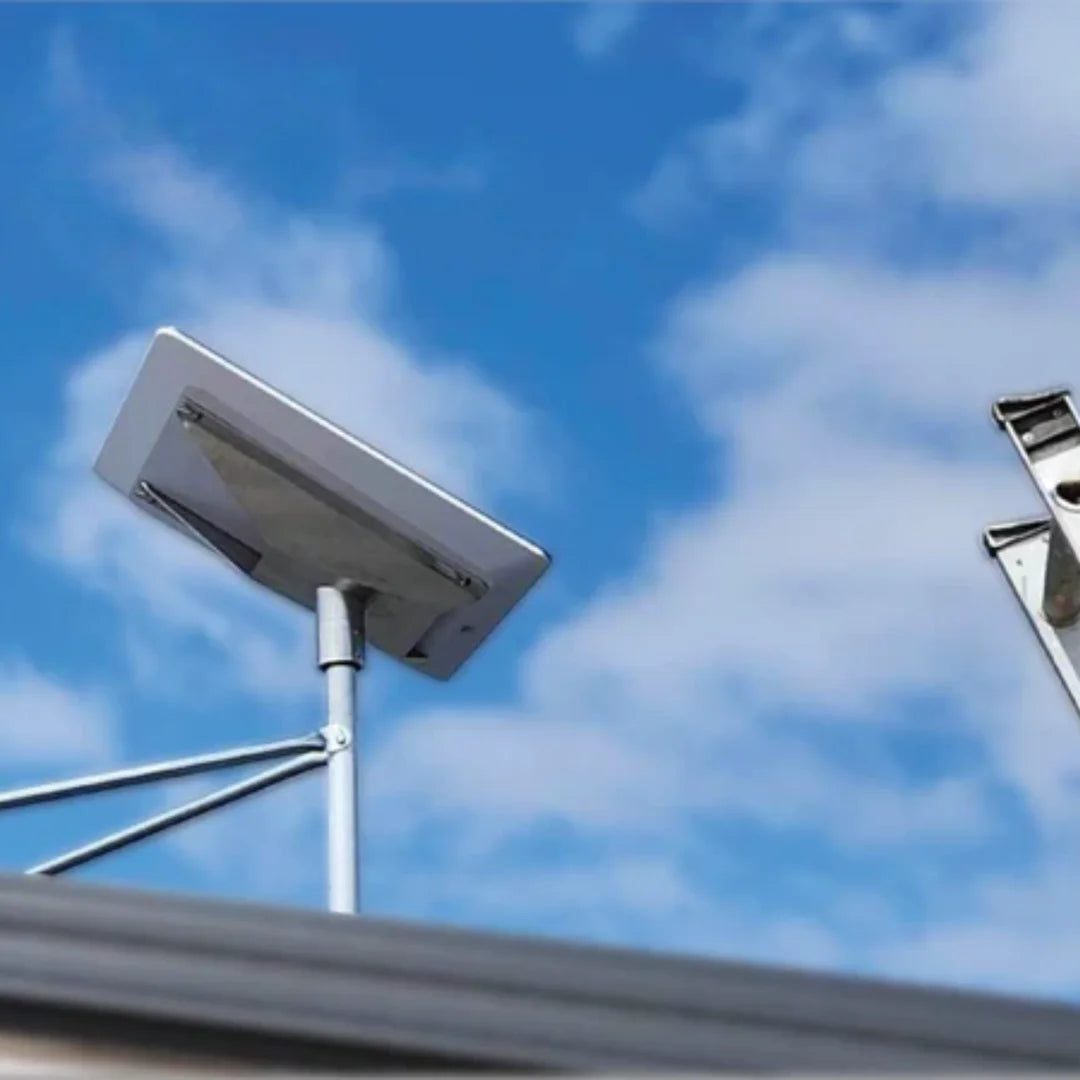
High Performance kits require robust support due to their increased weight. SpaceTek provides Wedge Mounts that offer an 8-degree tilt to facilitate water shedding and maintain signal integrity.
Environmental Stress: Why SpaceTek Mounts Excel in Australia
Australia’s climate requires hardware that can withstand extreme UV and wind. When choosing what Starlink mount do I need, material quality is paramount.
- UV Resistance: SpaceTek uses UV-stabilised materials and high-grade aluminium. Unlike 3D-printed plastic which becomes brittle in the sun, these precision-machined parts maintain structural integrity.
- Corrosion Protection: SpaceTek prioritises hot-dip galvanised steel and powder-coated aluminium to prevent rust in coastal areas.
- Thermal Stability: Precision-machined adapters from SpaceTek maintain tight tolerances during extreme temperature fluctuations, preventing the hardware from loosening.
- Wind Load Management: SpaceTek Spacetek High Duty Mounts are engineered to transfer the force of high winds safely into the building structure.
Installation Quality: DIY vs Professional Setup
While Starlink is designed as a "self-install" kit, the mounting phase is where most DIY errors occur.
DIY Tips for Success
- Use the App First: Before you drill a single hole, use the Starlink App's "Check for Obstructions" tool. A beautiful mount is useless if a gum tree is blocking the northern sky.
- Structural Anchoring: Always ensure your lag bolts or screws are biting into structural timber (rafters or studs), not just the thin roof sheeting or fascia board.
- Seal Everything: Use high-quality neutral-cure silicone or the provided sealant tape. Water ingress into your roof or walls is a much more expensive problem than a bad internet connection.
- Cable Care: Avoid sharp bends in your Starlink cable. Use "drip loops" so that rainwater runs off the cable before it reaches the entry point into your home.
When to Call a Professional
If you are uncomfortable on a ladder, have a multi-storey home, or have a complex roof type (like slate or asbestos), it is always safer to hire a professional installer. They have the tools to ensure the mount is perfectly level and the cable is routed safely through internal cavities.
The Mount Is the Foundation of Your Connection
At the end of the day, your Starlink dish is a sophisticated piece of space technology, but it is only as good as the mount holding it. When you ask what Starlink mount do I need, you aren't just buying a bracket; you are buying the stability of your connection.
Whether you are looking for Where To Shop Starlink Mounts or trying to decide between a Wall, Eave, or Pole mount, the priority should always be a clear sky view and structural integrity.
SpaceTek Australia remains the specialist provider for those who refuse to settle for "good enough." Our mounts are engineered right here for our unique conditions, ensuring that whether you're at home or in the middle of the Nullarbor, your link to the stars remains unbroken.
FAQ: Common Questions About Starlink Mounts
What type of Starlink mount do I need?
The required mount depends on your hardware generation and the installation site. SpaceTek offers precision-machined options for residential roofs, mobile vehicles, and commercial environments. Each solution is engineered to match the physical requirements of Gen 2, Gen 3, or Mini hardware.
Do I really need a mount for Starlink?
Permanent installations require a dedicated mount to ensure stability and signal consistency. The basic kickstand included with the dish is intended for temporary testing only. SpaceTek mounts provide the elevation and rigidity necessary to withstand environmental factors.
Where is the best place to mount Starlink?
The dish should be placed in a location with an unobstructed view of the sky. This is typically the highest point of a roof peak or an elevated pole. SpaceTek mounts help achieve the necessary height to clear local obstructions.
Can I mount Starlink on a caravan or RV?
Mobile installations require mounts designed to handle movement and vibration. SpaceTek provides specific RV mounting systems, including roof rack adapters and telescopic poles. These systems are precision-machined to remain secure during travel.
What is the best mount for Starlink Mini?
The Starlink Mini is compatible with several portable SpaceTek solutions. These include magnetic mounts for stationary vehicles, tripod setups for camping, and quick-deploy pole systems. Each option is designed for rapid deployment and stability.
What is the difference between Gen 2 and Gen 3 mounts?
Gen 2 dishes are motorised and require a vertical mast for proper operation. Gen 3 dishes are non-motorised and require mounting hardware that allows for manual orientation. SpaceTek manufactures specific adapters for both generations to ensure a secure fit.
Can I use one mount for all Starlink models?
Most Starlink models have different mast diameters and connection points. SpaceTek designs dedicated adapters for each version to ensure precision fitment. Using the correct adapter is necessary to maintain a stable connection.
Are Starlink mounts weatherproof?
SpaceTek mounts are engineered for Australian conditions using rust-resistant coatings and UV-stabilised components. They are designed to withstand high wind loads and extreme heat. These precision-machined parts do not degrade like 3D-printed alternatives.
What happens if I install Starlink in a bad location?
Obstructions in the field of view will result in signal dropouts and reduced data speeds. Proper mounting with SpaceTek hardware allows the dish to be positioned above obstacles. This ensures a more reliable connection to the satellite constellation.
Does mounting height matter?
Increased height often improves the line-of-sight to satellites by clearing nearby foliage or structures. SpaceTek provides various elevated mounting options to help achieve an unobstructed view. This is particularly important in suburban or forested areas.
Can I use a third-party mount?
Third-party mounts are compatible if they use the correct adapter system. SpaceTek mounts are often preferred for their rugged construction and precision-machined components. They are specifically designed to suit Australian roof types and environmental conditions.
How do I route the cable through the mount?
Many SpaceTek mounts feature hollow masts that allow for internal cable routing. This protects the cable from environmental damage and prevents movement in the wind. For more information, see the Starlink Mounting Systems Roundup.

Leave a comment
This site is protected by hCaptcha and the hCaptcha Privacy Policy and Terms of Service apply.