
Does Satellite Internet Work in Rain? The Real Answer for Australian Users
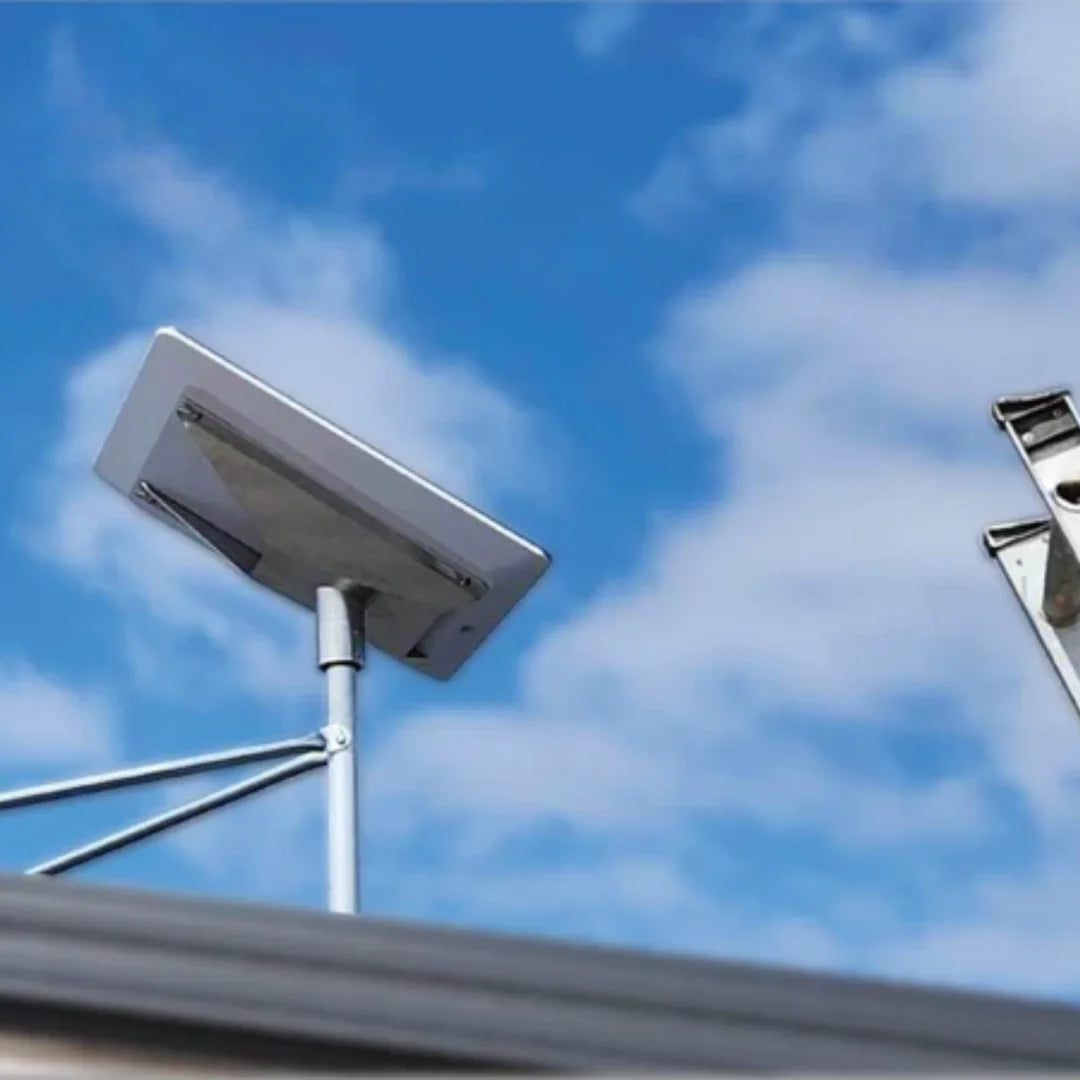
_compressed.webp?alt=media&token=87b08341-2764-480d-b7f0-1b31ace70c23 "Starlink dish mounted on Australian home roof during heavy rain and storm clouds - does satellite internet work in rain")
Does satellite internet work in rain? Yes. But performance varies depending on rainfall intensity, your location, and critically, how your dish is installed.
Here's what to expect across different conditions:
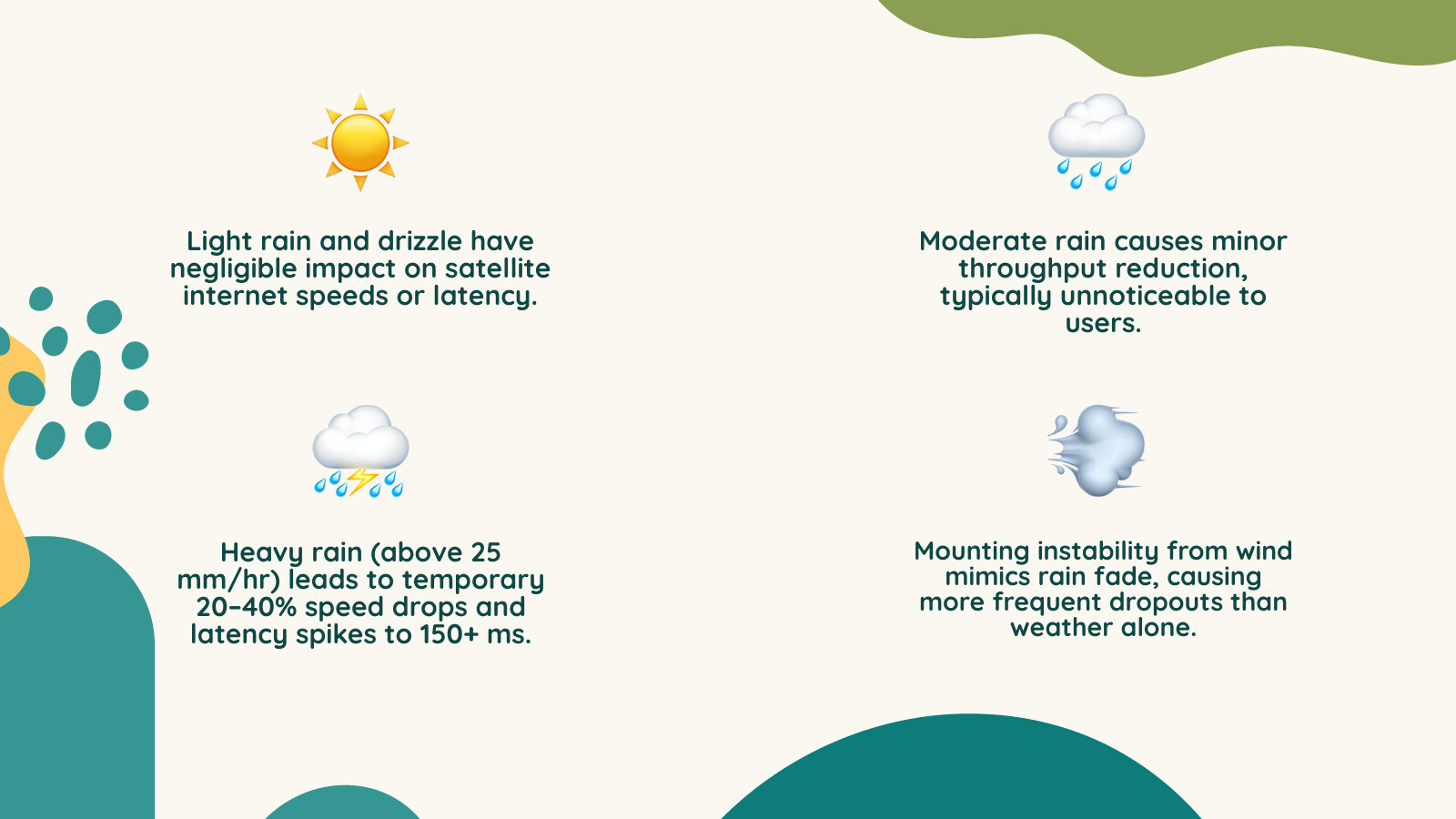
- Light rain and drizzle — negligible impact on speeds or latency
- Moderate rain — minor throughput reduction, typically unnoticeable
- Heavy rain (above 25 mm/hr) — temporary speed drops of 20–40%, with latency rising from around 40 ms to over 150 ms in severe cases
- Thunderstorms and downpours — brief outages possible, typically lasting 5–30 minutes before automatic recovery
- Snow, ice, and cloud cover alone — minimal to no signal impact on modern systems
The key phenomenon behind weather-related slowdowns is rain fade — the absorption and scattering of microwave signals by raindrops in the atmosphere, which temporarily weakens the connection between your dish and the satellites overhead.
Modern Low Earth Orbit (LEO) systems like Starlink are far more resilient to rain fade than older geostationary satellite services. Their shorter signal path through the atmosphere, around 550 km versus 35,000 km for traditional systems means less exposure to precipitation, and faster automatic recovery when disruptions do occur.
The bigger story, though, is this: most connection problems blamed on rain are actually caused by mounting instability. Wind-induced dish movement, loose brackets, and poor installation quality can mimic rain fade symptoms — and they're far more common than most users realise.
What Actually Causes Satellite Dropouts in Australian Weather Conditions
When the heavens open over the Simpson Desert or a southerly buster hits the NSW coast, most users instinctively point at the clouds when the Netflix buffer wheel starts spinning. While the sky is partly to blame, the science of why your connection drops is a bit more grounded.
The primary culprit is indeed rain fade. Because Starlink uses high-frequency Ka-band and Ku-band signals, the wavelengths are roughly the same size as a raindrop. When a signal hits a drop of water, the water absorbs the energy—much like how a microwave oven heats your lunch. This is known as signal attenuation. In very heavy rain, the "liquid water path" becomes so dense that the signal simply can't punch through, leading to those 5-to-20-minute outages we sometimes see in tropical downpours.
However, we have found that a massive percentage of "weather outages" in Australia are actually structural. High winds often accompany rain. If your dish is mounted on a flimsy bracket or a flexible pole, the wind causes micro-movements. A Starlink dish needs to maintain a precise lock on a satellite moving at 27,000 km/h. If the mount flexes even a few millimetres, the beam can become misaligned. This looks exactly like rain fade on your app, but it’s actually a hardware stability issue.
Wet foliage is another hidden factor. If you have trees near your line of sight, they might not block the signal when they are dry. But once those leaves are soaked with water, they become a wall of signal-absorbing moisture. This is why Troubleshooting Tips When Starlink Drops Out In Stormy Weather always starts with checking your obstructions post-storm.
Rain Fade vs Obstruction vs Hardware Issues (How to Diagnose Your Connection Problem)
Is it the rain, or is it your roof? Distinguishing between weather and hardware can save you a lot of frustration. We like to think of this as your "field guide" to satellite diagnostics.
Rain Fade: This is a temporary slowdown. You’ll notice your download speeds drop from maybe 300 Mbps to 180 Mbps. Latency might jump from 30ms to 100ms. If it’s a torrential downpour, you might lose connection entirely for 10 minutes. The key is that it clears up the moment the rain eases.
Obstruction: If your internet drops out every time a satellite passes a specific part of the sky, that’s an obstruction. This is consistent. Check the Starlink app’s obstruction tool. If you see red dots, that’s a tree, a chimney, or perhaps a new roof rack on your caravan.
Mount Instability: This is the most frustrating one because it feels random. You might have clear skies but high winds, and suddenly you’re getting "Network Issue" alerts. This is almost always caused by vibration or flex in the mount. If your dish is wobbling, the phased-array antenna has to work overtime to compensate, often failing and dropping the link.
Hardware/Network Issue: If the sun is out, the wind is still, and you’ve got no red obstructions but the internet is dead, you’re looking at a cable issue or a wider network outage. Always check your cable seating first—moisture in the connectors is a common post-storm culprit.
Does Satellite Internet Work in Rain Compared to Fibre and 5G?
In the hierarchy of internet stability, fibre-to-the-premises (FTTP) is the undisputed king. Because the signal is light travelling through glass buried underground, weather has zero impact. But for those of us in regional Australia, fibre is often a distant dream.
5G and 4G fixed wireless are the next contenders. They are generally more stable in rain than satellite because the signal travels horizontally over shorter distances. However, 5G towers can become congested during storms when everyone retreats indoors to stream movies, and extreme winds can occasionally affect tower alignment or power.
Satellite internet, particularly Starlink, occupies a unique space. While it is more sensitive to the signal path than fibre, it offers "infrastructure independence." If a flood washes out a road and snaps a fibre line, or a storm knocks out a local 5G tower, your satellite link keeps working because its "tower" is 550 km in the air.
As noted in research on Is Satellite Internet Speed Impacted by Weather (2026)?, the trade-off for this incredible access is a slight sensitivity to atmospheric moisture. But for most Australians, a 20% speed drop during a storm is a small price to pay for having 250 Mbps in a location that previously had nothing.
Why Mounting Quality Matters More Than Rain (The Hidden Performance Factor)
We cannot stress this enough: your mount is the foundation of your internet speed. Many users treat the mounting bracket as an afterthought, using cheap, thin-walled steel or even plastic components. In the harsh Australian climate, this is a recipe for poor performance.
The engineering term we focus on is "flex tolerance." A Starlink dish is constantly adjusting its beam electronically. However, if the physical base of the dish is swaying in a 60 km/h gust, the electronic beamforming can't always keep up. This leads to packet loss—those tiny stutters during a Zoom call or a gaming session.
Our House Starlink Mounts & Accessories are designed to be "storm-ready." We use precision-machined aluminium and carbon fibre because they offer high rigidity-to-weight ratios. Unlike 3D-printed or mass-produced plastic mounts, these materials don't degrade under the intense Australian UV or "creep" over time.
When a mount is rigid, the dish stays exactly where it’s supposed to be. This means that during a storm, the only thing you’re fighting is the rain itself, not a vibrating dish. A stable mount can be the difference between a minor speed dip and a total connection dropout.

How Starlink Performs in Australian Climate Zones
Australia is a land of weather extremes, and Starlink handles them differently depending on where you've set up camp.
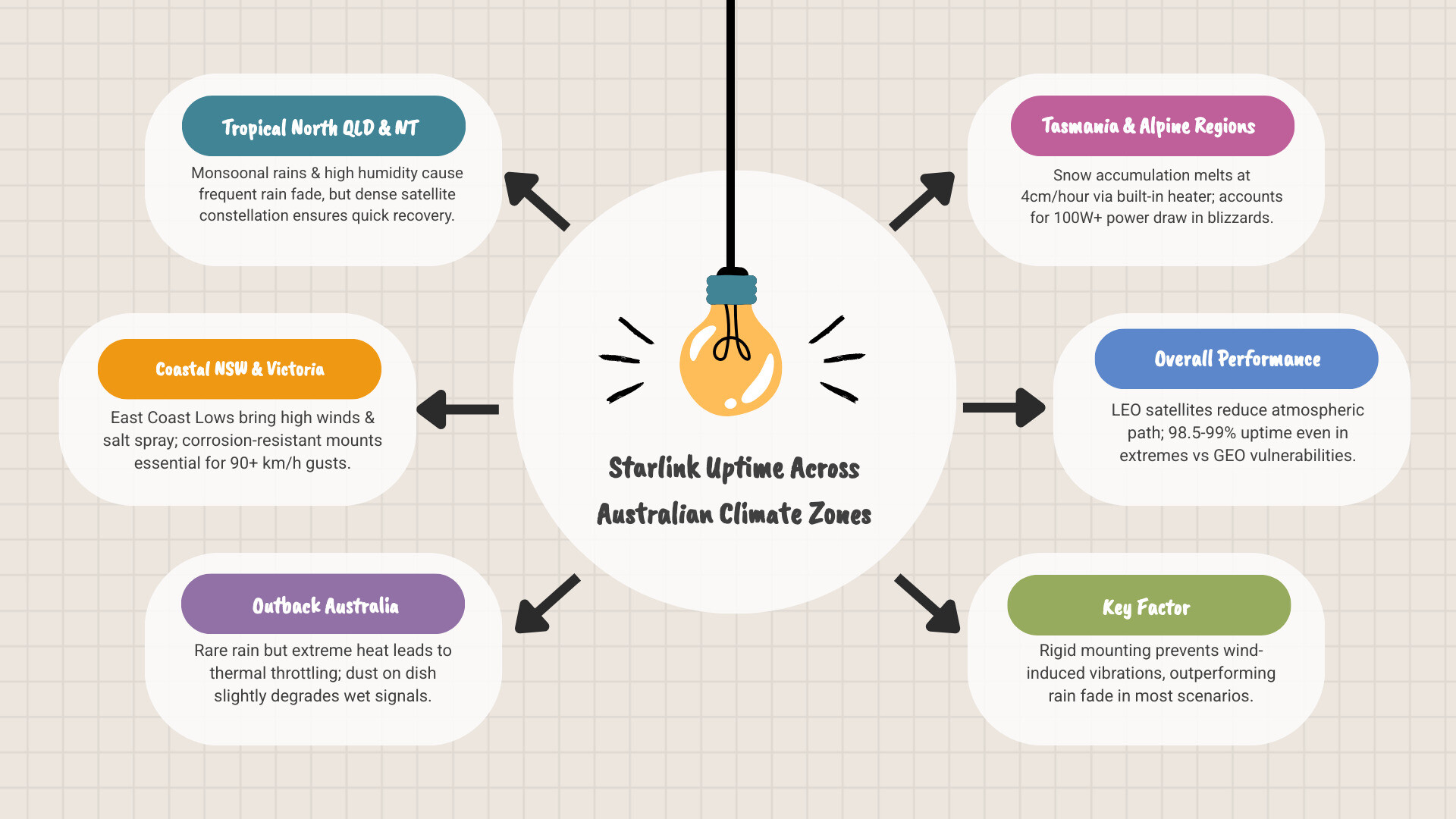
Tropical North Queensland and NT
In places like Cairns or Darwin, the challenge isn't just rain—it's the sheer volume of water in the air. During the monsoon season, the "liquid water path" is significantly higher than in the southern states. You might experience more frequent rain fade events. However, Starlink’s high-density constellation means there’s usually another satellite coming into view quickly to help mitigate the loss.
Coastal New South Wales and Victoria
Here, the enemy is the East Coast Low. These systems bring sustained high winds and salt spray. For coastal users, corrosion resistance is vital. A cheap mount will rust and seize within a year. We focus on using 316 stainless steel hardware and marine-grade coatings to ensure that the structural integrity of your setup doesn't fail when the wind hits 90 km/h.
Outback Australia
In the red centre, rain is rare, but dust and heat are constant. Heat can cause "thermal throttling" where the dish slows down to protect its internal electronics. Dust accumulation on the dish surface can also slightly degrade the signal if it becomes thick and wet.
Tasmania and Alpine Regions
In the Snowy Mountains or Tassie, snow is the primary concern. Starlink dishes have a built-in heater that can melt snow at a rate of about 4 cm per hour. This requires extra power, so if you’re off-grid, you’ll need to account for that 100W+ draw during a blizzard.
Why LEO Satellite Systems Handle Rain Better Than GEO Networks
If you’ve ever used older satellite internet, you probably remember it cutting out if a cloud even looked at the dish funny. Starlink is different because it uses Low Earth Orbit (LEO) satellites.
Traditional GEO satellites sit 35,000 km away. The signal has to travel through the entire thickness of the atmosphere twice over a massive distance. By the time that signal reaches you, it’s weak and easily scattered by a bit of drizzle.
Starlink satellites are only 550 km away. This shorter "slant range" means the signal spends much less time fighting through rain and clouds. Furthermore, because there are thousands of satellites, the system can perform a "handoff." If a massive storm cell is blocking one satellite, the dish can often switch to another satellite in a clearer part of the sky. This is backed by scientific research on LEO link quality dynamics, which shows that LEO systems maintain much higher "link margins" than their older GEO cousins.
Why Professional Mounting Is Critical for Mobile Starlink Users
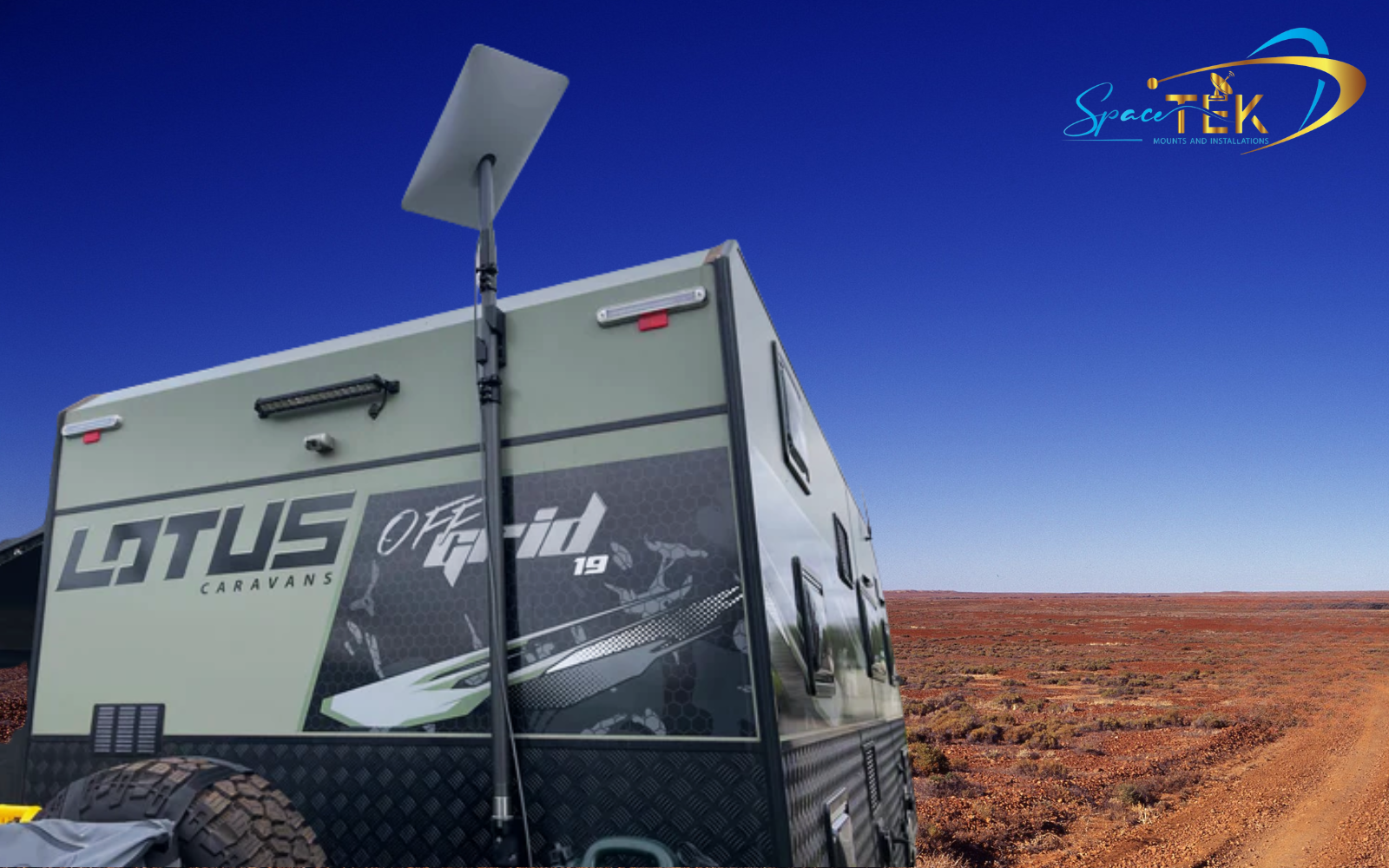
For the grey nomads and off-road adventurers, the "rain" isn't just falling from the sky—it's the vibration from the road. If you're using Starlink Vehicle Mounts on a caravan or a 4WD, your mount is under constant stress.
Corrugated roads act like a jackhammer on your hardware. If your mount isn't engineered to handle these dynamic loads, the internal components of the dish can be damaged, or the mount can develop "slop." This looseness causes the dish to rattle, leading to intermittent signal loss even in perfect weather.
We focus on structural anchoring. A mount shouldn't just hold the dish; it should become part of the vehicle's structure. This prevents the wind load—which is immense when you're parked in an open plain during a storm—from ripping the dish off or causing it to vibrate like a tuning fork.
Mounting Mistakes That Make Rain Performance Worse
We've seen some "creative" DIY installations across Australia, and many of them are the reason for poor weather performance.
- Low Roofline Placement: If the dish is too low, rain dripping off the gutter or splashing up from the roof can create a "water curtain" that blocks the signal.
- Loose Brackets: Even a millimetre of play in a bolt will translate to a centimetre of sway at the top of the dish.
- Incorrect Angles: If a dish is mounted too flat, water can pool on the surface. While the dish is hydrophobic, a literal puddle of water on the face will kill your speeds.
- Cable Strain: Not securing your cables properly is a classic mistake. In high winds, a flapping cable can actually pull on the connector, causing micro-interruptions or letting moisture into the port.
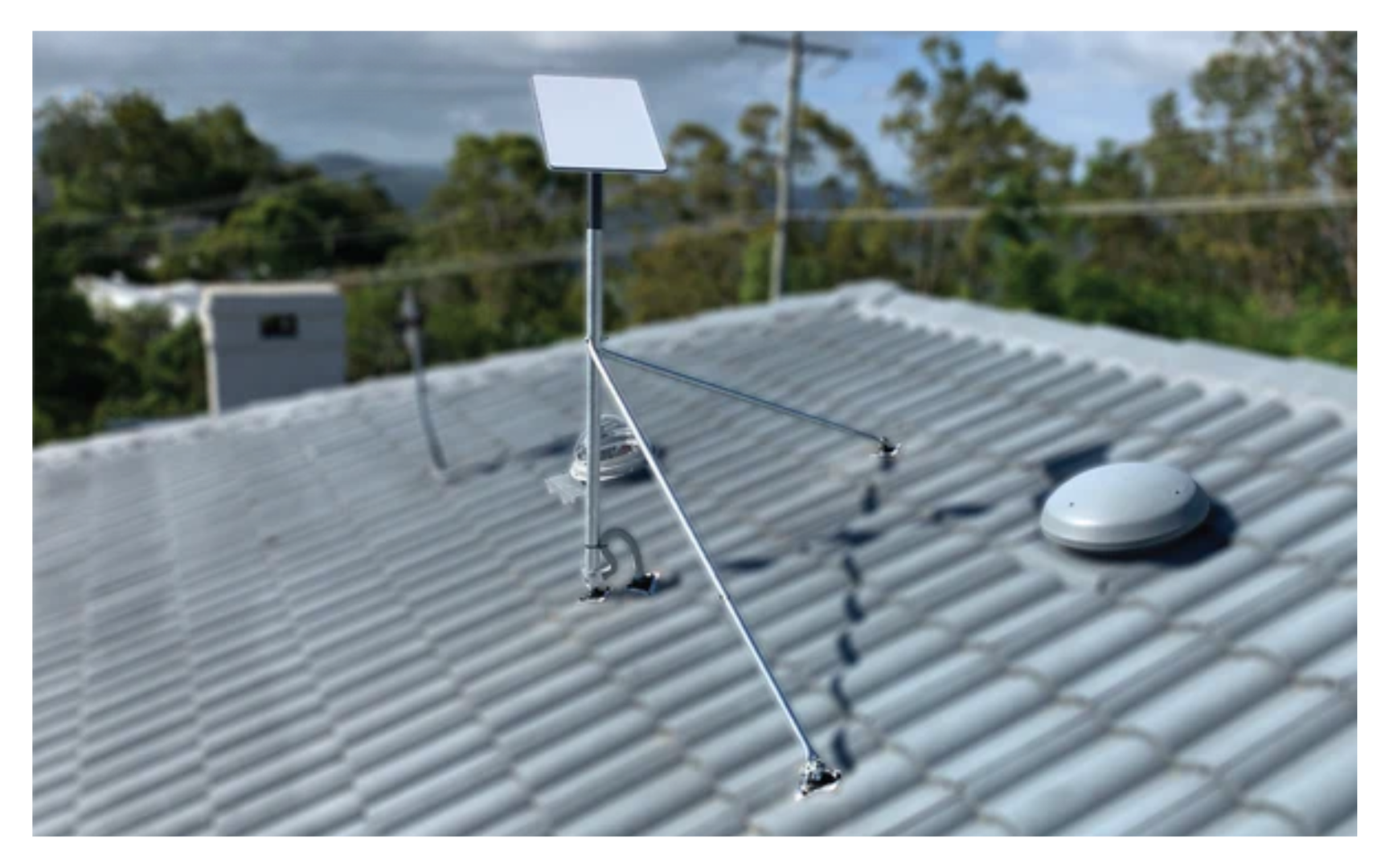
- Non-Rigid Systems: Using a thin mast without guy wires or proper bracing is the number one cause of "false rain fade."
For business users, these mistakes aren't just annoying; they're costly. That's why we recommend Commercial Starlink Mounts for any mission-critical installation.
Signal Stability Engineering: What Makes a Mount Storm-Ready
When we engineer a mount at SpaceTek, we aren't just making a "bracket." We are building a stability platform. A storm-ready mount must account for several factors:
- Wind Load Resistance: The mount must be rated for at least 150 km/h winds. This requires high-tensile materials that won't snap or bend.
- Corrosion Resistance: Using dissimilar metals (like a steel bolt in an aluminium hole) causes galvanic corrosion, especially in salty air. We use specific coatings and material choices to prevent this.
- Material Fatigue: Constant vibration from wind can cause metal to become brittle. Our use of high-grade aluminium and carbon fibre in our Gen 3 V4 Mounts and Accessories ensures longevity.
- Thermal Expansion: In the Australian sun, metal expands. A mount that is tight in the morning might be loose in the 40-degree heat of the afternoon. Our designs account for these tolerances.
How to Improve Starlink Performance in Rain
%20(3)_compressed.webp?alt=media&token=900d32e6-16de-4c78-9764-cd43d57becfe "user-inserted")
If you want to squeeze every bit of performance out of your Starlink during a rainy Australian winter, follow these steps:
- Maximise Height: Getting the dish higher reduces the chance of ground-level moisture interference and ensures a wider view of the sky, giving the dish more satellites to choose from during a storm.
- Check Your Tilt: Ensure the dish has enough of an angle (at least 8 degrees) to allow water to run off freely.
- Secure Your Cables: Use UV-rated cable ties to secure the cable every 30-50 cm. This prevents "whipping" in the wind.
- Clear the View: Ensure no branches are hanging over the dish. Wet leaves are signal killers.
- Use Quality Hardware: If you're using a smaller setup, our Starlink Mini Accessories provide the same engineering-grade stability in a compact form.
Beyond Rain – Wind, Snow, Cloud Cover and Storm Conditions
While rain gets all the headlines, other weather events play their part.
Wind: As we've discussed, wind is the primary cause of mechanical failure. A properly mounted dish can handle 150 km/h, but only if the mount is up to the task.
Snow: If you're in the High Country, snow accumulation can block the signal. Ensure the "Snow Melt" feature is set to "Automatic" in your app. This uses internal heaters to keep the surface clear.
Cloud Cover: Generally, clouds have a negligible effect on Starlink. Unless they are incredibly dense, moisture-laden thunderheads (cumulonimbus), you won't notice a difference.
Thunderstorms: Beyond the rain, lightning is a risk. While Starlink has built-in surge protection, we always recommend a high-quality external surge protector or even a grounding kit if you're in a high-strike area. If you're not confident doing this yourself, you can Find an Installer to help.
Frequently Asked Questions About Satellite Internet in Rain (Australia)
Can Starlink work in heavy rain in Australia?
Yes, it works, but you should expect a performance hit. In a standard heavy downpour, your speeds might drop by 20–40%. In a truly extreme monsoonal event, you might lose signal for 10 or 15 minutes, but the system is designed to reconnect automatically the moment the intensity drops.
Why does satellite internet work in rain differently than satellite TV?
Satellite TV (like Foxtel) is a one-way broadcast from a GEO satellite. If the signal is interrupted for even a second, the picture freezes. Starlink is a two-way data connection with advanced error correction and LEO satellites. It can "buffer" and retry data packets much more effectively, making it feel more stable even when the signal is struggling.
Does mounting affect how satellite internet works in rain?
Absolutely. A poor mount allows the dish to wobble in the wind that usually accompanies rain. This wobble causes the dish to lose its precise alignment with the satellite, which the app often misreports as "rain fade." A rigid, high-quality mount eliminates this variable, leaving only the actual raindrops to contend with.
Rain Isn’t the Problem. Stability Is

At the end of the day, does satellite internet work in rain? The answer is a resounding yes. The technology has come a long way from the days of "one cloud and you're out." With the LEO constellation and modern phased-array antennas, Starlink is a remarkably resilient system.
However, the "secret sauce" to 99.9% uptime isn't just in the dish—it's in how you hold it. Rain is an act of God that we can't control, but mounting stability is an engineering challenge that we have already solved. By choosing high-quality, Australian-designed mounts that prioritise rigidity and corrosion resistance, you ensure that when the storms roll in, your connection stays rock-solid.
If you're ready to upgrade your setup or have questions about a specific installation, don't hesitate to Contact Our Engineering Team. We’re here to make sure you stay connected, rain or shine.

Leave a comment
This site is protected by hCaptcha and the hCaptcha Privacy Policy and Terms of Service apply.