
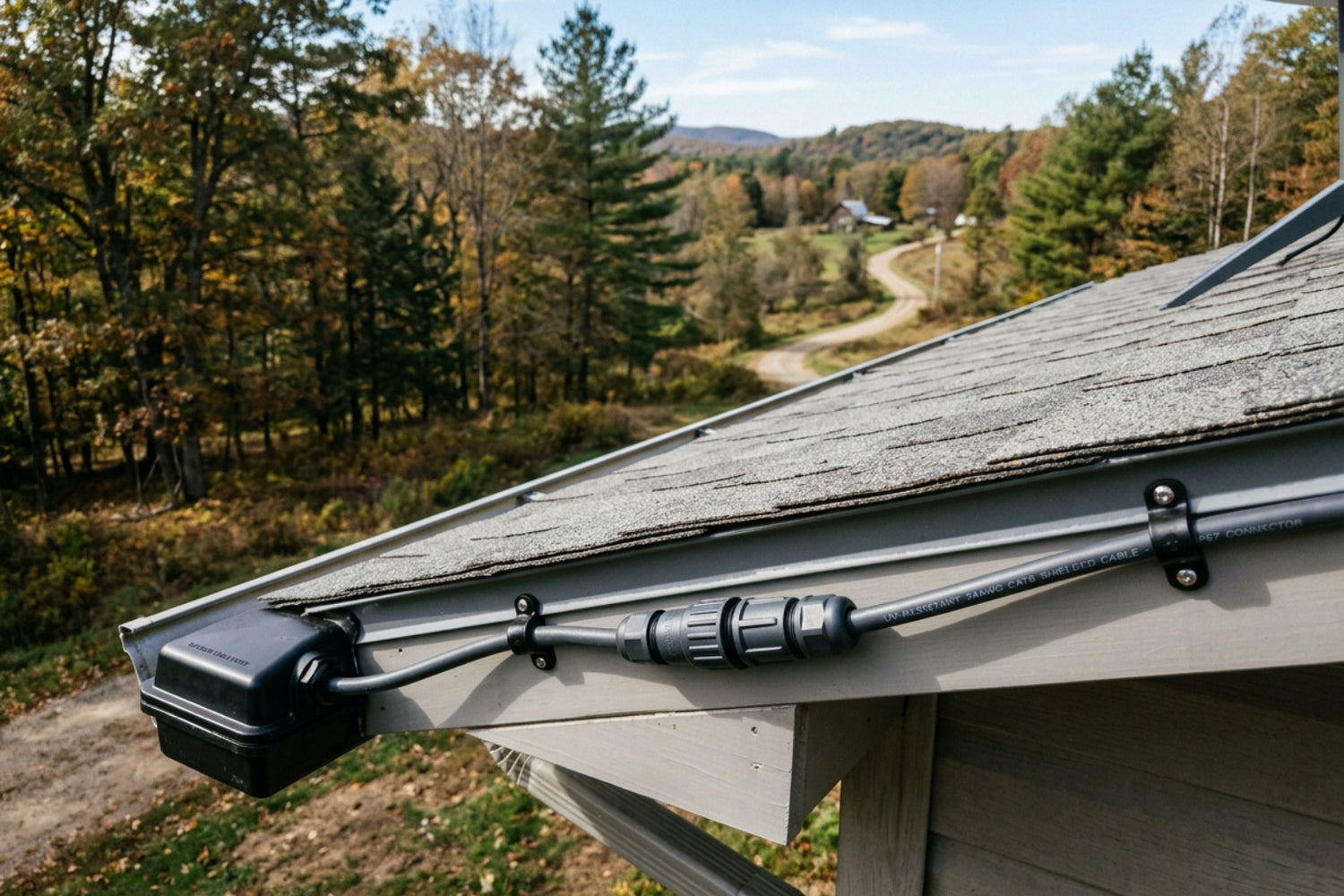
Why Starlink Cable Quality Matters for Australian Installs
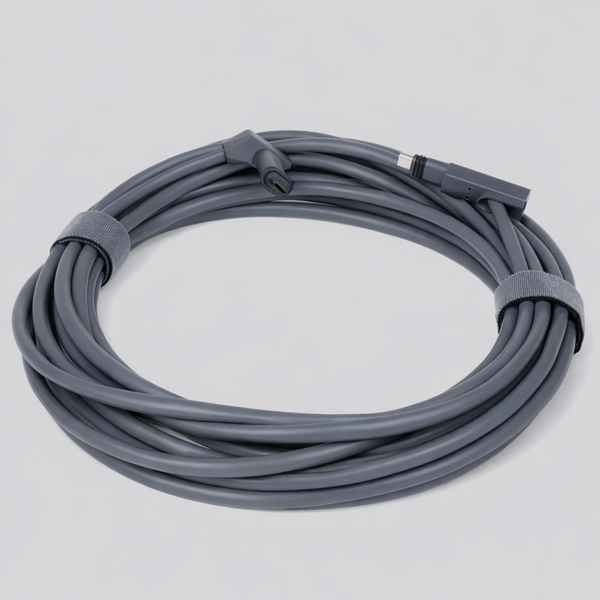
Starlink cables are the critical link between your dish and your router — and in Australia, they take a serious beating.
Whether you're on a rural property, in a caravan, on a rooftop, or running an off-grid setup, the cable is what keeps your connection stable under load.
Here's a quick overview of what makes a quality Starlink cable:
- Shielding: Shielded Twisted Pair (STP/FTP) construction protects against interference, especially near solar systems or in caravans
- Wire gauge: 24AWG solid copper is the standard minimum — thicker copper means less voltage drop over long runs
- Outdoor rating: UV-resistant, CMX-rated jacket for Australian sun, heat, and rain
- Connector type: Gen 2 uses proprietary SPX connectors; Gen 3 and Mini use standard RJ45
- Length: Maximum recommended run is 45m (150ft) — beyond that, voltage drop causes dropouts and instability
- Burial: Not rated for direct burial — always run through at least 25mm (1 inch) conduit underground
Most connectivity problems with Starlink aren't caused by the dish or the satellites.
They're caused by the cable — usually a low-grade import with thin copper, no shielding, and a jacket that cracks within months in direct sun.
Getting the cable right from the start means fewer dropouts, more consistent speeds, and a setup that lasts in genuinely tough conditions.
Understanding Starlink Cables: Shielding, AWG, and Durability
Starlink cables are high-performance Power over Ethernet (PoE) lines engineered to carry both high-speed internet data and high-wattage electrical power to your satellite dish. To work reliably, they require heavy-duty shielding, thick copper wire gauges, and robust weatherproofing.
When you set up satellite internet, it is easy to focus entirely on the dish. However, the physical cable running down your roof is the unsung hero of your network. If you want to dive deep into the technical foundations of these lines, our Detailed Guide to Starlink Satellite Cable covers the engineering behind them in full detail. Doing it properly the first time means understanding how shielding, wire thickness, and materials affect your daily speeds.
Shielding: Why Interference Protection is Critical
Starlink systems run on a high-power PoE standard, meaning your data signals share the exact same copper strands as the electrical current keeping the dish powered up and melting snow. Because of this combined load, the cable is highly vulnerable to electromagnetic interference (EMI).
Using a Shielded Twisted Pair (STP or FTP) cable is non-negotiable for a stable connection. Without proper metal foil shielding, electrical noise from household appliances, solar inverters, caravan batteries, or nearby power lines can bleed into your data signal. This results in packet loss, sudden speed drops, and frustrating dropouts during peak usage. Cheap, unshielded cables also risk building up static charge from dry winds, which can discharge and damage the sensitive port on your dish. For a closer look at how environmental factors affect hardware, read our analysis on Why Cheap Starlink Cables Fail in the Heat.
Cable Thickness and Copper Quality (AWG Explained)
In the cabling world, wire thickness is measured by American Wire Gauge (AWG). With AWG, a lower number means thicker copper conductors:
- Thicker conductors (22AWG to 24AWG): These allow power to flow smoothly with minimal resistance, keeping your dish stable over longer distances.
- Thinner conductors (26AWG to 28AWG): These are common in cheap, generic patch leads and are highly susceptible to voltage drop, causing your dish to reboot constantly.
We strongly warn against using Copper-Clad Aluminium (CCA) cables. CCA cables are simply aluminium wires coated in a microscopic layer of copper. While they are cheap to manufacture, aluminium has much higher electrical resistance than pure copper. Under the heavy power load of a Starlink dish, CCA cables heat up rapidly, drop voltage significantly, and can quite literally melt or fail under load. Always insist on solid, oxygen-free copper.
Outdoor Durability and Weatherproofing in Australian Conditions
The Australian climate is notoriously harsh on outdoor wiring. Intense UV radiation, extreme summer heat, coastal salt spray, and sudden downpours will ruin standard indoor-rated network cables in a matter of months. Standard PVC jackets quickly turn brittle, crack open, and let moisture seep straight to the copper core.
To ensure your setup lasts, outdoor cables must feature a CMX outdoor-rated jacket. CMX jackets are chemically stabilised to resist UV degradation and extreme temperatures. Furthermore, any outdoor connection point must be rated to at least IP67 waterproof standards. This ensures that even during a heavy downpour, water cannot penetrate the plug and corrode the metal pins, which would instantly short out the power supply.

Connector Compatibility and Length Limits for Starlink Cables
Starlink cables use model-specific connectors and have strict length restrictions of 45 metres (150 feet) for standard setups to prevent severe voltage drop. Connecting the wrong cable type can permanently damage your router or dish power supply.
Before purchasing any replacement or extension, you must identify exactly which generation of hardware you own. You can browse our full range of compatible connections in the Starlink Cables and Accessories Collection.
Connector Compatibility: Gen 2 vs Gen 3 Differences
The evolution of Starlink hardware has brought massive changes to how these systems plug together:
- Gen 2 (Standard Actuated): This system uses proprietary, rectangular "SPX" connectors. These plugs are fragile, difficult to route through walls without custom-sized holes, and highly prone to pin damage if unplugged frequently.
- Gen 3 (Standard) & Mini: These models have returned to standard RJ45 Ethernet-style connectors, though they feature specialised, oversized rubber boots to maintain a waterproof seal.
Using incorrect connectors or forcing a third-party plug without a proper moisture seal can bend the internal pins or let water in, destroying the port. For a comprehensive breakdown of the newer connection standards, refer to our guide on Decoding Starlink Gen 3: The Essential Guide to Its Cable and Connector Type.
Length Limits and Performance Drop-Off
While it is tempting to run a massive cable to place your dish on the highest hill on your property, physics places a hard limit on how far you can go. For standard installations, the maximum recommended total cable run between the power source and the dish is 45 metres (150 feet).
Going beyond this limit causes a phenomenon known as voltage drop. Because copper wire has natural electrical resistance, voltage decreases over distance. Under peak loads — such as when the dish is booting up, aligning, or running its internal heating element to clear heavy frost — a run longer than 45 metres won't deliver enough power. This leads to:
- Constant reboot loops where the dish starts up, draws power, drops voltage, and restarts.
- Sudden drops in data speeds as the internal hardware struggles with power instability.
- Complete connection dropouts during heavy usage.
If you need to extend your network beyond this distance, the best practice is to place your power supply and router closer to the dish inside a weatherproof enclosure, and then run a standard, high-quality outdoor Ethernet cable up to 100 metres from the router to your home network.
Choosing and Installing the Right Starlink Cables
Choosing the right Starlink cable involves matching your hardware generation with a fully shielded, solid copper line that meets your specific length requirements without exceeding voltage limits. Proper installation ensures your high-speed internet remains stable under extreme weather conditions.
Before climbing up onto your roof, it pays to plan your installation step-by-step. For a complete buying overview, check out An Essential Guide to Buying Starlink Cables.
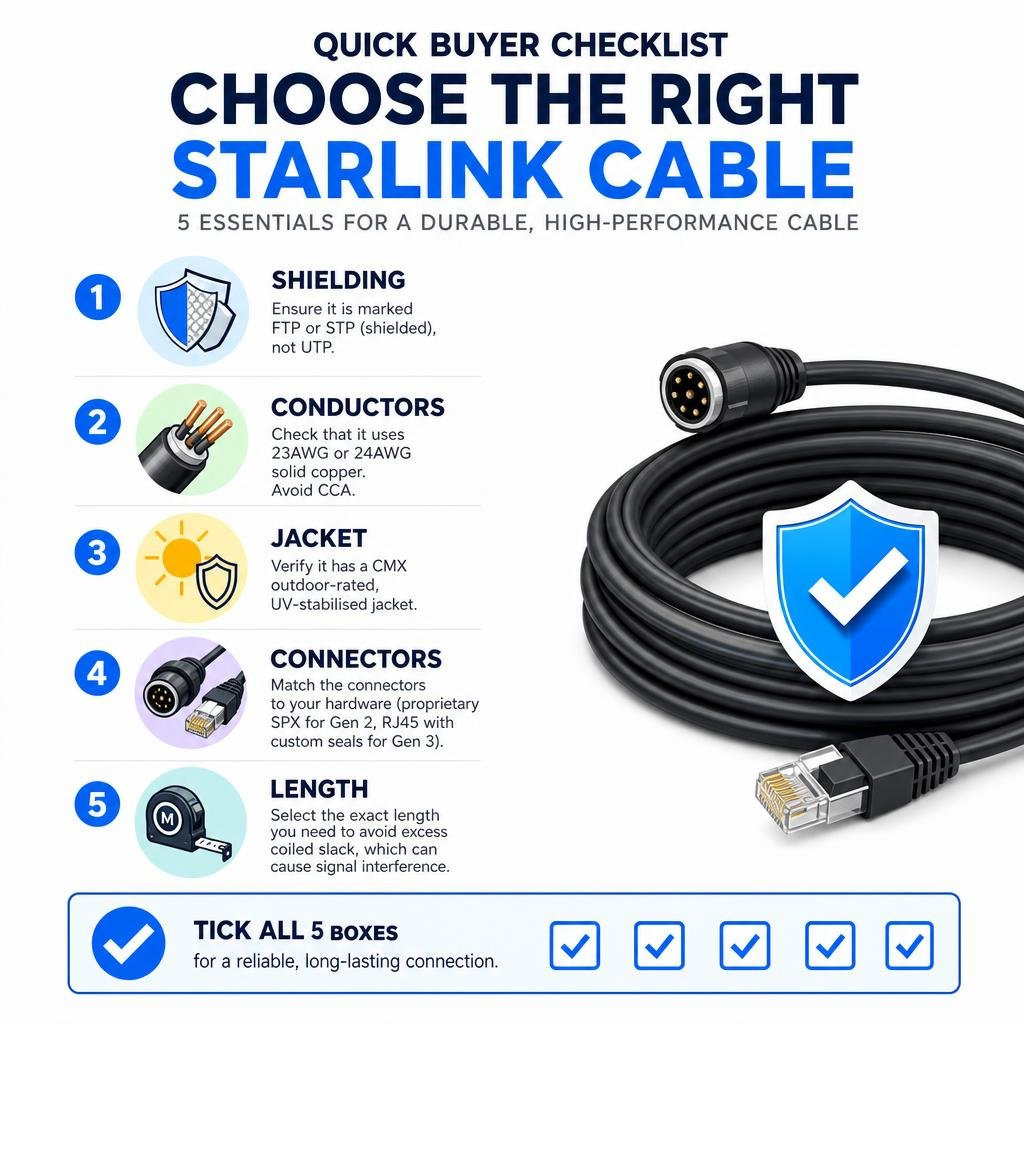
Quick Buyer Checklist for Starlink Cables
To avoid buying a cable that will fail in the wild, run through this checklist before making your purchase:
- Shielding: Ensure it is marked as FTP or STP (shielded), not UTP (unshielded).
- Conductors: Check that it uses 23AWG or 24AWG solid copper. Avoid CCA at all costs.
- Jacket: Verify it has a CMX outdoor-rated, UV-stabilised jacket.
- Connectors: Match the connectors to your hardware (proprietary SPX for Gen 2, RJ45 with custom seals for Gen 3).
- Length: Select the exact length you need to avoid excess coiled slack, which can cause signal interference.
If your chosen cable doesn't tick all five of these boxes, it is highly likely to cause connection issues down the road.
How to Safely Route and Protect Starlink Cables
Installing your cable correctly is just as important as buying the right one. Follow these professional installer tips to keep your line safe:
- Avoid sharp bends: Never bend your cable past its minimum bend radius (typically 4 times the cable diameter). Sharp bends crease the internal copper strands and ruin data transmission.
- Use conduit outdoors: While high-quality cables are UV-resistant, running them through at least 25mm (1 inch) heavy-duty electrical conduit provides the ultimate protection against cockatoos, rodents, and physical damage.
- Don't crush the cable: When securing your line, use loose-fitting cable clips. Hammering clips too tightly pinches the pairs inside, causing signal reflection and packet loss.
- Maintain strain relief: Ensure there is no physical tension pulling on the connectors at either the dish or the router. Leave a small, loose loop of cable (a drip loop) just before the wire enters a wall or a plug to let water drip off safely.
- Test before mounting: Always plug your new cable in and test the connection at ground level before routing it through walls or climbing onto the roof.
Premium Starlink Cable Solutions
Premium aftermarket Starlink cables provide a heavy-duty, highly stable alternative to standard factory cables by using superior shielding, thicker copper conductors, and ruggedised weatherproofing. These cables are specifically engineered to withstand harsh environments like marine, off-grid, and caravan setups.
At SpaceTek Australia, we design and supply premium cabling and custom Starlink mounts engineered specifically for tough Australian conditions. Our products are precision-machined or folded from high-grade aluminium — never 3D printed — to ensure maximum durability.
You can explore our complete range in our Starlink Cables and Accessories Collection.
Starlink Gen 3 Replacement Cable – Premium Outdoor-Rated Cat6 (0.5m to 60m)
The Starlink Gen 3 Replacement Cable is a high-performance aftermarket upgrade designed for Australian conditions, delivering superior power stability and data reliability for Starlink Gen 3 installations.
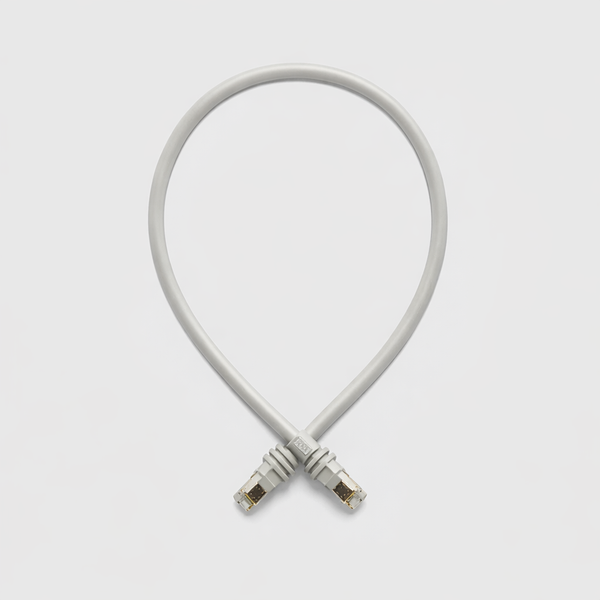
Built with 24AWG Cat6 FTP shielding and engineered for outdoor durability, this cable reduces voltage drop, improves signal integrity, and ensures consistent PoE delivery across short and long-distance runs. Ideal for caravans, rooftops, off-grid systems, and marine setups, it provides a robust alternative to standard factory cables while maintaining full RJ45 compatibility for flexible installation.
Starlink Gen 2 (SPX) Replacement Cable (1.8m to 92m) 24AWG
The Starlink Gen 2 SPX Replacement Cable is purpose-built for Gen 2 Starlink Standard Terminals, offering improved electrical performance and durability over factory-supplied cables.
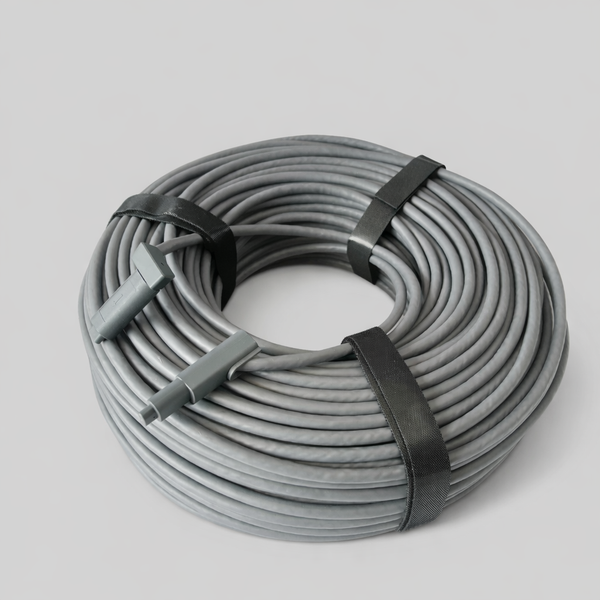
Featuring a range of conductor sizes including upgraded 22AWG for long runs, foil shielding, and a UV-stable CMX-rated jacket, this cable is designed to minimise voltage loss and maintain stable connectivity in demanding Australian environments.
With IP67 waterproof termination and multiple length options, it is ideal for residential, caravan, and off-grid Starlink installations requiring dependable long-distance performance.
High Quality Shielded 24AWG CAT5E Patch Lead
The High Quality Shielded 24AWG CAT5E Patch Lead is a heavy-duty, Starlink-ready networking cable designed for installations where durability, shielding performance, and PoE reliability are essential.
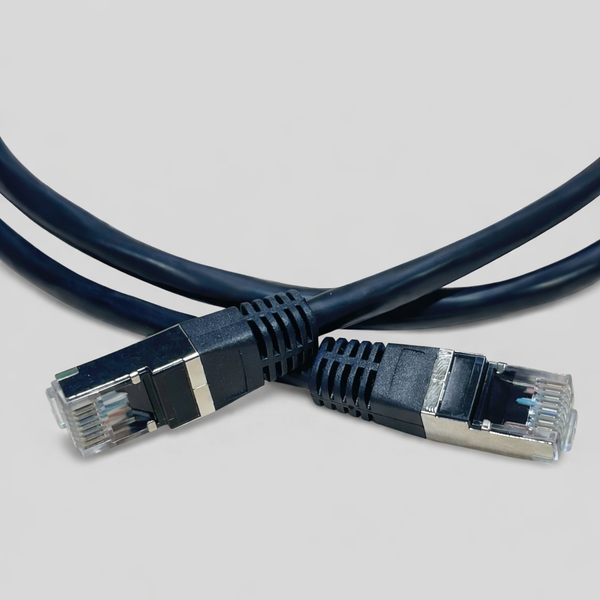
Built to CAT6A-grade standards with 24AWG stranded copper conductors and full shielding, it delivers stable power and data transmission in environments exposed to interference, vibration, and outdoor conditions. With a UV-resistant jacket and robust construction, it is suitable for indoor, in-wall, and external routing, making it a versatile option for Starlink Gen 3 and networking setups requiring reliable performance beyond standard patch leads.
Frequently Asked Questions About Starlink Cables
Frequently asked questions about Starlink cables focus on maximum run lengths, underground installation requirements, and how to identify different connector generations. Understanding these technical parameters helps users avoid common installation mistakes that lead to signal loss.
If you have a unique setup or need expert advice, Contact SpaceTek Support directly.
How Far Can You Run a Starlink Mini Cable?
The maximum length of a Starlink Mini cable depends entirely on your input voltage and wire gauge. If you are powering the Mini via USB-C Power Delivery at 20V, you are strictly limited to a maximum of 5 metres using a high-quality, 5A e-marked cable.
However, if you use a 30V regulated DC power supply, you can run much longer distances:
- 20 AWG cable: Up to 30 metres.
- 18 AWG cable: Up to 60 metres.
- 16 AWG cable: Up to 90 metres.
For detailed calculations regarding the Mini's power limits, ensure you calculate the voltage drop based on your specific setup. You can also find compatible power solutions in our Starlink Cables and Accessories Collection.
Can You Bury a Starlink Cable Underground?
No, Starlink cables are not rated for direct burial. The outer jacket is not designed to withstand constant moisture, soil chemistry, or physical crushing from settling dirt.
If you need to run your cable underground, you must route it through heavy-duty electrical conduit with an internal diameter of at least 25mm (1 inch). This protects the cable from moisture, rocks, and digging tools, while leaving enough room to pull the connectors through easily.
How Do You Identify Your Starlink Cable Version?
You can identify your cable version by inspecting the physical connectors at either end:
- Gen 1 (Circular): The cable is permanently attached to the dish and cannot be unplugged at the antenna end.
- Gen 2 (Standard Actuated): Uses proprietary, rectangular "SPX" plugs with metal shielding.
- Gen 3 (Standard V4): Uses standard RJ45 connectors (similar to a regular internet plug) surrounded by a thick, rectangular waterproof rubber sleeve.
For a visual guide to matching your plugs, check out our Starlink Plugs Guide.
Conclusion: Don’t Let the Cable Be Your Weak Link
A high-quality, ruggedised Starlink cable is the ultimate insurance policy for your satellite internet connection in Australia. Investing in premium shielded cabling ensures you get the speeds you pay for without suffering from frustrating dropouts or weather-related failures.
Your satellite system is only as good as its weakest link. You can buy the most advanced dish on the market, but if you connect it with a cheap, unshielded wire, your performance will suffer. Do it properly the first time. Pair your high-performance cable with our rugged, Australian-made Starlink Mounts and Accessories to ensure your connection remains rock-solid through any storm.
Choose the right cable once, and avoid ongoing connectivity issues.



Leave a comment
This site is protected by hCaptcha and the hCaptcha Privacy Policy and Terms of Service apply.