
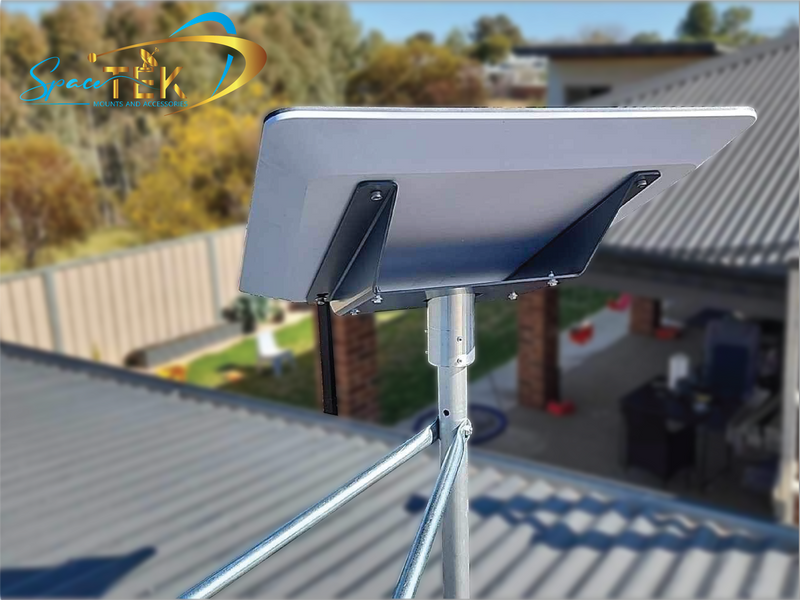
Does Starlink work during bad weather or bushfire season?
Starlink can operate in wet weather, but a working connection is not guaranteed throughout a storm. Heavy rain, snow or hail can interrupt service, and a storm near a ground station can also affect connectivity even if conditions at your property seem less severe.
During bushfire season, do not rely on any internet connection as your only way to receive warnings. Equipment damage and loss of power can prevent access when you most need it. Put emergency planning first; checking a dish is never a reason to delay leaving an unsafe area.
Reviewed in October 2026, this guide separates what the equipment can tolerate from what you can reasonably expect of the connection.
Why can a storm interrupt the connection?
Starlink's weather service-quality guidance explains that significant weather can weaken radio signals. Both conditions around the terminal and storms affecting ground stations can matter. The network has ways to route traffic around some storm systems, but that does not eliminate interruptions.
An interruption during a downpour does not, by itself, prove that your mount or power supply is faulty. Note when the problem began and whether it remains after conditions improve. That gives support a more useful starting point than replacing accessories on the assumption that every weather outage has the same cause.
What should you expect during rain, snow or high winds?
Starlink's official environmental guidance describes equipment designed for a range of weather conditions while acknowledging that extreme conditions can reduce performance or cause an outage.
Check the specifications for your particular dish, router and power supply. Do not assume they share the same outdoor rating or temperature limits. A rating for the dish is not permission to expose every connected component to rain.
Snow-melt capability is also not a guarantee that the area around the dish will stay clear. Follow your kit's guidance, and avoid adding a cover over the terminal in an attempt to weatherproof it: Starlink warns that covers can degrade performance.
Choose mounting hardware for the actual equipment and site. A stronger-looking mount does not establish that a roof or fastening point can carry it safely in local wind conditions.
How should you plan for bushfire season?
The Country Fire Authority's emergency-kit guidance notes that phone and internet access can be difficult during and after bushfires. It includes a battery-operated radio for receiving information when power is unavailable.
Plan how you will receive local warnings if Starlink, your mobile phone or the electricity supply stops working. Keep important contact details and your fire plan accessible without an internet connection. Follow the advice of the emergency authority for your state or territory.
This guide does not promise that smoke has no effect on reception, or that satellite internet will remain available during a fire. Do not stay at a property or return to it just to protect or retrieve communications equipment.
What can you check before severe weather arrives?
Use a quiet period before storm season to review the installation with an appropriate installer:
- Is the mount suitable for this dish and the surface it is fixed to?
- Are the cable entry and exposed connections installed as their manufacturers require?
- Are the router and power equipment in locations permitted by their ratings?
- Is there a safe way to inspect the setup without climbing onto a roof?
- Does your household have an alternative way to receive urgent information?
Starlink recommends secure mounting and fully connected cables, and suggests surge protection in its weather guidance. Have any electrical protection or power changes assessed by a qualified professional. Do not improvise wiring or work on exposed equipment during a storm.
For hardware-selection questions, contact SpaceTek with the exact kit and mount details. Mounting accessories cannot prevent a network outage or make equipment immune to lightning.
What if service does not return after the weather improves?
When conditions are safe, check the app for the reported problem and inspect accessible equipment for visible damage. Do not reconnect wet connectors or use damaged cables. If the fault continues, contact Starlink support and include the timing of the outage, app messages and any visible damage.
Avoid treating a restart, a replacement mount or a different power supply as a guaranteed fix. A problem that follows a storm may need a different response from one caused by an obstruction or an account issue.
Will backup power guarantee connectivity?
No. It may address a loss of local power, but it cannot repair damaged equipment or remove a service outage. Any backup supply must be compatible with the exact kit and installed according to its instructions. Battery runtime needs its own assessment rather than a general promise in an article.
Prepare for interruptions rather than expecting uninterrupted service
Starlink can be useful in regional areas, including places with limited alternatives, but weather resilience has limits. Keep the installation appropriate to the equipment, arrange checks before severe weather and maintain a separate emergency-information plan.
If you are reviewing a mount or cable route, start with the actual model, site and manufacturer instructions. For a service fault, use Starlink support. During a bushfire or dangerous storm, personal safety and official emergency advice take priority.

Leave a comment
This site is protected by hCaptcha and the hCaptcha Privacy Policy and Terms of Service apply.