
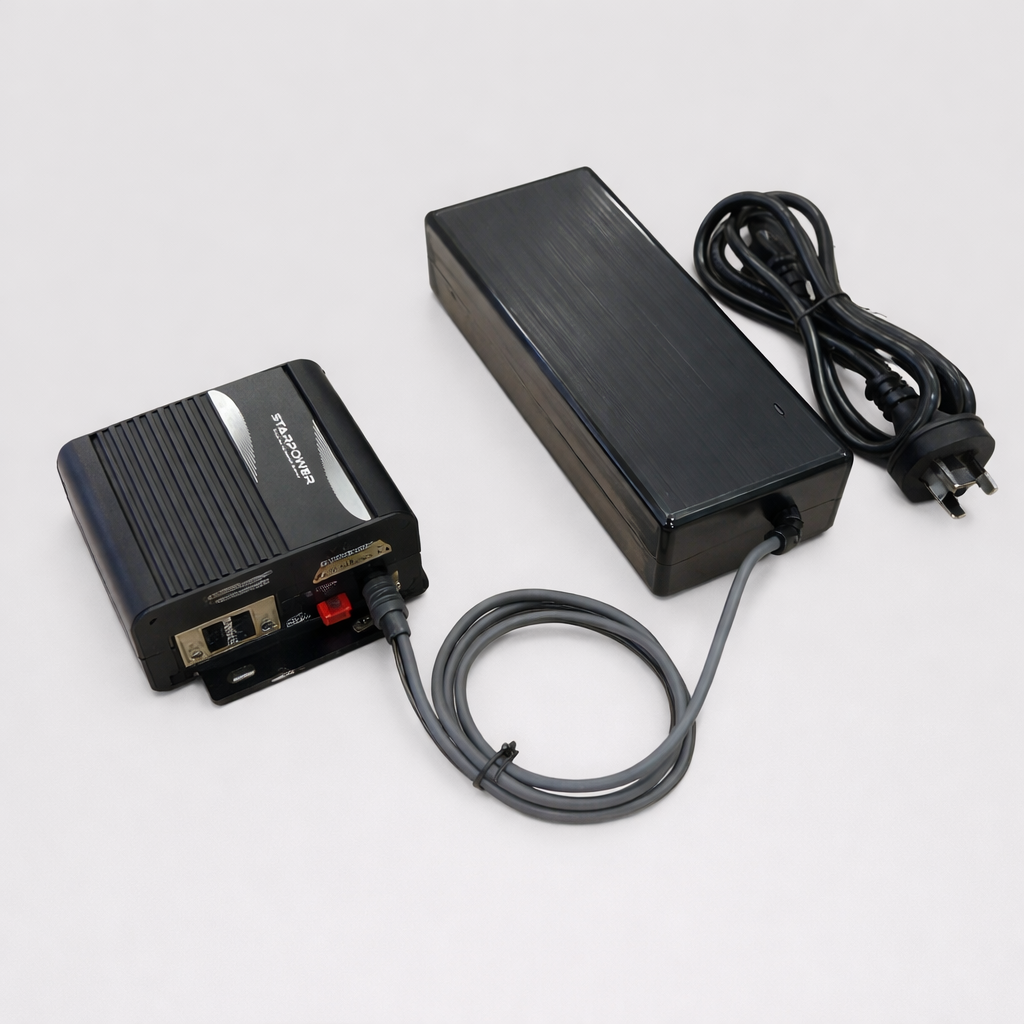
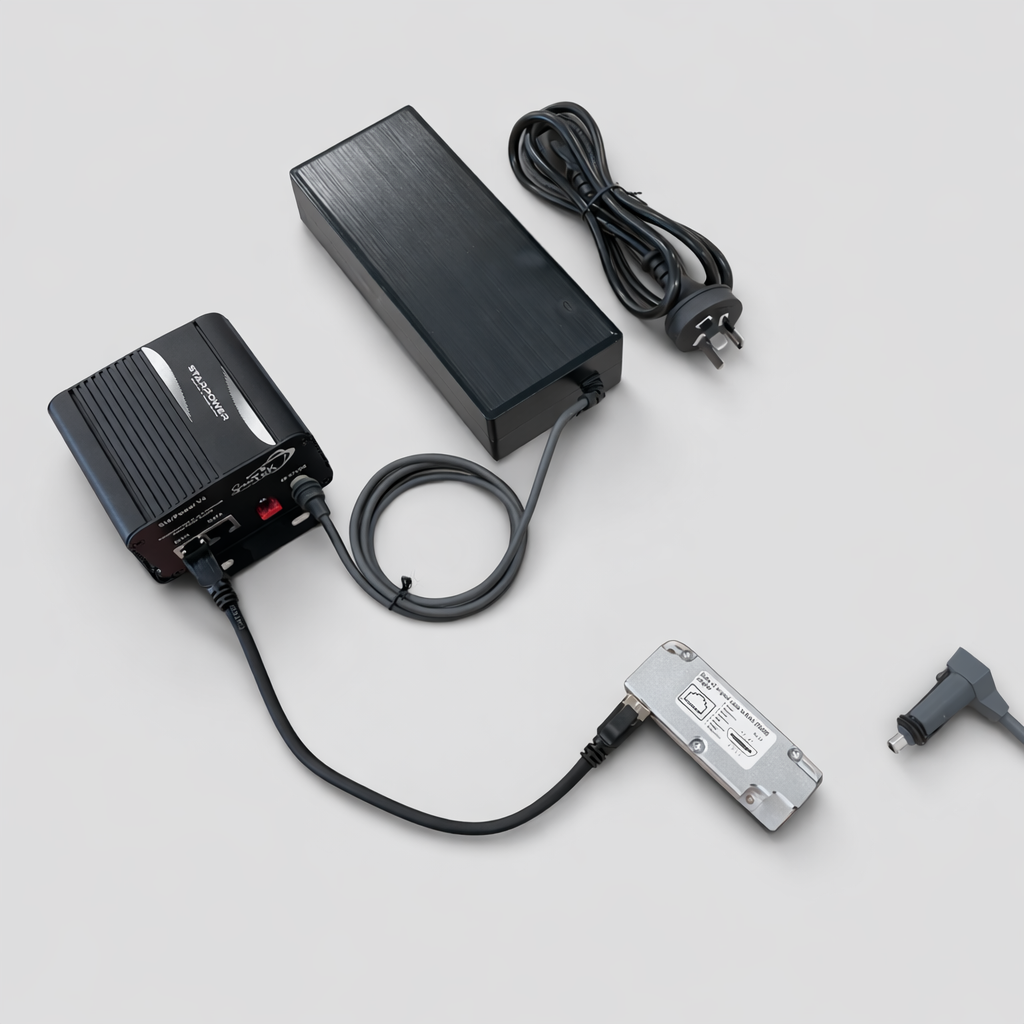
StarPower V4 – AC-Powered Router Replacement for Starlink Gen 1, Gen 2, Gen 3 / V4 & Mini
Specifications
✅ Compatibility note: StarPower V4 is for Starlink users who need an AC-powered router replacement or third-party-router setup. It is suitable for selected Starlink Gen 1, Gen 2 Standard/Actuated, Starlink Standard (Gen 3 / V4) and Starlink Mini configurations when the correct bundle and cables are selected.
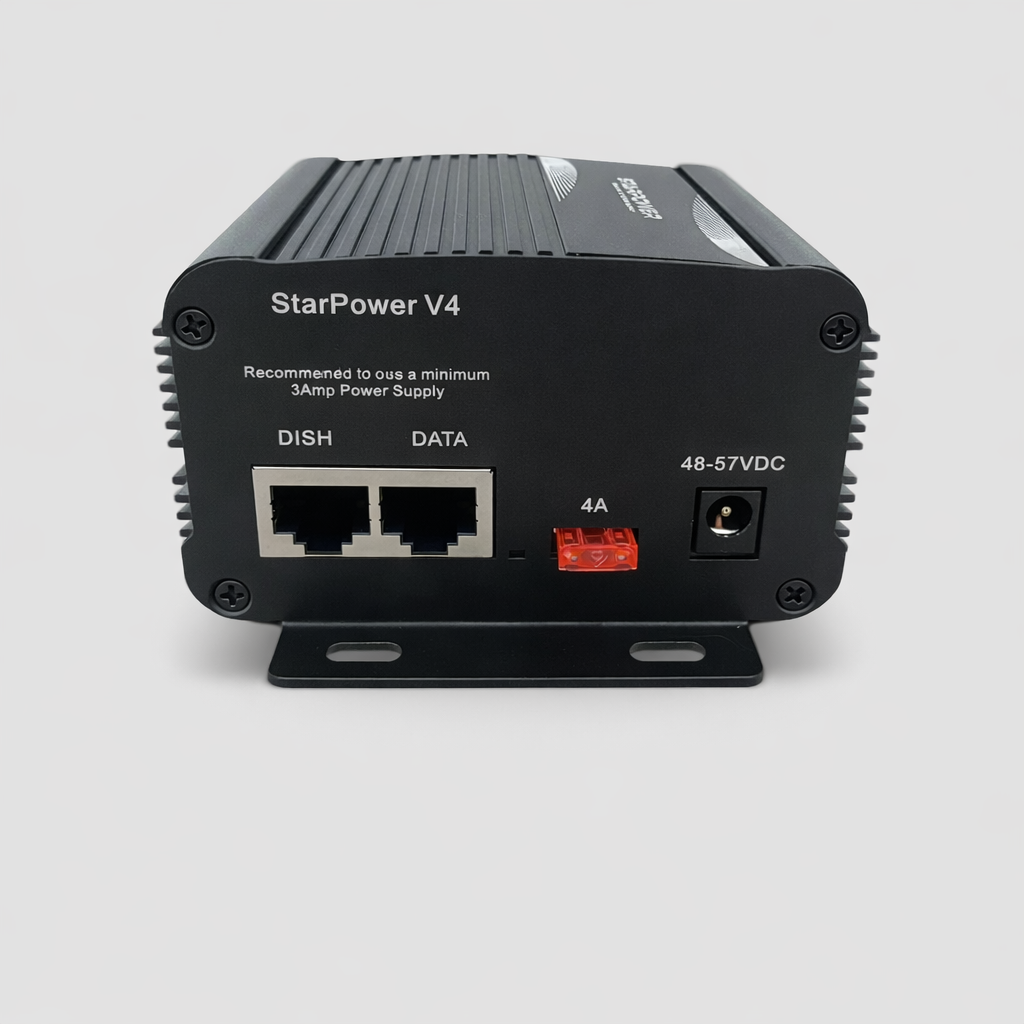
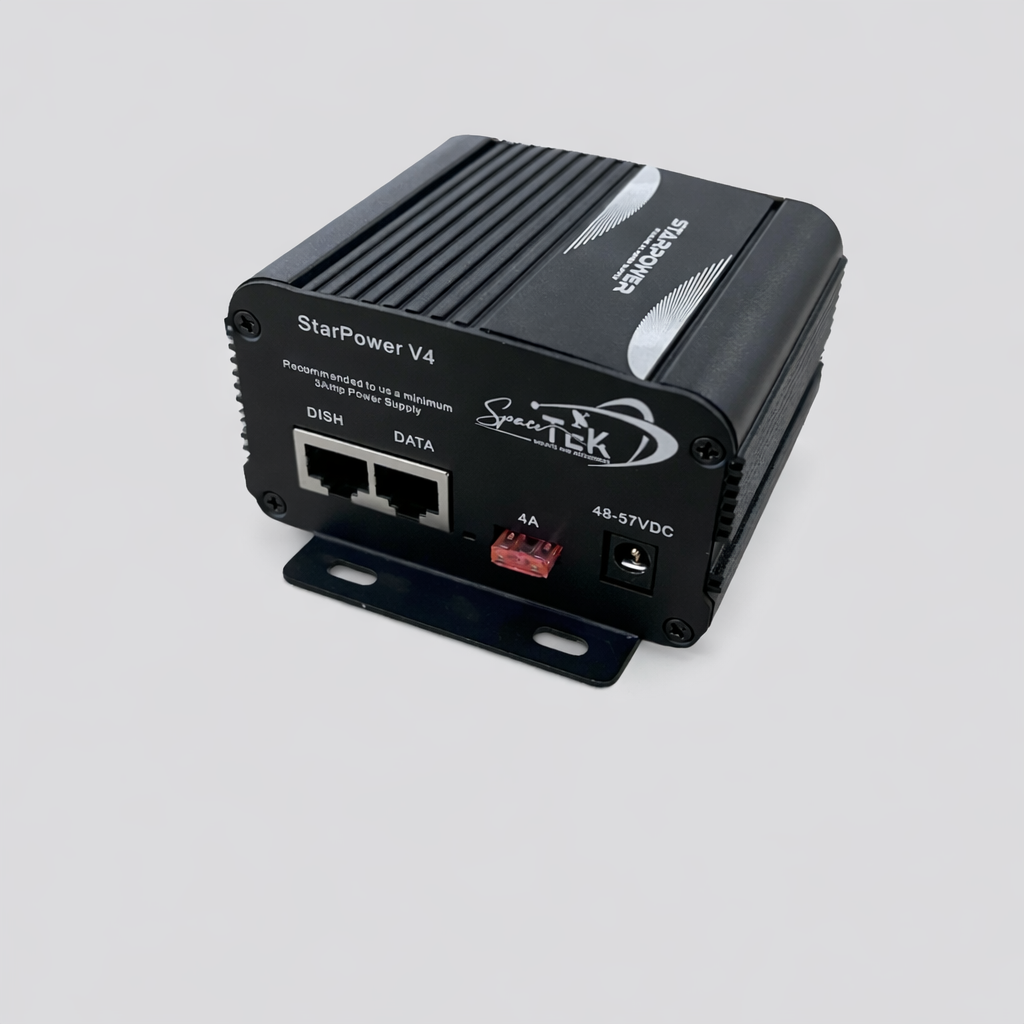
AC-powered router replacement for Starlink
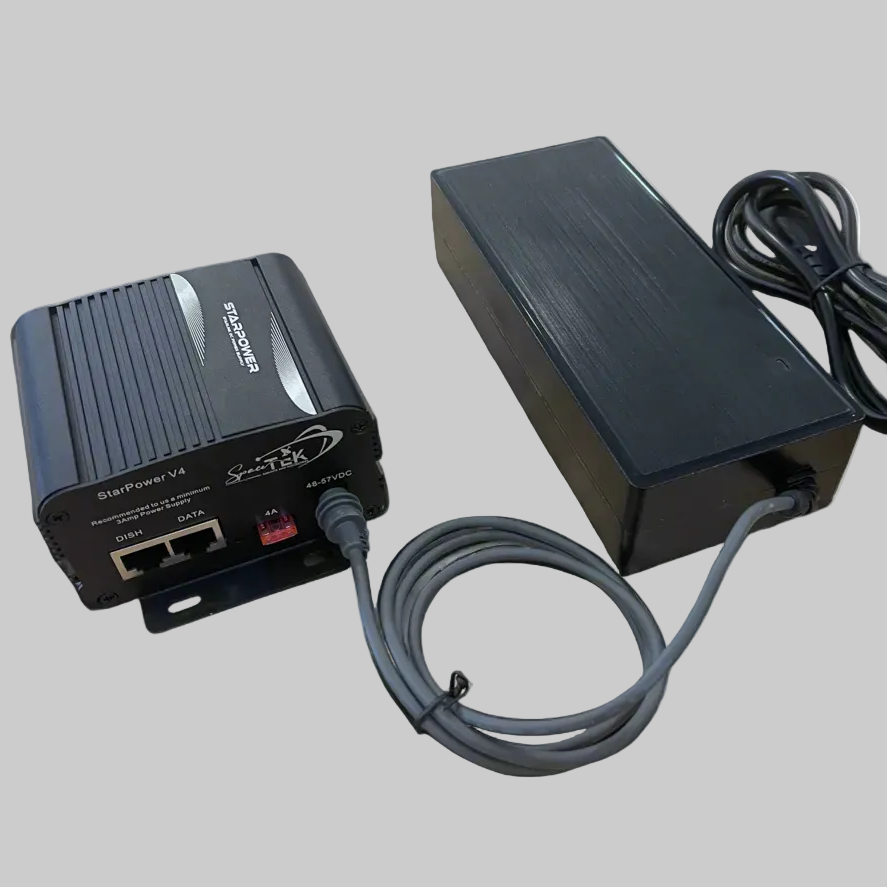
StarPower V4 is a modular power and PoE injector system for Starlink users who want to replace the original Starlink router, use a third-party router, or connect Starlink into an existing home, business, vehicle or remote-site network.
Choose StarPower V4 when you are not trying to power the system directly from a 12V/24V battery. For battery/DC installs, see StarPower V2 or StarPower V3 instead.
Choose StarPower V4 if...
- ✅ Your original Starlink router has failed.
- ✅ You want to use your own router, mesh system, firewall or business network.
- ✅ You are powering Starlink from AC power, an inverter, or the included 57V power supply bundle (AU/NZ Plug).
- ✅ You need a router-replacement setup rather than a direct 12V/24V DC conversion.
- ✅ You have Gen 2 and need an alternative to replacing the original Gen 2 router.
Which StarPower product do I need?
| Your setup | Choose |
|---|---|
| I have AC power and need to replace/bypass the Starlink router | StarPower V4 |
| I have Starlink Standard Gen 3 / V4 and want to run the original Starlink router from 12V/24V | StarPower V3 |
| I want to run Starlink from 12V/24V and use my own router | StarPower V2 |
Which StarPower V4 bundle should I choose?
| Variant | Best for | Notes |
|---|---|---|
| Injector Only (BYO Power Supply) | Users who already have a suitable 57V power supply. | Injector only. Power supply and router are not included. |
| Injector with 57V Power Supply | Standard AC-powered StarPower V4 setup. | Good base option if you already have your own router. |
| Injector with Router (BYO Power Supply) | Users who already have power but need a router included. | Includes injector and Router Mini. |
| Injector with 57V Power Supply and Gen 2 Adapter | Gen 2 users replacing the original router. | Includes the SPX to RJ45 adapter required for Gen 2 dish cable connection. |
| Injector with 57V Power Supply and Router | Users wanting a complete injector, power supply and router bundle. | Suitable where a Router Mini is required. |
| Injector with 57V Power Supply, Gen 2 Adapter and Router | Gen 2 users wanting the most complete replacement-router bundle. | Best choice for many failed Gen 2 router replacements. |
Model guidance
Starlink Gen 2 Standard/Actuated
Use the Gen 2 SPX to RJ45 adapter bundle when connecting the original Gen 2 dish cable to StarPower V4. Do not connect StarPower V4 through the Starlink Gen 2 Ethernet Adapter.
Starlink Standard (Gen 3 / V4)
Use StarPower V4 when you want to bypass the original Starlink router path and connect to another router or network setup. For direct 12V/24V battery installs using the original Starlink router, StarPower V3 is usually the better choice.
Starlink Mini
StarPower V4 can be used in selected Mini PoE/router-style setups, depending on the cables, splitter and router configuration used. If unsure, contact Spacetek before ordering.
Important installation notes
- ⚠️ StarPower V4 is not the main 12V/24V battery-power kit.
- ⚠️ Gen 2 setups need the correct SPX to RJ45 adapter or a professionally modified cable.
- ⚠️ Do not connect StarPower V4 through the Starlink Gen 2 Ethernet Adapter.
- ⚠️ Third-party routers may require separate setup depending on the router brand and network configuration.
Basic installation flow
- Choose the StarPower V4 bundle that matches your Starlink model.
- Connect the Starlink dish cable to the StarPower injector (DISH) port using the RJ45 cable with adapter (SPX if Gen 2).
- Connect the StarPower data port to your router or network equipment.
- Connect the correct 57V power supply to your AC power source.
- Confirm Starlink and router status lights before final mounting.
- Use the Starlink app and router interface to confirm the system is online.
This product is rated 5.0 of 5.0 stars.
It has received 12 reviews.
Why Choose Spacetek Mounting Kits?
Quality & Compatibility
At SpaceTek's Starlink Shop, we offer a comprehensive range of additional mounts, adapters, and accessories. Whether you're looking to fine-tune your setup or maximize performance, we have you covered. Our products are built to withstand varying temperatures and harsh weather conditions, ensuring your Starlink Dishy remains operational and protected from thermal shutdowns on scorching hot days or during pouring rain or gale-force winds.
Don't leave your Starlink experience to chance. Choose the Starlink experts who understand the importance of quality, compatibility, and performance since 2021.
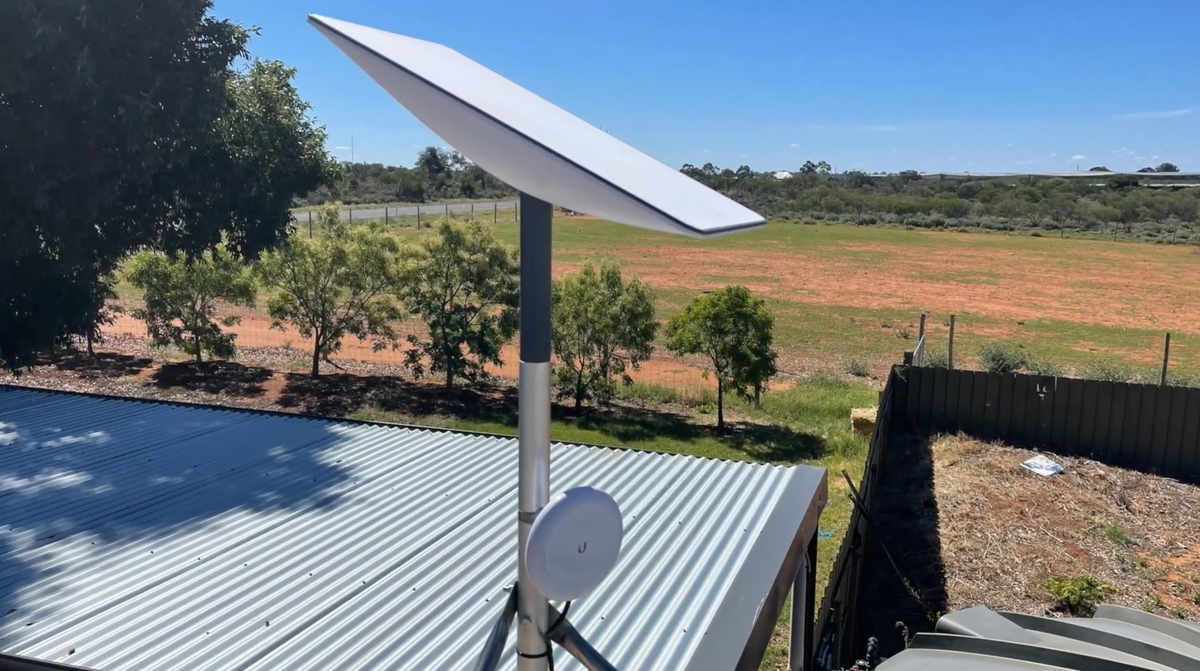
Custom-Machined
Secure and stable installation for your Starlink dish, guaranteeing optimal performance.
Lightweight & Rust-Resistant
Our mounting equipment provides a durable and long-lasting solution for mounting your Starlink equipment.
Built to Last
Our products are built to withstand various weather conditions, including high temperatures, heavy rain, and strong winds.
At SpaceTek's Starlink Shop, we offer a comprehensive range of additional mounts, adapters, and accessories. Whether you're looking to fine-tune your setup or maximize performance, we have you covered. Our products are built to withstand varying temperatures and harsh weather conditions, ensuring your Starlink Dishy remains operational and protected from thermal shutdowns on scorching hot days or during pouring rain or gale-force winds.
Don't leave your Starlink experience to chance. Choose the Starlink experts who understand the importance of quality, compatibility, and performance since 2021.