
Planning for a Perfect Connection
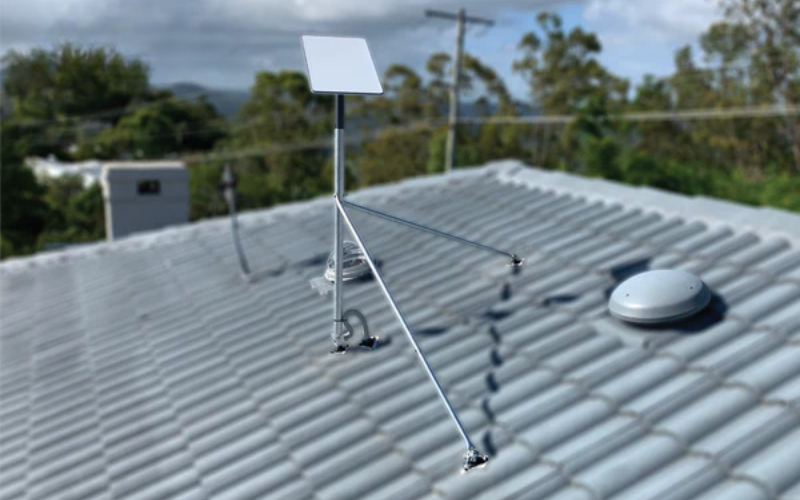
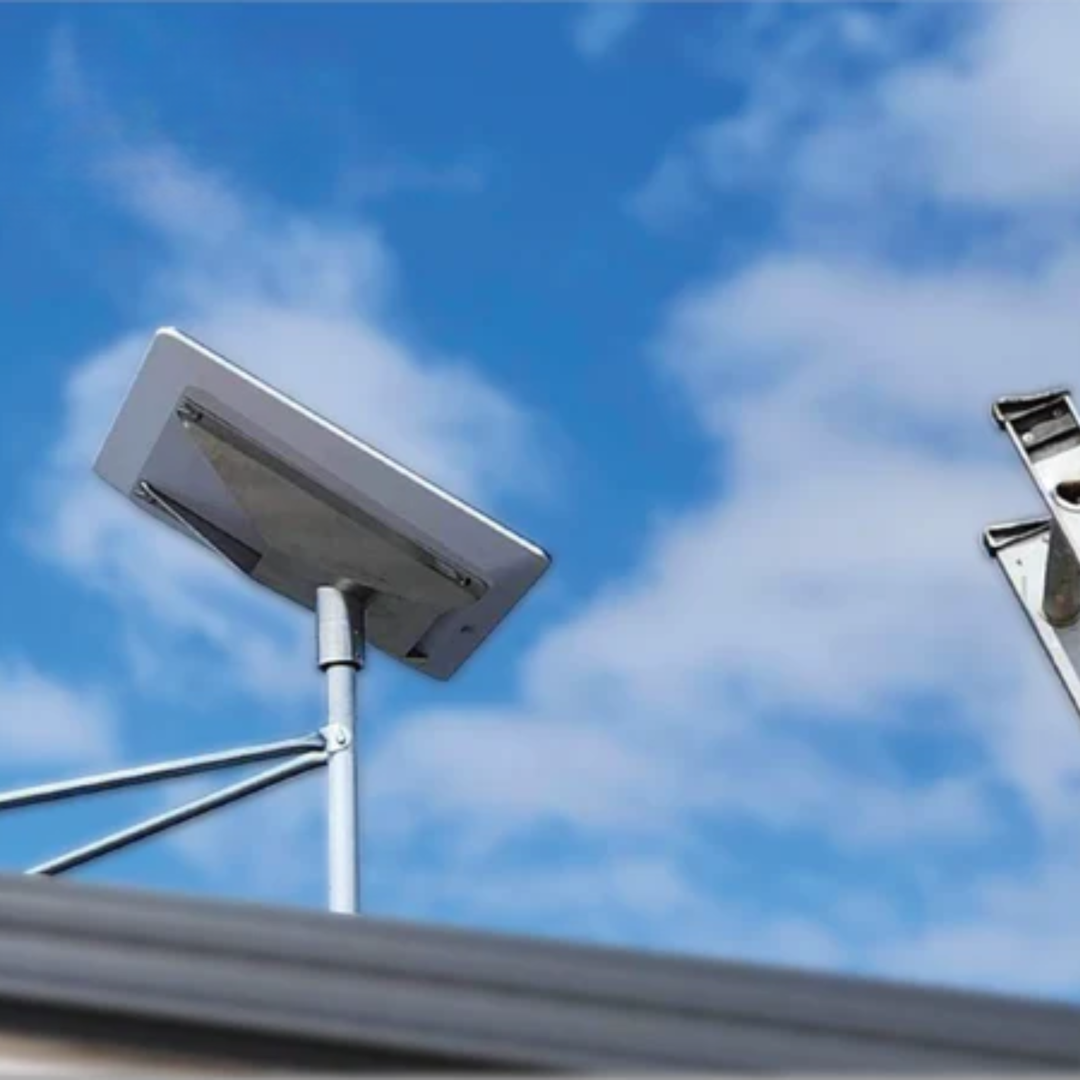
To install Starlink on a tile roof, secure a compatible Starlink dish mount to your underlying roof rafters with weatherproof penetrating flashing, or position a weighted non-penetrating ridgeline dish mount directly across the ridge. After anchoring the mount and waterproofing any penetrations, route the cable inside and use the Starlink app to verify a clear view of the sky.
_compressed.png?alt=media&token=00a68520-d896-4544-8381-0677bafab451)
Hi, I'm Andrew Ziogas, managing director at SpaceTek Australia, and I have spent years engineering premium dish mounts to help Australians secure flawless satellite connectivity across regional and suburban rooftops without risking structural or water damage.
Here is the quick sequential process for a tile roof setup:
- Use the Starlink app to scan for an unobstructed sky view.
- Choose between a penetrating rafter mount or a non-penetrating ridgeline dish mount.
- Drill pilot holes into rafters using diamond-tipped tile bits if using a penetrating mount.
- Apply high-grade silicone sealant and install weather-sealed flashing.
- Secure the dish mount, route cabling neatly, and power up the system to calibrate.
A properly mounted dish ensures a consistent signal, protects your gear from harsh weather, and prevents costly roof damage. Fixed roof mounting remains the gold standard for residential properties, offering optimal obstruction clearance and peak performance as of November 2026.
Understanding Your Starlink Dish: Models and Mounting Needs
Before you start, it's important to know which Starlink dish you have, as each model has different mounting needs.
- Starlink Standard: The common rectangular dish for residential homes, offering a great balance of performance and practicality for roof mounting.
- Starlink Mini: A compact version, perfect for smaller homes or where a full-sized dish might seem too large.
- Gen 3 Series: The latest models, including standard and mini variants, with improved efficiency and specific mounting requirements. Our SpaceTek Gen 3 mounts are engineered for these.
- Gen 2 Dishes: Older rectangular models that are still excellent performers.
Crucially, each Starlink dish has a unique mounting stem. You can't use a standard TV antenna mount. You need purpose-built hardware designed specifically for your Starlink model.
This is where quality mounting systems are essential. SpaceTek mounts are designed to integrate seamlessly with all current Starlink models, ensuring a secure, stable connection that can handle Australian weather. Choosing the right mount from the start protects your investment and guarantees optimal performance.
Choosing Your Installation Type: Roof, RV, or Portable?
While this guide focuses on tile roofs, it's good to know your options to confirm you're on the right path.
- Fixed Roof Installation: The gold standard for homes. It provides the clearest line of sight, protects cables, and offers rock-solid stability. Tile roofs require special attention to support and waterproofing, but are perfectly manageable with the right hardware.
- RV Installations: Ideal for the nomadic lifestyle. Our Starlink RV and Portability mounts are built to handle the movement and vibration of life on the road.
- Portable Setups: Offer flexibility for camping, temporary work sites, or testing signal strength before a permanent install.
Regardless of your choice, avoiding obstructions is critical. Trees, buildings, and even parts of your own roof can block satellite signals. The Starlink app is your best tool for this, using your phone's camera to scan the sky and identify the perfect spot with clear access. For tile roofs, also consider roof accessibility, tile condition, and structural support.
Pre-Installation: Choosing Your Location and Dish Mount
Planning is crucial when installing on a tile roof, given the fragility of tiles and the risk of water ingress.
Finding the Optimal Spot with the Starlink App
Your first step is to use the official Starlink app. Its obstruction check tool uses your phone's camera to scan the sky and identify where trees, powerlines, or neighbouring structures might block satellite signals. Walk around your property and aim your phone towards the sky where you plan to install the hardware. The dish must sit within 40 degrees of vertical to calibrate and track satellites effectively.
Understanding the Risks of Drilling into Tiles
Drilling into tiles for a penetrating dish mount must be done carefully to avoid costly structural problems:
- Cracked Tiles: Terracotta and concrete tiles are brittle and can crack if drilled with improper pressure or incorrect drill bits.
- Water Leaks: Any roof penetration creates a vulnerability that requires thorough silicone sealing and custom flashing.
- Structural Load: Dish mounts must anchor into structural timber rafters or battens rather than resting solely on fragile tiles.
These risks are easily avoided by using diamond-tipped drill bits, high-grade neutral-cure sealants, and purpose-built flashing kits.
Choosing the Best Dish Mount for a Tile Roof
Selecting the right Starlink dish mount ensures long-term stability and structural safety:
- Penetrating Starlink Mounts: Fastened directly through the tile into roof rafters for ultimate stability in severe storm zones.
- Non-Penetrating Ridgeline Mounts: Weighted with ballast pavers to straddle roof ridges without drilling into tiles, ideal for maintaining roof integrity.
SpaceTek dish mounts are precision-machined and folded from high-grade aluminium and reinforced composite materials engineered for Australian conditions. For a comprehensive overview, review our guide to Starlink roof mounts.
Fixed Roof Installation: Beyond Just Tiles
While tile roofs are common across Australia, metal roofs and exterior wall setups are also popular alternatives. Metal deck clamps and wall dish mounts under eaves avoid tile drilling entirely while maintaining stable line-of-sight elevation.
Method 1: Installing Starlink on a Tile Roof with a Penetrating Dish Mount
For maximum wind resistance, a penetrating dish mount anchored into structural framing is the most secure option.
Tools and Materials:
- Safety harness, non-slip footwear, and gloves
- Cordless drill with a diamond-tipped tile drill bit
- Stud finder, neutral-cure silicone roof sealant, and flashing kit
- Heavy-duty lag bolts and socket wrench
The Installation Process:
- Secure your safety harness and position your ladder safely.
- Locate the structural timber rafter beneath the target tiles using a stud finder or by inspecting the ceiling cavity.
- Carefully slide or lift the overlapping tile, drill a clean hole with the diamond-tipped bit, and create a pilot hole into the timber rafter.
- Apply silicone sealant generously into and around the hole, then fit the flashing sheet under overlapping tiles to direct runoff.
- Fasten the Starlink dish mount to the rafter using lag bolts and tighten until securely seated without cracking the tile.
- Route the Starlink cable beneath the roofline using UV-rated clips, avoiding tight bends or pinch points.
Method 2: Installing Starlink on a Tile Roof with a No-Drill Ridgeline Mount
If you prefer to avoid drilling into tiles, our SpaceTek Ridgeline Mount uses ballast weights to secure the dish over the roof ridge without penetrating materials.
The No-Drill Installation Process:
- Wear suitable roof safety gear and bring ballast pavers safely up to the work area.
- Position the ridgeline dish mount evenly over the apex of the tile roof ridge.
- Insert concrete ballast pavers into the mount trays to anchor the frame firmly against heavy winds.
- Insert the Starlink dish mast into the mount receiver, keeping it near vertical, and secure the clamp fasteners.
- Neatly run and clip the dish cable along the tile channels toward your cable entry point.
Dish Adjustment: Aligning for Optimal Signal
Once connected to power, your Starlink dish automatically calibrates its orientation. Monitor the connection status in the Starlink app to confirm unobstructed satellite contact and complete signal optimisation.
Starlink on the Move: RV and Portable Setups
Starlink's portability is one of its greatest strengths, and SpaceTek offers solutions for those on the move.
RV Installation
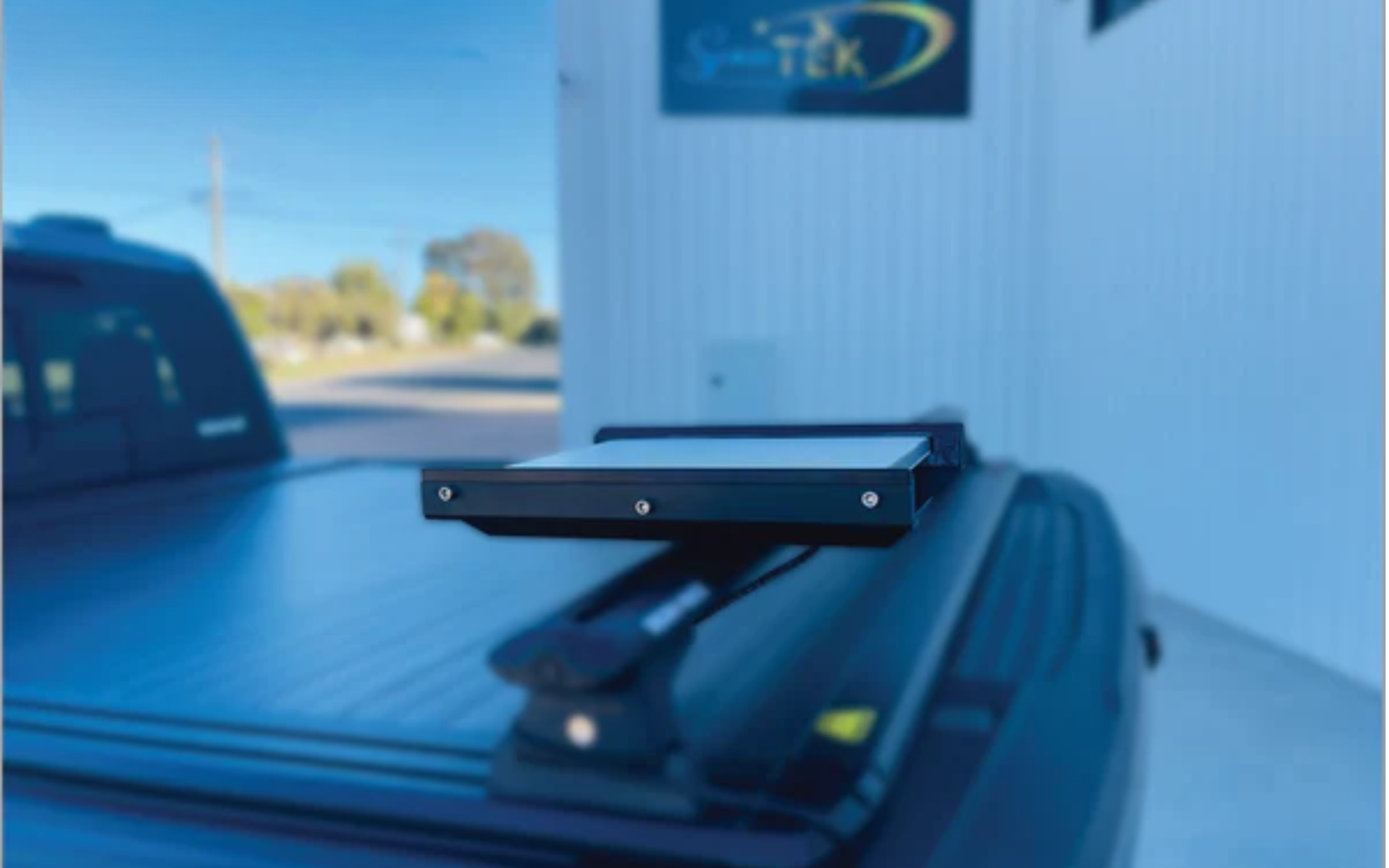
For travellers, we offer mounts that match your style. Our SpaceTek Gen 3 Roof Rack Mobility Mounts are built from rust-resistant stainless steel to handle Australian roads, allowing for in-motion connectivity. For stationary setups when you've parked, our suction cup mounts provide a quick, secure grip on smooth surfaces like your windscreen or RV wall.
Portable Setups
For camping or temporary work sites, a portable setup is ideal. Our mast adapters allow you to use a standard tripod to lift your dish above ground-level obstacles, improving your signal. Setting up takes just a few minutes, giving you a reliable internet connection wherever your adventures take you, with no permanent modifications required.
Tailoring Your Installation: A SpaceTek Dish Mount for Every Need
Choosing the right Starlink dish mount ensures decades of reliable performance. SpaceTek designs specialised mounting solutions to match every Australian installation scenario.
Your dish model and roof structure determine the ideal hardware configuration:
| Installation Type | Best For | Recommended SpaceTek Solution |
|---|---|---|
| Tile Roof - Permanent | Homeowners wanting maximum stability | Ridgeline Mount (no-drill) or Penetrating Mount with flashing |
| Tin Roof - Permanent | Rural properties, sheds, workshops | Corrugated roof clamps or flashed penetrating mounts |
| RV/Caravan - Mobile | Grey nomads, mobile workers | Gen 3 Roof Rack Mobility Mount or suction cup solutions |
| Portable - Temporary | Campers, temporary sites, renters | Mast adapters with tripods or portable base kits |
| Wall/Eave Mount | Limited roof access, shallow overhangs | Wall mount adapters with weatherproof sealing |
Every SpaceTek dish mount is precision-machined or folded from marine-grade aluminium, stainless steel, and reinforced composite materials. Engineered to withstand harsh UV, intense heat, and high wind ratings, SpaceTek hardware delivers rugged durability for Australian properties.
Alternatives, Long-Term Care, and Final Thoughts
Successfully installing your Starlink is just the beginning. Ensuring it performs reliably for years is the real goal.
When Tile Roof Installation Isn't Right
If a tile roof mount isn't suitable, you have other great options. Wall mounting is an excellent alternative if roof access is difficult, and can be securely attached to fascia boards or external walls. Ground pole mounting is perfect if you have yard space and want to keep the dish separate from your house structure. Our guide on Roof vs. Pole Mounts can help you decide.
Protecting Your Investment: Long-Term Maintenance
Proper maintenance protects your investment. Here are a few tips:
- Annual Inspections: Check for cracked sealant, loose fasteners, or tile damage.
- Sealant Refresh: Australian UV is harsh. Expect to refresh silicone sealing every 2-3 years.
- Fastener Check: Re-tighten lag bolts every 1-2 years to counteract loosening from vibration and thermal expansion.
- Dish Cleaning: Remove dust and debris quarterly to maintain signal quality.
Safety Throughout Your Starlink Journey
Always prioritise safety when working on a roof. Use stable ladders, wear proper footwear, and consider professional installation if you're uncomfortable with heights. The peace of mind often justifies the cost.
At SpaceTek Australia, our mounts are built to last in Australian conditions. Proper installation and maintenance will transform your Starlink into a permanent, reliable connectivity upgrade.
Conclusion
Getting your tile roof Starlink installation right delivers fast, uninterrupted internet while protecting your home from water damage and structural issues. Whether you choose a penetrating dish mount anchored to rafters or a non-penetrating ridgeline dish mount, quality hardware makes all the difference.
At SpaceTek Australia, we engineer precision-machined aluminium and reinforced composite Starlink mounts built specifically for the demanding Australian climate. They resist corrosion, handle extreme weather, and integrate cleanly with official Starlink hardware.
For tailored advice on choosing the best dish mount for your property, contact SpaceTek directly. Our Australian team is ready to help you achieve a secure, high-performance installation.

Leave a comment
This site is protected by hCaptcha and the hCaptcha Privacy Policy and Terms of Service apply.