
A starlink power supply is the essential component that converts your mains or battery input into the precise regulated voltage your Starlink dish and router need to operate. Without the right unit, you risk voltage dropouts, thermal shutdowns, and hardware damage — especially in the demanding conditions faced across regional and remote Australia.
Here's a quick summary of the main Starlink power supply types available in May 2026:
- Standard AC Power Supply — included with most Starlink kits; runs from 100-240V mains power; suited to fixed home and business installs
- Advanced Power Supply (PSU) — supports both AC and DC inputs simultaneously; compatible with Gen 3 and Standard kits out of the box; includes an integrated LAN port and wall or DIN rail mounting
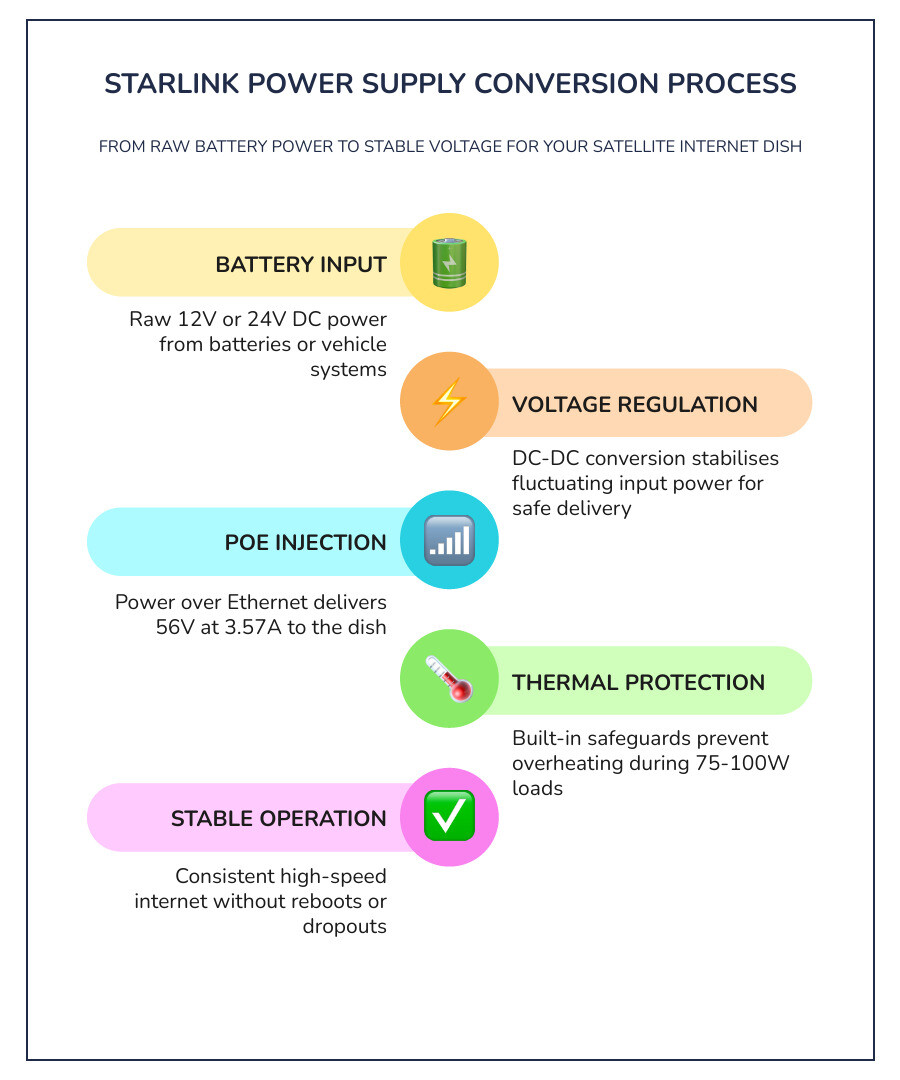
- DC-DC Power Supply — accepts 12-48VDC input and outputs a regulated 56V at 3.57A; designed for RVs, caravans, boats, and off-grid setups
- StarPower V4 — SpaceTek's flagship PoE injector and router replacement; supports Gen 1, Gen 2, Gen 3, and Mini terminals with flexible AC or DC input
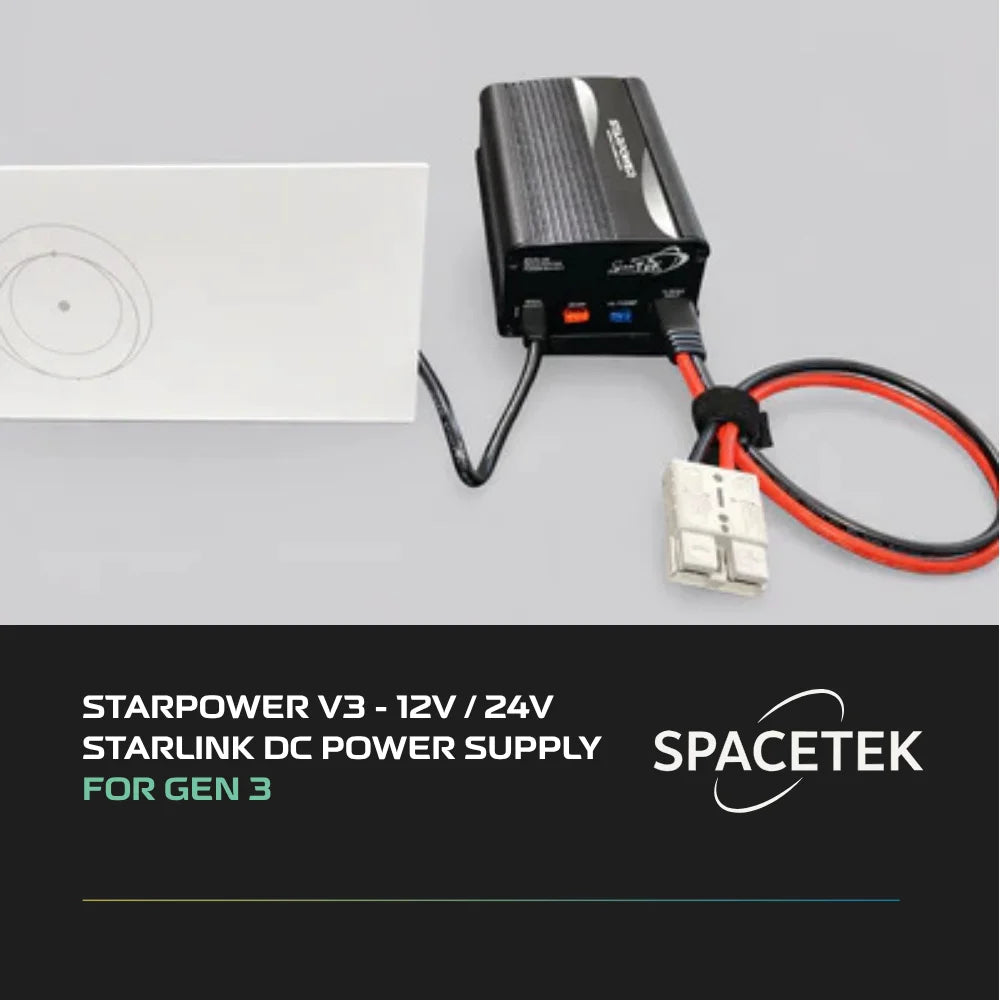
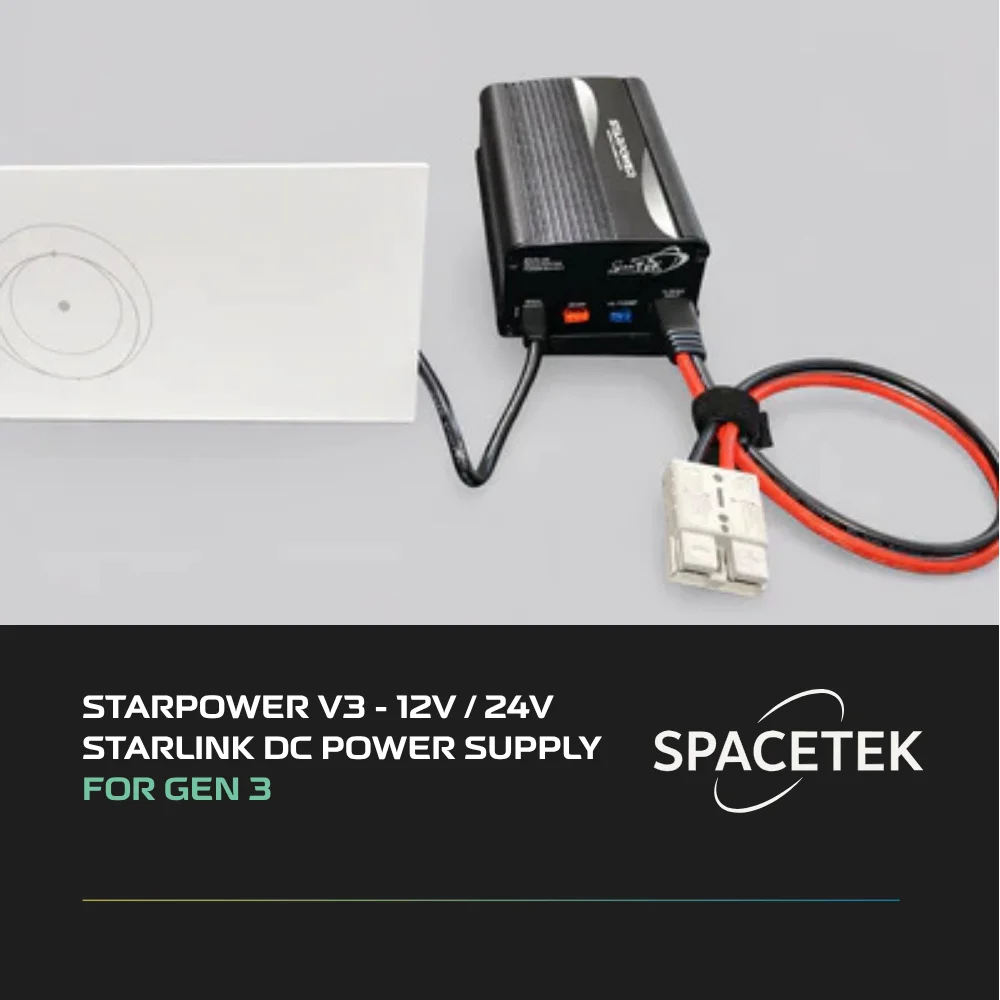
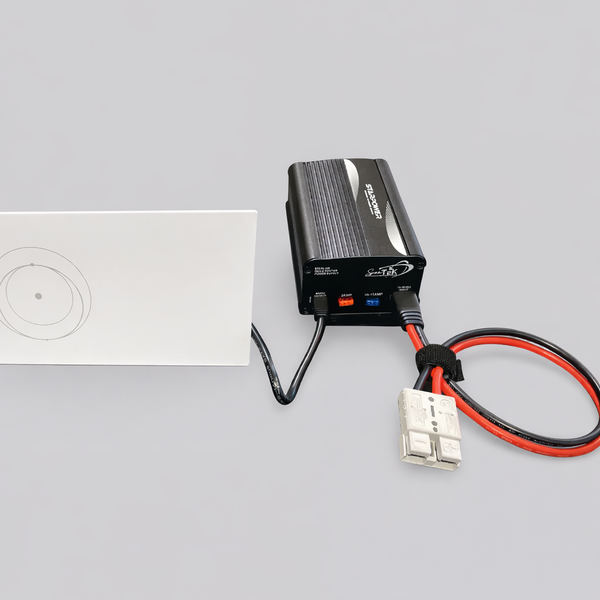
- StarPower V3 — purpose-built 12V/24V DC power supply for Starlink Gen 3; delivers stable 57V output without an inverter
- Genuine Starlink Mini Power Supply — official replacement unit with AU/NZ plug; also powers a Gen 3 router in mesh mode
The Starlink Gen 3 Standard dish draws an average of 75-100W during normal operation. That means your power supply needs to handle consistent load — not just peak draw — without fluctuating.
Whether you're a rural homeowner keeping the household online, an RVer heading into the outback, or a business running a remote worksite, choosing the right starlink power supply from the start saves you from costly dropouts and hardware replacements down the track.
Read on for the complete breakdown — covering specs, compatibility, installation tips, and the best options available through SpaceTek Australia.
Choosing the Right Starlink Power Supply and Accessories for Your Setup
A starlink power supply is the critical component that converts raw electrical input into the stable, regulated voltage required to run your satellite dish and router. Choosing the correct unit ensures your hardware remains protected from voltage spikes while maintaining a consistent high-speed connection.
In satellite internet, power is everything. If the voltage drops even slightly, your dish might reboot, leading to a frustrating "Searching" message in your app just as you're in the middle of a Zoom call or streaming a movie. For the Gen 3 Standard dish, which consumes between 75W and 100W on average, you need a unit that can handle the "snow melt" mode or high data transfers without breaking a sweat.
When we talk about accessories, we aren't just talking about cables. We are talking about the infrastructure that keeps your kit alive. This includes everything from shielded RJ45 connectors to high-spec DC-DC converters. If you want to dive deeper into which specific models fit your hardware, our Detailed Guide to Compatible Starlink Power Supplies is a great place to start.
Residential vs Commercial Power Needs
For most residential users, the standard AC starlink power supply that comes in the box is sufficient. These units are designed for fixed installations where 100-240V mains power is always available. They are plug-and-play and generally sit tucked away behind a desk or in a media cabinet.
However, commercial and enterprise setups often require more robust solutions. Enterprise kits might involve network switches, rack-mounted hardware, and the need for a redundant power source. In these scenarios, the Starlink Advanced Power Supply is a game-changer. It allows for simultaneous AC and DC inputs, meaning you can have a battery backup ready to take over the moment the grid fails. This level of reliability is non-negotiable for businesses that rely on 24/7 connectivity.
Permanent vs Portable Starlink Power Supply Solutions
If you're taking your internet on the road, the standard AC brick becomes a bit of a burden. Running an inverter 24/7 just to power your Starlink is inefficient and drains your battery banks quickly. This is where DC-to-DC conversion comes in. By using a dedicated starlink power supply that accepts 12V or 24V directly from your caravan or 4WD battery, you eliminate the "inverter tax"—the 10-15% energy loss that occurs when converting DC to AC and back again.
Portable power stations (like those from EcoFlow or Bluetti) are popular, but for a truly integrated setup, a hardwired DC system is the professional choice. It’s about doing it properly the first time so you don't have to worry about whether your inverter can handle the initial surge when the dish starts up.
Why Quality Starlink Infrastructure Matters in Australian Conditions
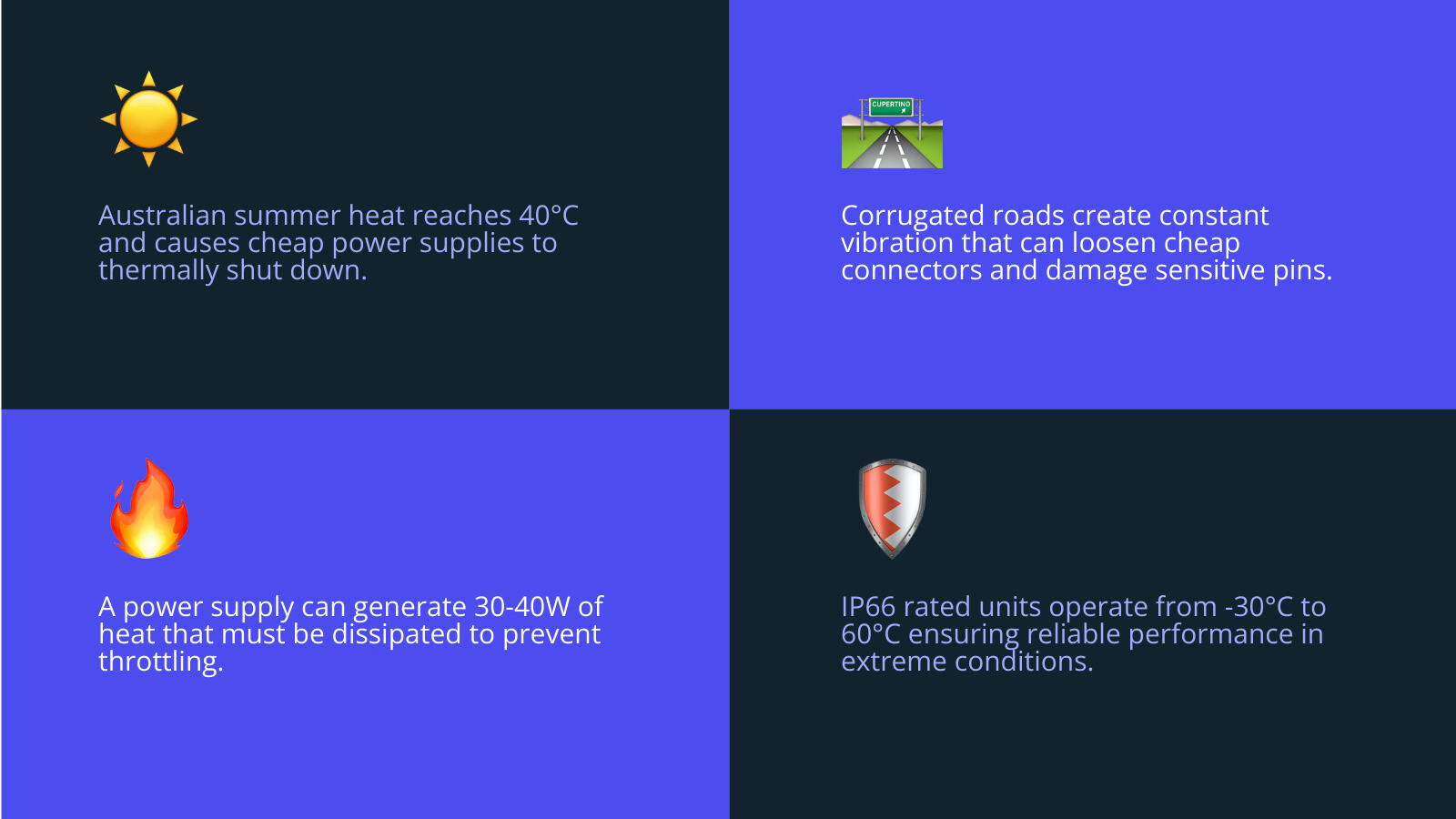
Australian environments demand infrastructure that can handle extreme heat, high UV levels, and the constant vibration of corrugated roads. Using a high-quality starlink power supply prevents the common issue of thermal shutdown, where units fail once they reach internal temperature limits during a 40°C summer day.
We’ve all seen what the Australian sun does to cheap plastics. The same logic applies to your power electronics. A standard power supply unit can dissipate between 30W and 40W of heat when it’s working hard. If that heat has nowhere to go because the unit is tucked in a hot canopy or a poorly ventilated cupboard, it will throttle or shut down entirely to protect itself.
Furthermore, if you're travelling the Gibb River Road or any of our famous corrugated tracks, your power connections are under constant physical stress. A "loose" connection in a cheap adapter can cause micro-arcing, which eventually fries the sensitive pins in your Starlink cable. High-quality infrastructure is built with these vibrations in mind, using secure locking mechanisms and robust housing.
Our Range: SpaceTek Starlink Solutions for Every Setup
We provide a comprehensive selection of power hardware designed to replace failed OEM equipment or upgrade your system for mobile use. Whether you are running a Gen 2 dish with a failed router or setting up a new Starlink Mini for a canopy build, doing it properly the first time saves expensive hardware replacements later.
Our philosophy is simple: stable, regulated DC power is the only way to ensure your Starlink performs as intended. We’ve seen too many users struggle with mysterious dropouts that eventually trace back to a cheap 12V plug that couldn't maintain the 56V required by the dish. Our StarPower range is engineered specifically to solve these "dirty power" issues.
Starlink Mini and Gen 3 Power Options
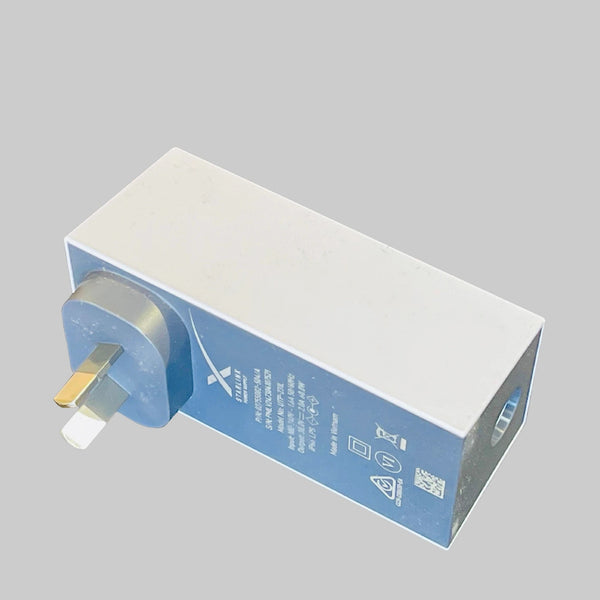
The Starlink Mini has changed the game for light-and-fast travel, but it still needs a reliable juice box. We offer the Genuine Replacement Starlink Mini Power Supply for those who need an official AU/NZ plug for their home or office.
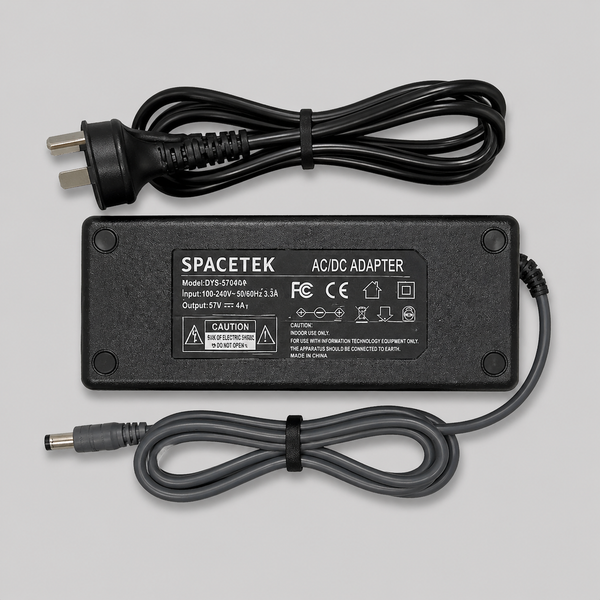
For Gen 3 (Standard 4) users, we provide the Replacement Gen 3 (V4) Power Supply AC/DC, which delivers a massive 57V 4A output. This unit features a waterproof DC plug, making it ideal for semi-permanent outdoor installations where moisture might be an issue.
RV and Caravan Power Management
Managing power in a caravan requires a bit more finesse than a standard home setup. You have to deal with voltage fluctuations as your fridge kicks in or your solar controller adjusts its charge rate.
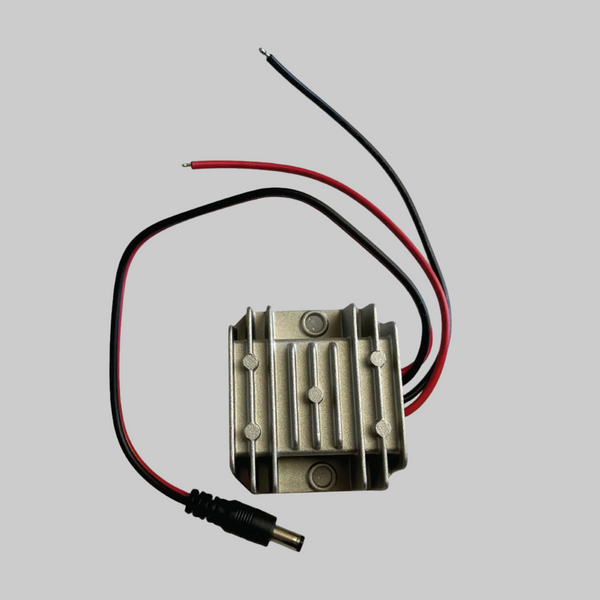
To combat this, we recommend the 8-40Vdc to 12Vdc 3A Regulated Power Supply. This keeps your third-party routers or network gear running at a perfect 12V regardless of what your battery is doing. If you are running an older Gen 1 or Gen 2 setup via our StarPower DC systems, our 240VAC to 24VDC 7.5 Amp Power Supply provides the heavy-duty muscle needed to keep those power-hungry older dishes happy when you are plugged into mains at a caravan park.
StarPower and Advanced DC Power Solutions
The StarPower series represents the ultimate in adaptable power delivery, allowing users to bypass inefficient inverters and run their Starlink directly from battery banks. These units are engineered to support Gen 1, Gen 2, Gen 3, and Mini terminals with flexible input options and integrated PoE injection.
StarPower V4 - The Ultimate Router Power Replacement
The StarPower V4 is our most versatile unit yet. It powers Gen 1 through to the Mini, allowing you to replace a failed router or bypass it entirely to use your own high-end networking gear (like TP-Link, Unifi, or Cisco).
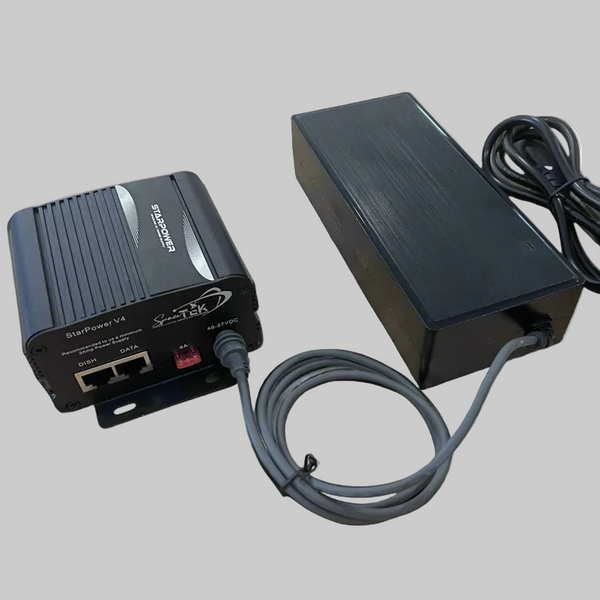
- For Gen 3 Users: If your official router has failed, the StarPower V4 can take over power delivery using your original power pack or one of our 57V bundles.
- For Gen 2 Users: This is the best way to save a Gen 2 system with a dead router. You’ll need our SPX adapter to connect the dish cable to the StarPower V4, then a simple patch lead to your new router.
- For Mini Users: It allows you to run the Mini in "bypass mode" with a third-party router for better range and control.
StarPower V3 - Dedicated 12V/24V for Gen 3
The StarPower V3 is purpose-built for the Gen 3 (V4) dish. It takes 12V or 24V input and steps it up to a rock-solid 57V. This is the unit you want if you're building a canopy or caravan setup and want to power the Starlink directly from your house batteries. It’s efficient, runs cool thanks to its heat-dissipating housing, and is much more reliable than using a cheap inverter.
Universal AC Power Supply with Integrated PoE
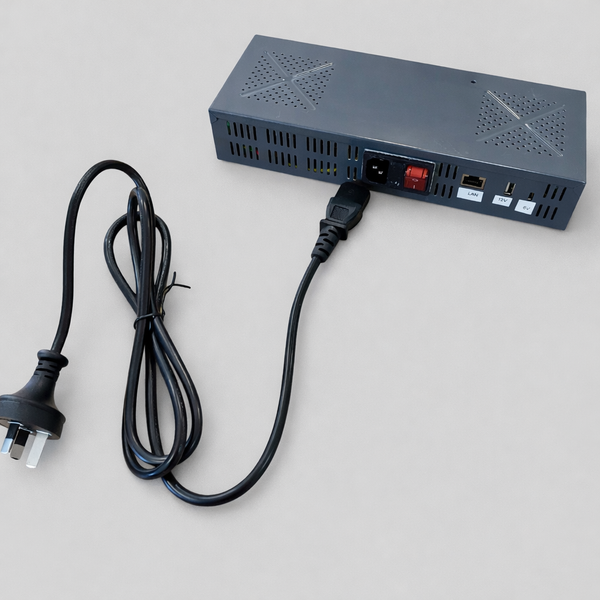
Our Universal 110-240V AC Power Supply is the "Swiss Army Knife" for fixed installs. It provides a stable 54V-56V output and is the perfect DC power backup or replacement for failing Gen 2 routers. It allows you to ditch the Starlink router entirely and plug directly into your home's existing Wi-Fi mesh system.
Essential Features to Look for in Starlink Kits
When evaluating a starlink power supply setup, look for high environmental ratings and wide operating temperature ranges to ensure longevity. A professional-grade power supply should offer at least an IP66 rating and be capable of operating between -30°C and 60°C without losing efficiency.
Here are the non-negotiables:
- Regulated Output: Starlink hardware is sensitive. A "12V" battery can actually sit anywhere from 10.5V to 14.4V. Your power supply must take that "dirty" input and output a constant 56V-57V.
- IP Rating: If your power supply is mounted in a location exposed to the elements, look for IP66 (dust-tight and protected against heavy seas).
- Thermal Management: The unit should have a metal chassis or cooling fins. Avoid plastic-only boxes if you intend to run them in high-heat environments.
- Safety Certifications: Ensure the unit has over-voltage, over-current, and short-circuit protection. The official Starlink DC-DC specs outline exactly what the hardware expects—don't settle for less.

Common Starlink Mounting and Power Mistakes to Avoid
The most frequent error is running Starlink through a cheap modified sine wave inverter, which creates electrical noise and leads to frequent reboots. Additionally, failing to provide adequate ventilation for the power supply unit can lead to heat-induced throttling, significantly reducing your data speeds during peak usage.
Another common pitfall is using undersized wiring. For a 12V system, we recommend using 30 amp rated wiring from your battery to the power supply. While the dish might only pull 8-10 amps during normal use, the "voltage drop" over thin wires can cause the input voltage to fall below the power supply's threshold, leading to instability.
Lastly, don't forget about waterproofing. Even if the starlink power supply itself is rated for outdoors, the connections (especially RJ45 ports) are often the weak point. Always use dielectric grease or waterproof glands if your connections are exposed to salt air or rain. For more tips on avoiding these headaches, check out our guide on Starlink Standard DC-DC Power Supply facts.
Frequently Asked Questions About Starlink Mounts and Power
What Starlink kits are compatible with the Advanced Power Supply?
The Advanced Power Supply is natively compatible with Starlink Gen 3 (Standard) and Performance kits. If you are using an older Gen 1 or Gen 2 Performance kit, you will likely need a Field Termination Kit (available since late 2025) to make the connection. You can find more official compatibility details here.
How do I install a Starlink power supply to prevent overheating?
Do it properly by mounting the unit in a well-ventilated area. If you must put it in an enclosure, thermally tie the chassis to a metal part of the box to act as a heat sink. These units can dissipate up to 40W of heat—that’s like having a small incandescent light bulb burning inside your cabinet.
Can I run my Starlink Gen 3 on 12V DC directly?
Yes, but not with a simple "cigarette lighter" adapter. You need a dedicated DC-DC starlink power supply like the StarPower V3. This unit converts your 12V or 24V battery power into the stable 57V required by the Gen 3 terminal.
Conclusion
Investing in high-quality power infrastructure is the only way to ensure your satellite internet remains reliable in the harsh Australian climate. Whether it's the intense UV of the Top End or the bone-shaking corrugations of the Red Centre, your gear needs to be up to the task.
SpaceTek Australia specializes in engineering these solutions to withstand the rigours of off-grid life, ensuring you stay connected whether you're at home or deep in the bush. Don't let a cheap power brick be the reason you lose contact with the world. Invest once, install it right, and enjoy high-speed internet wherever your journey takes you.



Leave a comment
This site is protected by hCaptcha and the hCaptcha Privacy Policy and Terms of Service apply.