

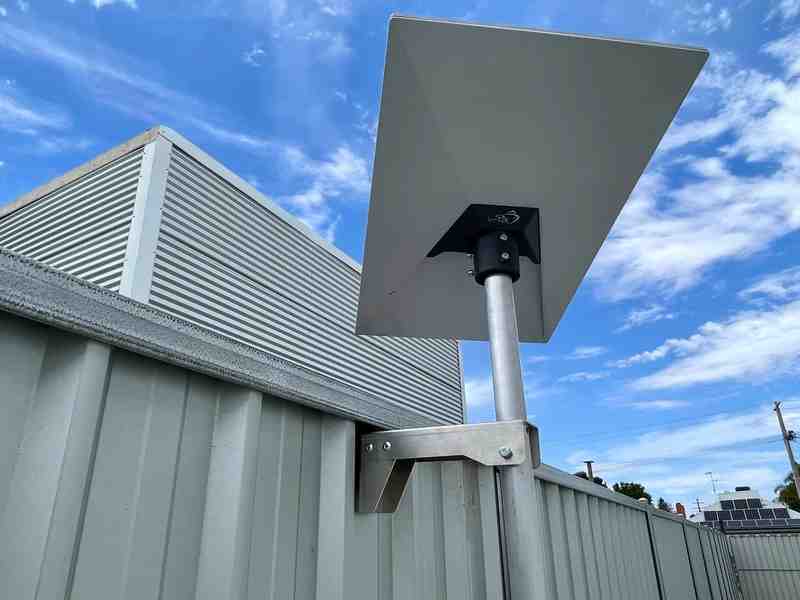
Working out how to power Starlink off-grid in Australia comes down to four main approaches: using standard AC power with an inverter, connecting to portable power stations, implementing a direct DC conversion setup, or building a custom solar system with batteries. The right method depends on your power budget, portability needs, and how long you need to stay connected.
Here is a quick overview of your options:
- Standard AC Power – Use the standard AC power supply with a portable power station or inverter (simplest but least efficient)
- Portable Power Banks – For Starlink Mini only, using USB-PD compatible power banks rated at 100W minimum
- DC Conversion – Bypass the AC adapter entirely and run Starlink directly from 12V/24V systems (most efficient for vehicles and RVs)
- Custom Solar System – Combine solar panels, charge controllers, and batteries for true off-grid independence
Starlink has transformed internet access for remote Australia, but keeping your dish powered in the bush presents its own challenge. A standard Starlink setup draws between 50 and 75 watts for Gen 2 and Gen 3 models, while the compact Mini consumes just 20 to 40 watts during active use.
The main difference between grid and off-grid power comes down to efficiency. Running Starlink through an inverter wastes energy converting DC battery power to AC, then back to DC again. Direct DC conversion eliminates this middleman and can extend your battery runtime by 20 percent or more.
Your power solution also needs to match how you use Starlink. A weekend camper with a Starlink Mini can get by with a quality power bank. A grey nomad touring the Outback for months needs a properly sized solar system with LiFePO4 batteries. Remote workers stationed at a rural property might benefit from a permanent DC conversion setup.
Weather resistance matters too. Australian conditions can be harsh, from coastal salt spray to outback dust storms. Your power components need protection from the elements just like your Starlink mount does.
I am Aaron Wroblewski, founder of SpaceTek Australia, and I have spent over 25 years working with remote communications and satellite systems across every corner of this country. Understanding how to power Starlink efficiently has been crucial for countless customers I have helped set up reliable internet in locations where the grid does not reach.
How to Power Starlink: From Simple to Custom Setups
Step 1: Calculate Your Starlink’s Power Needs
Before you can decide how to power Starlink off-grid, you first need to understand how much power your specific Starlink model consumes. This crucial first step allows you to accurately size your power solution, ensuring you have enough juice to stay connected when you need it most.
Starlink offers different models, each with varying power demands:
- Starlink Mini: This compact dish is the most energy-efficient. It typically consumes between 20-40 watts during active use and can drop to as low as 15 watts when idle.
- Standard (Gen 2 & Gen 3): These models, often referred to as the rectangular or standard dish, generally draw around 50-75 watts once up and running. High-performance versions within these generations can consume up to 150 watts.
To calculate your total energy needs, we use Watt-hours (Wh) or kilowatt-hours (kWh). One kilowatt (kW) equals 1000 watts (W). The formula is simple:
Wattage (W) x Hours of Use (h) = Watt-hours (Wh)
For example, if you have a Standard Starlink (Gen 2 or Gen 3) that consumes 50W and you plan to use it for 12 hours a day:
50W x 12 hours = 600 Wh per day
If you're planning for a full 24-hour day of operation for a remote monitoring setup, that would be:
50W x 24 hours = 1200 Wh (or 1.2 kWh) per day
Understanding these figures is essential for selecting the right battery capacity and solar input. You can find official specifications for your model on the Starlink website. For a deeper dive into these calculations, check out our guide on how to understand Starlink DC power requirements in 3 simple steps.
Step 2: Powering Starlink with Portable Solutions
For those venturing into the Australian bush for shorter trips or needing flexible power on the go, portable power solutions are a popular choice. These typically involve portable power stations or power banks.
Portable Power Stations: These units offer convenience, often containing an inverter, battery, and various output ports (AC, DC, USB). Their main advantage is simplicity – just plug the standard AC power supply into the AC outlet. However, there's a catch: efficiency. Your Starlink converts AC wall power to DC for the dish, and a portable power station converts its DC battery power to AC, which your Starlink then converts back to DC. This double conversion leads to energy loss, reducing your overall runtime.
Power Banks (for Starlink Mini): The Starlink Mini is a game-changer for portability due to its unique power requirements. It can be powered directly via USB Power Delivery (USB-PD). However, it's particular:
- Minimum Requirement: The Mini needs a USB-PD source rated at a minimum of 65W (12-48V).
- Optimal Performance: For optimal operation, a 100W (20V/5A) USB-PD source is required.
- Cable Matters: Not all USB-C to DC cables are created equal. We've seen instances where power banks with the correct rating still fail to power the Mini due to cable quality or length. Always keep your USB-C to DC cable as short as possible to minimise power loss and potential issues.
- Recommended Power Banks: Based on real-world testing, high-quality power banks that meet the 100W USB-PD requirement have proven to be reliable. For instance, a quality 24,000mAh power bank can provide about four hours of internet connectivity for the Starlink Mini.
While portable solutions offer convenience, always test your setup thoroughly before heading out into the remote parts of Australia. For more recommendations on portable power solutions, explore our guide on power your Starlink anywhere: remote solutions for mobile setups.
Step 3: Powering Starlink with a DIY DC Conversion
For maximum efficiency and longer runtimes from your battery setup, especially in vehicles, RVs, or permanent off-grid installations, a DIY DC conversion is the way to go. This method bypasses Starlink's original AC router and power supply, feeding direct DC power to the dish. This eliminates the energy losses associated with AC inverters, providing a significant boost in efficiency – often 90% or more.
Components Needed for DIY DC Conversion:
- DC-DC Converter: This steps up your vehicle's 12V or 24V DC power to the higher voltage (typically around 48V-57V) required by the Starlink dish. Look for high-quality, industrial-grade converters that can be adjusted to output around 50V for optimal performance.
- PoE Injector: Starlink dishes are powered via Power over Ethernet (PoE). You'll need a compatible PoE injector that can handle the specific voltage and power requirements of your Starlink model. Not all PoE injectors work, so choose carefully.
- RJ45 Connectors and Shielded Ethernet Cable: Starlink's proprietary cable can be modified. You'll need to cut off the original connector and terminate the cable with standard RJ45 connectors, following Starlink's non-standard wiring scheme. Using shielded Cat6 ethernet cable is recommended to prevent interference.
- Optional: Remote Switch: For convenience, consider adding a 12V-compatible smart switch before the PoE injector. This allows you to remotely power cycle your Starlink, which can be handy for troubleshooting or re-orienting the dish without needing physical access.
Potential Issues and Resolutions:
- Slow Speeds After Conversion: This is a common issue, often caused by interference from cheap 48V power supplies. A temporary fix can be to force your router's WAN port to 100mbps full duplex. The best long-term solution is to use a higher-quality, shielded DC-DC converter and ensure its output voltage is precisely tuned (e.g., 50V). Once upgraded, you can usually set your router's WAN port back to 'Auto' negotiation.
- Wiring Complexity: The proprietary nature of Starlink cables means some DIY modifications require careful attention to wiring diagrams. Incorrect wiring can lead to no power or poor performance.
Under normal use, a properly DC-converted Starlink system can draw as little as 25W of DC power, making it incredibly efficient for off-grid living. For a comprehensive guide on this advanced setup, refer to our article on powering Starlink directly from DC: your ultimate guide. We also offer specialised products like the StarPower 12V DC Supply designed for seamless integration.
Step 4: Building a Custom Solar System for Starlink
For true off-grid independence, especially for extended stays in remote Australian locations, a custom solar system is the ultimate solution for how to power Starlink. This setup combines renewable energy generation with robust battery storage.
Key Components of a Solar System:
- Solar Panels: These are your energy generators. Size them based on your daily energy needs (calculated in Step 1) and the solar irradiance of your location. Solar output varies significantly with weather and season.
- MPPT Charge Controller: An MPPT (Maximum Power Point Tracking) charge controller efficiently manages the power from your solar panels, optimising it for charging your battery bank.
- Battery Bank: This stores the energy. For Starlink, especially with a DC conversion, a 12V or 24V system is common.
- Inverter (Optional): If you haven't performed a DC conversion and need to power other AC devices, a small, highly efficient inverter (200-300W) can be included, but remember the efficiency losses.
Benefits of LiFePO4 Batteries:
When building a custom solar system, we highly recommend Lithium Iron Phosphate (LiFePO4 or LFP) batteries. They offer significant advantages over traditional lead-acid batteries for off-grid Starlink setups:
- Higher Usable Capacity: LiFePO4 batteries allow for deeper discharge cycles without damage, meaning you can use more of their rated capacity.
- Longer Lifespan: They typically last much longer (thousands of cycles) than lead-acid batteries.
- Lighter Weight: Crucial for mobile setups like RVs and caravans.
- Faster Charging: They can accept a higher charge current, meaning quicker recharging from solar or a vehicle alternator.
- Flexibility: They can sit at a partial state of charge without degradation, unlike lead-acid.
Sizing Your System:
Based on our earlier calculation, a Starlink consuming 50W for 12 hours needs 600Wh per day. We recommend adding a buffer for cloudy days or increased usage. For example, a 2.4kWh battery bank provides ample autonomy. Your solar array should be sized to replenish this daily consumption, considering average peak sun hours in your area. Many users also integrate charging from their vehicle's alternator while driving, using DC-DC chargers.
Preventing Power Supply Overheating:
Even with a robust off-grid system, the Starlink power supply unit (PSU) itself needs consideration. It can dissipate 30-40W of heat when operating at full capacity. To prevent overheating, which can lead to the unit shutting down and interrupting your connection:
- Adequate Cooling: Ensure the PSU is mounted in a location with plenty of airflow.
- Ventilation: Never enclose the PSU without proper ventilation.
- Thermal Tying: If installing in an enclosed space, thermally tie the PSU to the enclosure using a metal plate or heatsink to conduct heat away.
For more insights into integrating Starlink with your mobile power system, see our article on RV on the go: 12-56V DC power supplies for portable and RV use. You can also find official guidance on how to prevent the PSU from overheating directly from Starlink.
Conclusion: Secure Your Connection Anywhere in Australia
Mastering how to power Starlink off-grid opens up a world of possibilities for reliable internet connectivity, even in the most remote corners of Australia. Whether you opt for the simplicity of portable power, the efficiency of a DIY DC conversion, or the independence of a custom solar system, understanding your Starlink's power needs and choosing the right components are paramount.
Beyond power, a stable and weather-resistant mount is equally crucial for maintaining an uninterrupted connection in the diverse Australian environment. At SpaceTek Australia, we specialise in high-quality, rust-resistant aluminium and carbon fibre mounts that are specifically designed for Australian conditions and are compatible with your Starlink self-install kit. Our mounts ensure your dish stays securely positioned, providing optimal performance whether you're parked by a billabong or traversing the corrugated roads of the Outback.
Explore our range of Starlink RV and portability mounts to find the perfect solution for your off-grid adventures. For expert advice on the best mounting solution for your off-grid setup, please don't hesitate to get in touch with our team. We're here to help you stay connected, no matter where your journey takes you.


Leave a comment
This site is protected by hCaptcha and the hCaptcha Privacy Policy and Terms of Service apply.