
Is Starlink or NBN better for regional Australia?

The better option depends on the technology available at your address, your installation conditions and how you use the connection. Fibre and HFC are often worth keeping where available, while fixed wireless, copper-based services and satellite each require a closer look at local performance, line condition and site suitability.
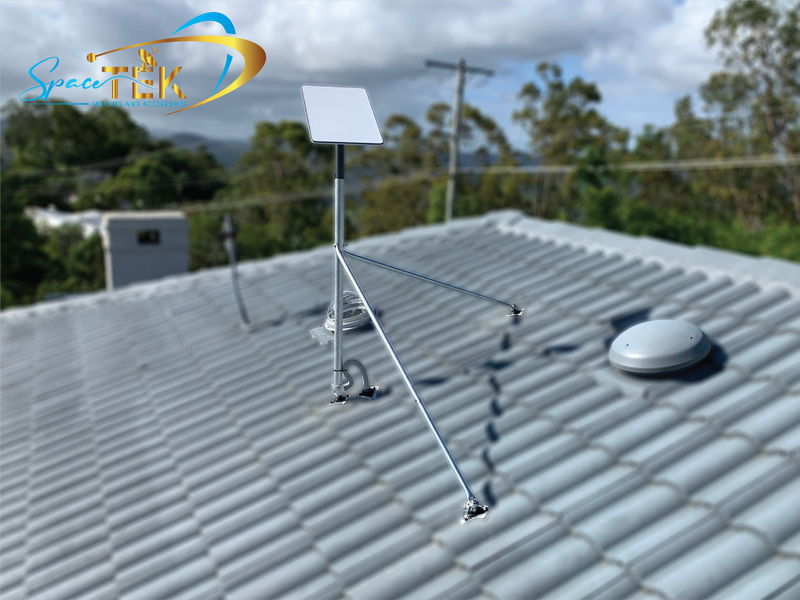
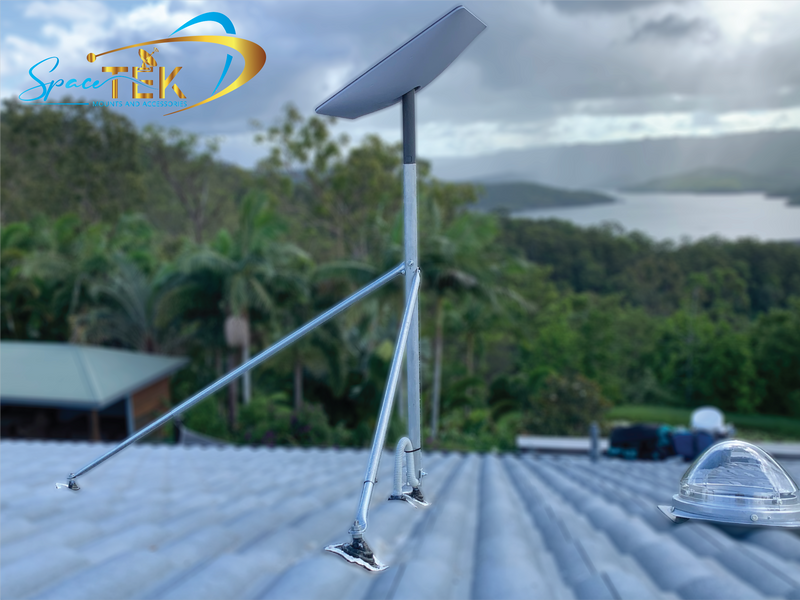
For regional households, the decision comes down to what works at your address rather than a headline speed claim. Starlink needs a clear view of the sky; NBN Fixed Wireless depends on the local tower and how busy it gets. If Starlink makes sense for your property, SpaceTek Australia's precision-machined aluminium Starlink mounts can help you position the dish securely.
How Do Regional Australian Internet Technologies Work in October 2026?
Getting a fast, stable internet connection beyond the major city fringes has always involved unique engineering challenges. To understand why your broadband behaves the way it does, it helps to learn about Starlink internet and how it contrasts with government-backed terrestrial and legacy satellite infrastructure.
The fundamental difference lies in orbital mechanics versus land-based transmission. While landline networks rely on physical cables and radio masts, satellite systems bounce data across space. How far those signals must travel dictates your everyday experience, especially during interactive tasks like video meetings or online gaming.
How Low-Earth Orbit Satellites Deliver Broadband
Low-Earth orbit satellite networks use satellites that operate much closer to Earth than traditional geostationary services. That shorter signal path can make them more suitable for interactive activities, but results still depend on the service, network conditions and a clear installation path at the property.
Starlink hardware uses an electronically steered antenna rather than a dish that mechanically tracks one fixed satellite. Before committing to an installation location, use the Starlink app with the specific kit and mounting position you plan to use to identify potential obstructions and follow the current in-app guidance.
How NBN Operates Fixed Wireless and Sky Muster Satellites
The National Broadband Network delivers regional connectivity using two primary remote technologies:
- Fixed Wireless: Terrestrial base stations transmit 4G and 5G radio frequencies directly to an outdoor antenna mounted on your roof, provided you have a clear line of sight to the transmission tower.
- Sky Muster Satellite: Two massive geostationary satellites stationed at an altitude of nearly 36,000 kilometres. Because the satellites sit in a fixed slot over the equator, the signal must travel over 70,000 kilometres for every single round trip, creating an unavoidable physical lag.
Starlink vs NBN: How Do Speeds, Latency, and Reliability Compare in October 2026?
Performance can vary substantially between addresses, plans, local network conditions and in-home setup. Compare the technology available at your property, then review the current provider terms and expected service experience before choosing a connection.

Starlink vs NBN Fixed Wireless: Speed and Peak-Hour Congestion
NBN Fixed Wireless delivers decent speeds in many areas, but performance depends heavily on the local cell tower. During the busy evening hours (7:00 PM to 11:00 PM), shared radio towers can experience significant congestion.
Starlink may be a practical alternative where fixed wireless performance is inconsistent or where a property has no suitable fixed-line option. It still needs an installation location that passes the obstruction check, and service experience can vary by address and network conditions.
For either option, ask the provider what is available at the address and test the connection during the times that matter most to your household. Fixed wireless can be affected by local tower demand and terrain, while satellite performance depends on the installation path and conditions at the site.
Starlink vs NBN Sky Muster: Is Satellite Internet Finally Fixed?
Sky Muster and low-Earth orbit satellite services use different network designs and may suit different regional addresses. Geostationary satellite services have a longer signal path, which can be more noticeable in real-time activities such as video calls and online gaming. Confirm the services available at your address before deciding.
When comparing satellite options, consider:
- Whether the property has a suitable, obstruction-checked installation location
- How often the household relies on video calls, gaming or other real-time services
- The current plan conditions, network-management policies and equipment requirements
- Whether a fixed-line or fixed wireless service is already available at the address
What About Regional Fixed-Line Connections like FTTP, FTTN, and HFC?
If your property has FTTP or HFC available, compare the available plans and the condition of your in-home setup before changing technologies. These fixed-line services do not require a roof-mounted satellite dish, but the best fit still depends on the plan, household usage and the service available at the address.
Copper-based services such as FTTN can be more sensitive to the condition and length of the copper run. Where the available service does not meet your needs, compare any upgrade path, local fixed wireless availability and satellite options rather than assuming one technology will suit every regional property.
What Are the Total Costs and Plan Options Across Both Services in October 2026?
When comparing current plan options, check the terms for your exact address and consider both monthly fees and potential equipment or installation costs:
- Equipment and installation: Confirm whether equipment, delivery, activation or installation charges apply to the address and selected plan.
- Hardware options: Check whether the provider currently offers purchase, rental or other equipment arrangements for the chosen service.
- Installation requirements: Compare standard connection work with the site-specific requirements for a satellite dish mount.
- Monthly service: Review the plan tier, included data and network-management conditions that apply to the address.
- Plan terms: Check the current cancellation, pause and contract conditions before ordering.
Starlink Tiered Plans and Hardware Investment
Starlink plan names, equipment options, availability and terms can change. Review the current Starlink Australia service plans for your address before ordering, then plan the dish-mount installation around the obstruction guidance for your specific hardware.
Do not assume that equipment, routers, data allowances, cancellation rights or pause options are identical across every plan. Confirm the terms shown for the selected address and service before making a decision.
NBN Plan Pricing Across Wireless, Satellite, and Fixed Lines
Standard NBN connections typically feature no upfront hardware charges for standard installations, as equipment is government-subsidised. Monthly plans vary widely by retail service provider:
- Fixed Wireless: Availability and plan choices depend on the address and local network configuration.
- Sky Muster: Sky Muster Plus Premium offers uncapped data, subject to the applicable fair-use, network-management and shaping policies.
- Fixed-line services: The available technology and plans depend on whether the address can access fibre, HFC or a copper-based service.
Which Internet Connection Type Best Suits Your Regional Property?

Every property has its own geographic constraints. Selecting the right setup requires balancing your physical location, budget, and bandwidth requirements across available regional technologies.
When Should Regional Households Switch to Low-Earth Orbit Satellite?
Consider Starlink if:
- Your address has no suitable fixed-line service and the available alternatives do not fit your household needs.
- You have checked the local fixed wireless and satellite options available at the property.
- The Starlink app indicates that the proposed installation location is suitable for your specific hardware.
- You are comfortable reviewing the current address-specific equipment, installation and plan terms before ordering.
To get your setup installed securely, explore SpaceTek's range of residential roof mounts designed specifically for Australian conditions.
When Does Sticking with Fixed-Line or Upgraded Wireless Make More Sense?
An NBN option may make more sense if:
- Your address can access a fixed-line service that meets your household needs.
- The available fixed wireless service is suitable for the property and typical usage times.
- You prefer the equipment and installation arrangements offered with the available NBN service.
- The Starlink app identifies obstructions at the only practical dish-mount locations.
Frequently Asked Questions About Starlink vs NBN
Is Starlink really faster than NBN in regional areas?
Not necessarily. Starlink can be a strong option for some regional properties, but the best choice depends on what is available at the address, the condition of any copper-based connection, local fixed wireless performance and whether the proposed satellite location passes the app obstruction check.
Can severe Australian weather knock out Starlink or NBN?
Heavy tropical downpours and thick storm clouds can cause rain fade, temporarily lowering satellite throughput. However, solid ground installations withstand typical weather well. On the other hand, ground-based copper lines can suffer from water ingress in underground pits during floods, leading to extended service outages.
Can I run both Starlink and NBN together for backup redundancy?
It may be possible to use two services with compatible networking equipment, but the outcome depends on the router configuration, provider services and the setup at the property. Confirm the equipment and support requirements before relying on a secondary connection for continuity.
How to Maximise Your Satellite Setup for Australian Conditions
Getting the best performance out of your dish requires a rock-solid, professional-grade physical installation. Australian conditions present unique challenges, from extreme UV radiation and coastal salt spray to gale-force winds and heavy summer storms.

Here is a simple, step-by-step process for getting your satellite hardware set up properly:
- Open the Starlink app and run its obstruction check with the model of kit you intend to install.
- Test each realistic dish-mount position at the property, including the intended height and orientation, before purchasing installation hardware.
- Select a SpaceTek precision-machined aluminium or reinforced composite dish mount suited to the approved mounting surface and the conditions at the site.
- Route the exterior cable in accordance with the current installation instructions, protecting entry points from water and allowing for appropriate drip loops.
- After setup, use the app to confirm the system status and monitor how the connection performs during your normal household usage.
At SpaceTek Australia, we build high-quality Starlink mounts and accessories made right here for rugged Aussie conditions. Our precision-machined and folded aluminium and reinforced composite dish mounts ensure your dish stays securely aligned through harsh weather.
For off-grid and regional power setups, direct DC-to-DC power solutions like SpaceTek's StarPower V2 and V3 DC power supplies provide clear advantages over traditional AC inverters, delivering higher efficiency, lower draw, and the ability to bypass the standard Starlink router for custom network hardware.
If you prefer to have a professional handle your installation, you can find an experienced local installer or contact our technical team to choose the right gear for your property.


Leave a comment
This site is protected by hCaptcha and the hCaptcha Privacy Policy and Terms of Service apply.