
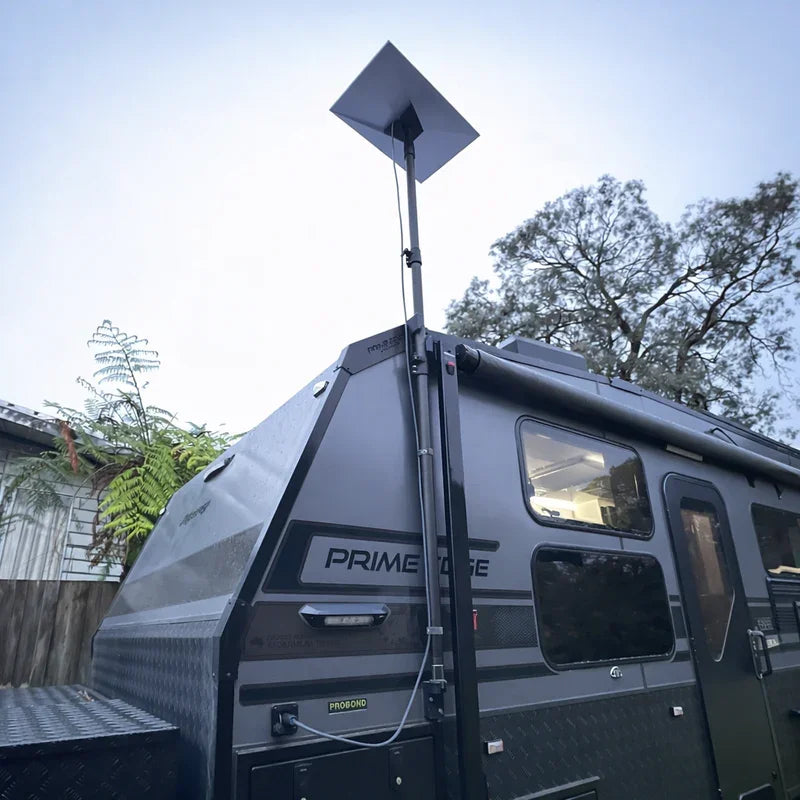
To install a motorhome Starlink roof mount without drilling, use a non-penetrating dish mount that suits your roof material, then route the cable through an existing sealed entry point. It is a practical way to stay connected around Australia without putting unnecessary holes in the roof.
Key Takeaways
- Choose a magnetic, adhesive or rail-clamp dish mount to suit the roof surface.
- Clean and dry the mounting area before fitting anything.
- Keep the dish low and secure to reduce movement from wind and corrugated roads.
- Route the cable through an existing solar gland, vent or other weatherproof entry point.
- For a compact, removable option, consider SpaceTek’s magnetic roof mount for Starlink Mini.
A properly chosen Starlink mount can help protect the roof membrane, avoid leaks and keep the dish stable on long touring days. SpaceTek’s Australian-designed dish mounts use precision-machined or folded aluminium and reinforced composite construction for demanding road and weather conditions.
Which Motorhome Starlink Roof Mount Suits Your Roof?
The best dish mount depends on the roof material and the mounting points already fitted to your motorhome. Before choosing, check whether the roof is steel, aluminium, fibreglass or a rubber membrane, and look for existing rails, crossbars or solar channels you can use.
- Fibreglass roofs can suit carefully prepared structural adhesive systems or existing roof tracks.
- Aluminium roofs can use mechanical clamps or an adhesive-bonded steel plate for magnetic mounts.
- Rubber membrane roofs are generally better suited to rail or crossbar mounting rather than direct bonding.
- Steel roof sections are well suited to rubber-coated rare-earth magnetic mounts.
Is a Magnetic Starlink Mount Right for Your Motorhome?
Magnetic mounting is a handy option for touring rigs, especially with a compact Starlink Mini. Rubber-coated rare-earth magnets provide strong holding force without permanently altering the vehicle, while helping protect the roof finish during fitting and removal.
On an aluminium or fibreglass roof, a slim steel disc or perimeter plate can create a dedicated contact point when it is correctly bonded in place. If a removable setup suits your travel style, SpaceTek’s Starlink Mini mount solutions include options designed for Australian touring conditions.

When Should You Use Adhesive or Clamp Starlink Mounts?
For a semi-permanent setup, structural polymer adhesive can spread loads across a broad area when the surface is clean, dry and prepared according to the adhesive maker’s instructions. This can reduce concentrated stress on composite roof panels.
If your motorhome already has roof tracks, crossbars or solar channels, clamp systems are often the simpler choice. They attach to existing extrusions rather than the roof skin, so they can be repositioned or removed without creating new holes.
How Do You Install Starlink on Your Motorhome Roof in Five Steps?
You do not need a full workshop to fit a suitable dish mount, but it is worth taking your time with the roof preparation, mounting position and cable route. This Starlink motorhome mounting kit guide can help you prepare before getting on the roof.
Step 1: Prepare the Surface and Choose the Location
Choose a flat spot with a clear view of the sky, away from air conditioners, solar panels and roof pods. Clean the area with isopropyl alcohol to remove dust, road grime and oxidation. A clean surface gives adhesive systems the best chance of bonding well and allows magnetic mounts to sit flush.
Step 2: Position the Dish Mount Before Final Fitting
Set the mounting base in place before applying adhesive or tightening clamps. Make sure the dish has the required angle and clearance, does not shade the solar array and stays clear of hatches and service points.
Step 3: Secure the Non-Penetrating Base
- Magnetic mounts: Place the base on clean ferrous roof sections or bonded steel plates, checking for full contact across each magnet.
- Adhesive mounts: Apply the recommended adhesive evenly, press the base firmly into place and allow the full curing time before travelling.
- Clamp mounts: Fit the aluminium clamps evenly around roof rails or crossbars, tightening them progressively to distribute the load.
Step 4: Lock the Dish Into the Mount
Slide the Starlink dish into the housing and secure the retaining hardware. SpaceTek dish mounts use folded aluminium or reinforced composite construction to provide a close, rattle-free fit. Give the assembly a gentle movement check before you leave.
Step 5: Route the Cable and Check the Signal
Secure the cable at regular intervals with UV-stabilised clips and pass it through an existing weatherproof entry point, such as a solar cable gland or sealed vent channel. Then run the obstruction check in the app. Starlink’s official support resources can help with setup and troubleshooting if you need them.
Why Is Direct DC Power a Better Match for a Motorhome Starlink Setup?
When you are travelling off-grid, every bit of battery capacity matters. Running Starlink through a conventional AC inverter means converting battery power to AC before the standard power unit converts it back to DC. A direct DC-to-DC setup avoids that extra conversion step.
SpaceTek StarPower V2 and StarPower V3 DC power supplies can make an off-grid setup more practical:
- Higher efficiency: Direct DC-to-DC power avoids unnecessary conversion losses and can help preserve battery capacity.
- Lower draw: You avoid leaving a large inverter running solely to power internet hardware.
- Router bypass flexibility: A compatible DC power supply can support custom mobile network setups without relying on the standard Starlink router.
- Reliable power delivery: Regulated output helps support the dish as auxiliary battery levels change.
For longer stays away from powered sites, pairing a secure non-penetrating dish mount with direct DC-to-DC power can make your motorhome setup simpler, more efficient and easier to manage.
What Should You Know Before Fitting a Motorhome Starlink Roof Mount?
Will a No-Drill Starlink Mount Affect My Motorhome Roof Warranty?
A non-penetrating mounting method can help avoid creating new holes in the waterproof roof surface. Check the terms of your motorhome warranty and the mounting instructions before fitting any equipment, especially where adhesive is involved.
Can a Starlink Mini Work While the Motorhome Is Moving?
Use Starlink only in a way that matches the service plan, equipment guidance and applicable road rules. A purpose-built dish mount can help keep the hardware secure, but you should confirm that your Starlink setup is approved for your intended use before travelling.
How Can You Weatherproof the Cable Entry Without Drilling?
Using an existing roof pass-through, solar gland or sealed vent route can avoid making a new roof penetration. Inspect the seal for cracking or UV wear before routing the cable, and replace deteriorated parts where needed.
How Much Wind Can a Non-Penetrating Dish Mount Handle?
Wind resistance depends on the roof surface, mount design, installation quality, dish position and the condition of any adhesive, magnets or clamps. Follow the product instructions, keep the dish low where appropriate and inspect the mounting hardware after rough roads or severe weather.
Do You Need to Remove the Dish on Corrugated Roads?
A correctly fitted dish mount is designed to reduce movement, but it is sensible to inspect the mount and cable route after a particularly rough stretch. If anything has shifted, stop and address it before continuing the trip.
Ready for Reliable Starlink Connectivity on the Road?
A well-fitted, non-penetrating dish mount can keep your Starlink hardware secure while helping protect the motorhome roof from unnecessary holes. Choose a mounting method that suits the roof material, take care with surface preparation and inspect the setup regularly after tough touring conditions.
Pairing the right dish mount with a direct DC-to-DC power setup can also reduce reliance on an AC inverter, lower background draw and support custom router-bypass arrangements. It is a practical combination for staying connected on Australian road trips and off-grid stays.
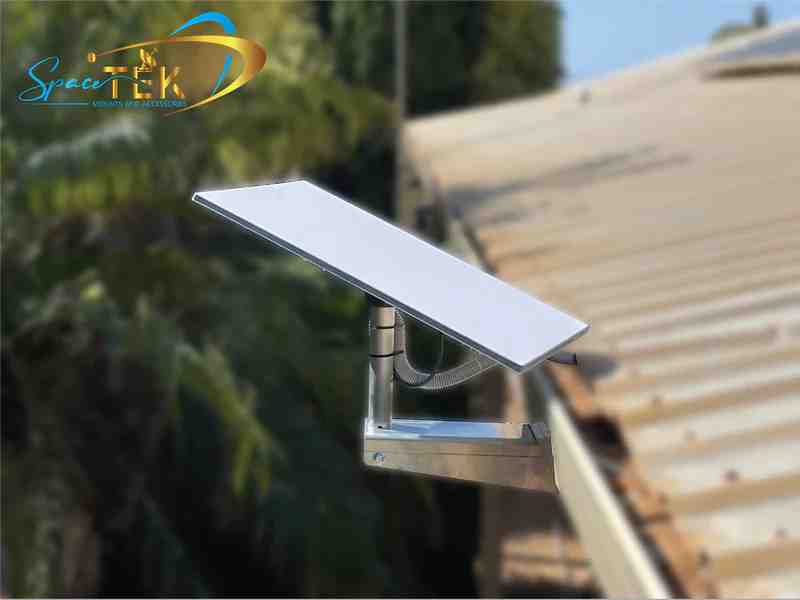
Browse SpaceTek’s Australian-designed motorhome and caravan mounts to find a dish mount for your next touring setup.


Leave a comment
This site is protected by hCaptcha and the hCaptcha Privacy Policy and Terms of Service apply.