
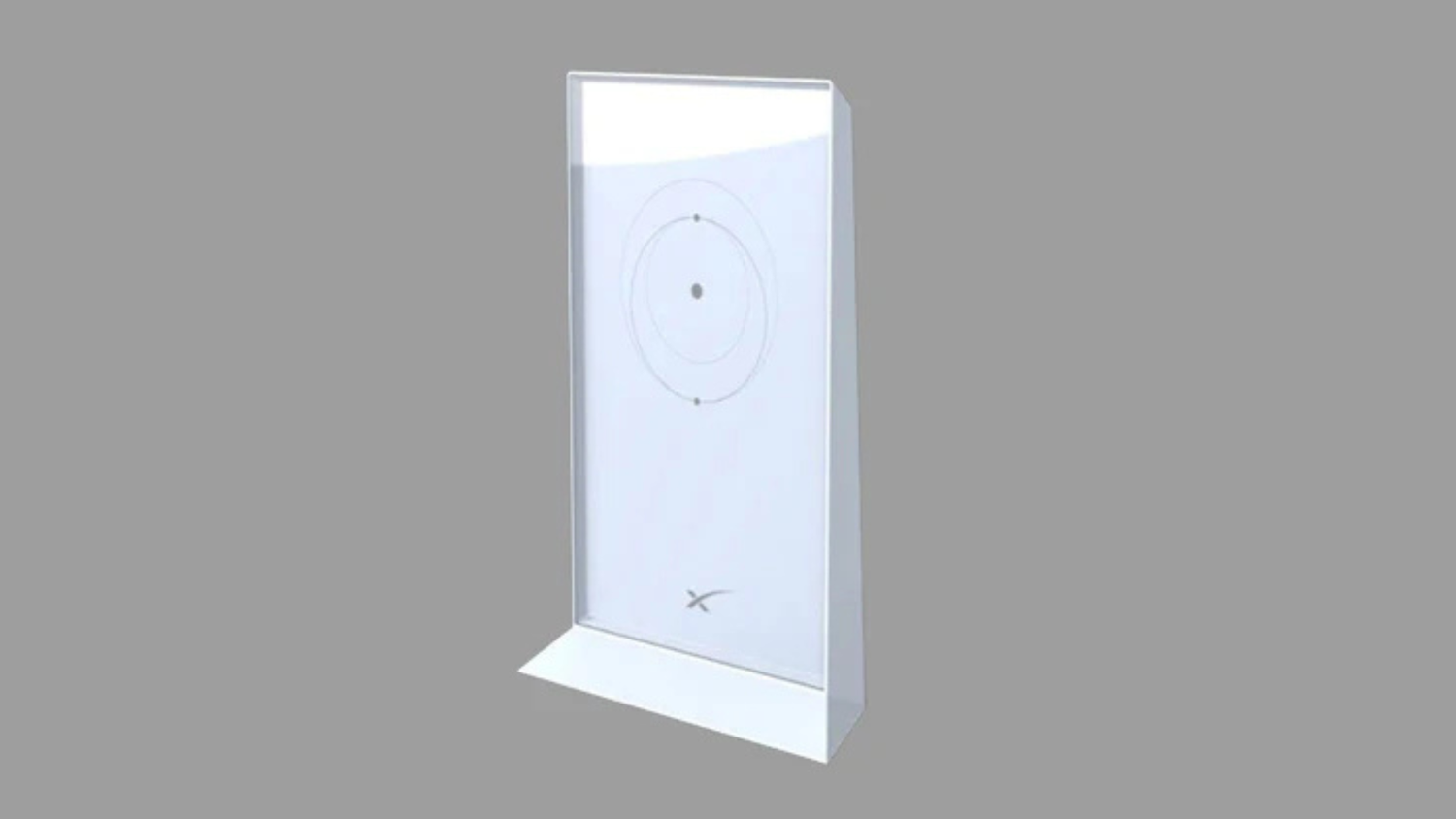
Why This Technology is a Game-Changer for Starlink Users in Australia

A mesh Wi-Fi system is a smart way to get consistent, high-speed internet everywhere. It uses multiple interconnected nodes to create one powerful, seamless wireless network. This effectively eliminates Wi-Fi dead zones across large or complex Australian properties.
Here’s a quick look at what mesh means:
- Definition: A network of interconnected devices that work together.
- Purpose: To create a single, unified Wi-Fi signal coverage area.
- Benefit: Eliminates dead zones and provides consistent connectivity.
- Outcome: High-speed internet throughout your entire property.
Starlink delivers fast satellite internet. However, covering a sprawling Queensland farmhouse or a multi-storey Melbourne townhouse with Wi-Fi can be tricky. Standard routers often struggle with thick walls and vast distances. This is where SpaceTek Australia steps in. We specialise in Starlink-compatible accessories. These include robust solutions to optimise your Wi-Fi experience. Our products ensure you harness Starlink's full potential, right across your home or business.
What is a Mesh Network and How Does it Work?
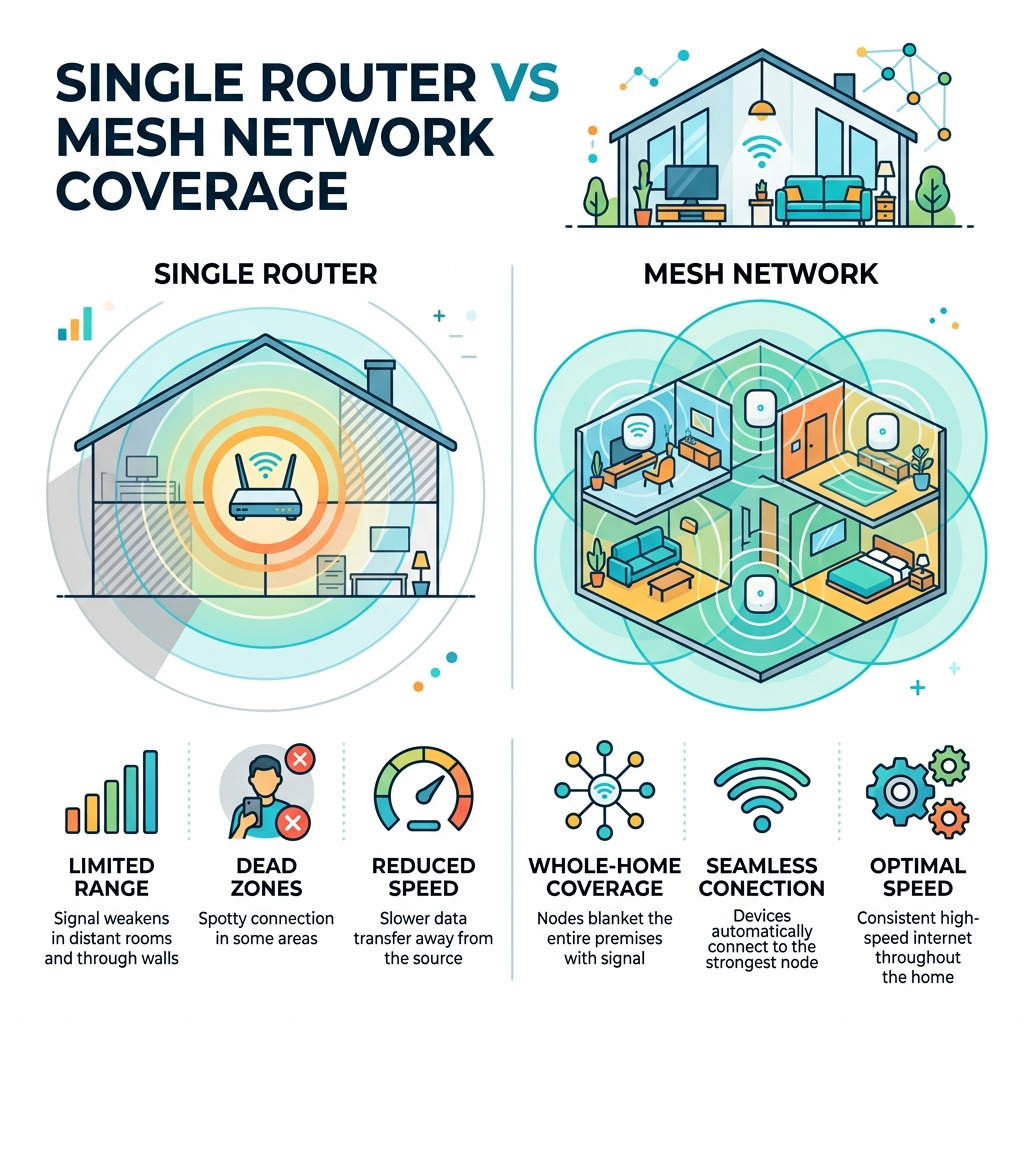
At its core, a mesh network is a group of connectivity devices, such as Wi-Fi routers, that act like a single network. Unlike a traditional setup where one router sits in the corner of the lounge room trying to do all the heavy lifting, a mesh system shares the load across multiple "nodes."
When you move from the kitchen to the back deck, your phone or laptop doesn't have to disconnect and find a new signal. Instead, the nodes work together to pass your connection from one to the next in a process called "seamless handoff." This is a massive upgrade over old-fashioned Wi-Fi extenders, which often create a second network name and force you to switch manually.
One of the cleverest features of this technology is "self-healing." If one node in your hallway gets unplugged or loses power, the rest of the mesh will automatically reroute the data through other available nodes to keep you online. In technical terms, these nodes communicate via a "backhaul" connection. The best systems use a dedicated wireless band or a wired Ethernet cable to ensure that the data moving between nodes doesn't slow down the Wi-Fi speed available to your devices.
For a deeper dive into these mechanics, you can explore Mesh Wifi Explained How It Works And Why You Need It or check out the official guide on What is Mesh WiFi?.
Why You Need Mesh Systems for Starlink in Large Homes
Starlink has revolutionised internet access for rural and regional Australians, but the hardware provided in the box has its limits. The standard Starlink router is powerful, but it is still just a single point of origin. In a classic Australian home—think of those beautiful but sprawling homesteads with corrugated iron roofs or modern townhouses with thick concrete floors—the signal can drop off rapidly.
Dead zones are the enemy of productivity and relaxation. You might get 200 Mbps in the living room right next to the router, but as soon as you step into the home office or the master bedroom, that speed might plummet or disappear entirely. This is particularly frustrating for those of us working from home or trying to stream 4K movies in the backyard.
A mesh system for Starlink solves this by blanketing your property in a "Wi-Fi bubble." By placing nodes strategically, you can push the signal through walls and across multiple floors. For example, in a two-storey Melbourne townhouse, you might have the main Starlink router downstairs and a mesh node upstairs to ensure the kids' gaming consoles stay connected without lag. In a Queensland farmhouse, a node placed near a window can even extend coverage to your shed or outdoor entertaining area. To get the full picture of how this integrates with your satellite setup, read Everything You Need To Know About Starlink Mesh Wifi.
Choosing the Best Mesh for Starlink: Pros, Cons, and Selection
Selecting the right mesh system comes down to the size of your property and your speed requirements. Modern systems are highly scalable; you can start with a two-pack and add more nodes later if you find a stubborn dead spot. While Starlink speeds usually sit between 100 Mbps and 250 Mbps, having a high-capacity third-party mesh ensures that internal traffic remains lightning-fast. These third-party systems often offer more advanced features like parental controls, higher security, and superior range than standard options. For a detailed comparison of these networking solutions, see Starlink Mesh Vs Third Party Which Reigns Supreme.
Advantages and Disadvantages of Modern Networking
Like any technology, mesh networking has its trade-offs. It is important to weigh these up before you invest.
The Pros:
- Seamless Roaming: You stay connected to a single network name (SSID) as you move through the house.
- Reliability: The self-healing nature of the network means fewer total outages.
- Automatic Configuration: Most modern systems use an app that guides you through the setup in minutes.
- Expandability: You can easily add more nodes as your needs grow.
The Cons:
- Hardware Cost: A high-quality mesh system is more of an investment than a single budget router.
- Setup Quirks: Depending on your Starlink generation, you may need an Ethernet adapter or have to put the Starlink router into "Bypass Mode."
- Latency: While minimal, adding multiple wireless "hops" can slightly increase latency, though this is often offset by the better signal strength provided to the device.
For a detailed look at these trade-offs, Mesh In A Nutshell Understanding The Basics Of Network Connectivity provides an excellent summary.
SpaceTek Expertise: Optimising Your Australian Starlink Setup
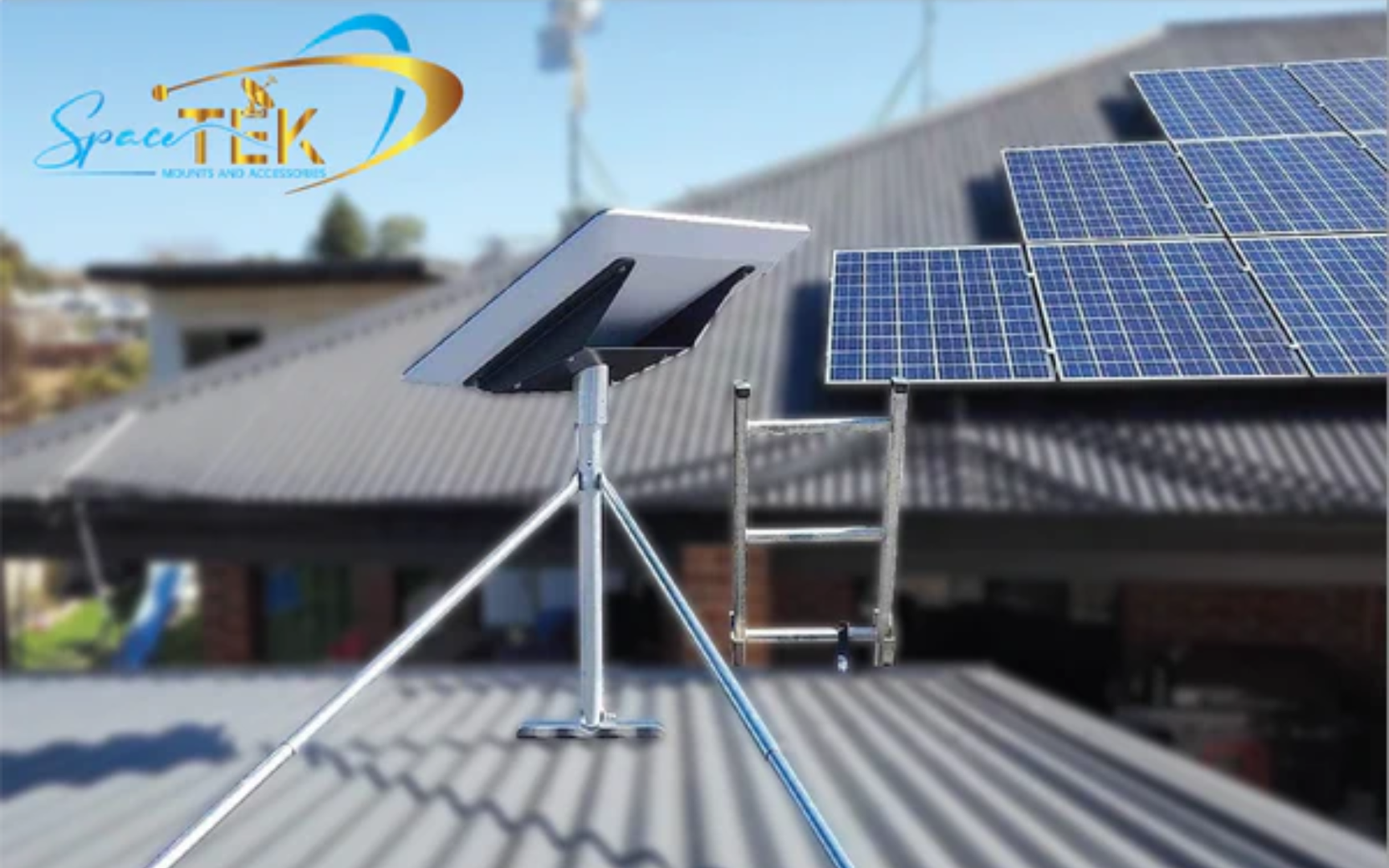
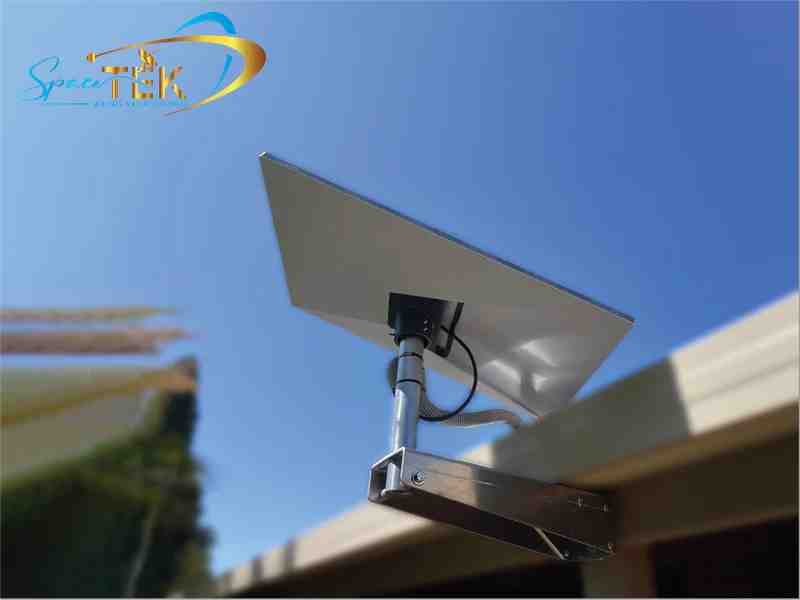
At SpaceTek Australia, we know that great Wi-Fi starts with a great satellite connection. If your Starlink dish isn't mounted securely with a clear view of the sky, even the best mesh system in the world won't help. We provide custom-engineered mounting kits specifically designed for the harsh Australian climate.
Unlike generic or 3D-printed plastic mounts that can warp in the Queensland sun or crack in the Victorian frost, our mounts are precision-machined or formed from high-quality aluminium. These lightweight base plates are rust-resistant and built to withstand salt spray in coastal areas and high vibrations in windy inland regions.
Our hardware is fully compatible with Starlink self-installer kits, making it easy for you to find the optimal position for your dish. Once your dish is securely mounted and delivering a stable signal, you can then focus on distributing that internet throughout your home using a mesh network. To maximize your coverage with the latest hardware, review the guide on Starlink Gen 3 Maximising Coverage With Mesh Extenders.
Frequently Asked Questions
How many mesh nodes do I need for my home?
For a standard three-bedroom home, a two-node system consisting of one router and one satellite is usually enough. If you have a multi-storey house or a very large property over 300 square metres, you might need three or more nodes to ensure every corner has a strong signal.
Can I connect a third-party mesh system to my Starlink?
Yes, you can connect a third-party mesh system to enhance your network coverage. For Starlink Gen 2, you will need the official Starlink Ethernet Adapter, which is a genuine part required to facilitate the connection to your mesh system. For Gen 3, you can connect directly to the Ethernet ports on the back of the router. Detailed instructions are available in our guide on how to Connect Mesh To Starlink.
Does mesh Wi-Fi slow down my internet speed?
In most cases, the benefit of having a full-strength signal far outweighs any minor speed loss from data jumping between nodes. To get the best results, use a tri-band mesh system which has a dedicated lane for the nodes to talk to each other, ensuring your Starlink speeds are maintained throughout the house.
What is the best way to improve my Starlink connection?
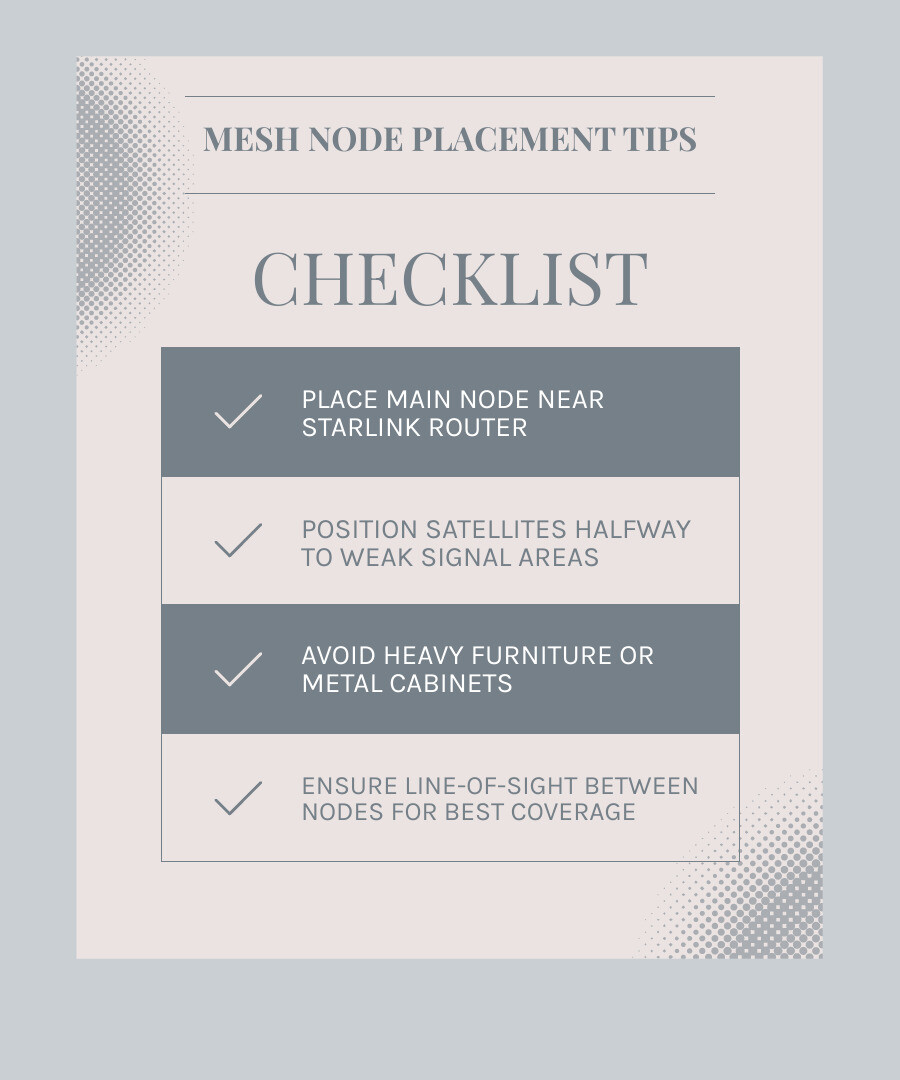
The primary fix for any connectivity or speed issue is ensuring physical mount stability. SpaceTek precision-machined aluminium mounts are formed to provide a rigid, rust-resistant base that prevents the vibrations and movement that cause signal drops. Once the physical mount stability is confirmed, you should place your mesh nodes in open areas about halfway between the main router and the weak signal zones, avoiding metal cabinets or heavy furniture that can block signals.
Conclusion
Investing in a mesh Wi-Fi system is one of the best ways to ensure your Starlink connection reaches its full potential. By eliminating dead zones and providing a seamless roaming experience, you can enjoy high-speed internet whether you're in the basement, the bedroom, or the backyard.
At SpaceTek Australia, we are committed to helping you get the most out of your satellite internet. Our Australian-made, precision-machined or formed aluminium mounts provide the secure, rust-resistant foundation your Starlink dish needs to perform in our unique climate. Once your hardware is set up for success, a quality mesh network is the final piece of the puzzle for a truly connected home.
Ready to upgrade your setup? Explore the SpaceTek collection of precision-engineered Starlink mounting solutions and find the perfect mounting solution for your property today.

Leave a comment
This site is protected by hCaptcha and the hCaptcha Privacy Policy and Terms of Service apply.